How to Monitor Facebook Groups Without a Facebook Account
Get Facebook group alerts in 60 seconds.
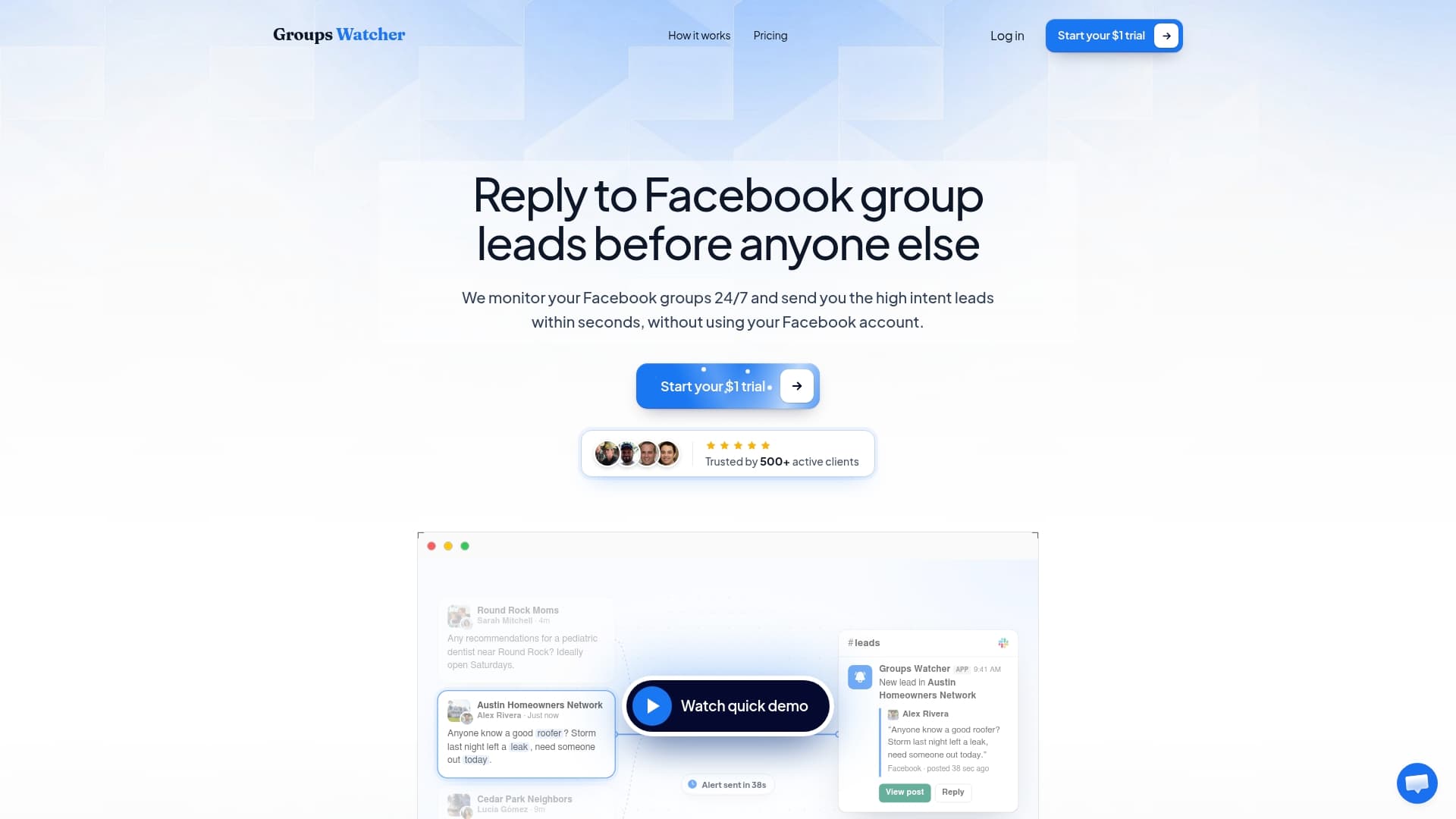
Groups Watcher finds the leads in your Facebook groups and sends them to you in 60 seconds, before your competitors reply, without using your Facebook account. 7 day trial for $1 with full features.
Start your $1 trialHow to Monitor Facebook Groups Without a Facebook Account
You can monitor Facebook groups without using your own Facebook account, but not by simply browsing signed out. Facebook shows logged-out visitors very little, and DIY workarounds tend to break or risk lockouts. The reliable route is a monitoring service that watches the groups for you and alerts you when a post matches your keywords, so no login of yours is ever involved. That is what we built Groups Watcher to do.
Below: what a signed-out visitor can actually see, why scraping on your own is fragile, what the rules say, and how to set up alerts for lead-generating posts without handing over credentials.
TL;DR
-
Signed out, you can see public group basics at best. Posts and comments are often behind a login wall, and private group content is visible to members only.
-
DIY polling and scraping can work briefly on public groups, but aggressive polling raises the risk of lockouts and bans.
-
A monitoring tool that never asks for your Facebook credentials removes the risk to your personal or business profile.
-
The goal is not reading groups. It is getting an alert fast enough to be the first helpful reply to someone asking for what you sell.
-
Groups Watcher alerts you within 60 seconds through Slack, Discord, email, Teams, webhooks and CRM integrations.
Table of Contents
What you can see in a Facebook group without logging in
Start with Facebook’s own rules. According to Meta’s Help Center, in a public group anyone on or off Facebook can see what is shared, while in a private group only current members can see posts and member lists. Public groups can also be found by anyone, and private ones can be visible or hidden in search.
The rule on paper and the experience in practice differ. A 2024 guide on viewing Facebook without an account notes that a directly linked public item may open for a signed-out person, but many Facebook links bring up a sign-in wall instead. Public does not mean Facebook will serve it to you logged out.
Technical documentation points the same way. A command-line guide to Facebook groups reports that a signed-out public-group route may show a group shell: name, URL, privacy label, description, member count, tabs, and sometimes discussion posts. It also warns that access is inconsistent and can be cut off after repeated requests. A 2025 scraping guide makes a similar observation: group metadata is commonly exposed, while individual posts and comments are generally login-walled. Both are operational observations, not guarantees from Meta.
Here is the practical picture:
| Group type | Signed-out visitor | What it means for lead monitoring |
|---|---|---|
| Public | Group name and description, sometimes some posts, inconsistently | Not dependable for catching every new post |
| Private, visible | Name and description at most | Posts are for members only |
| Private, hidden | Nothing, the group does not appear in search | You need to know it exists |
If your plan was to open a tab, stay signed out and watch for buyers, it will not hold up. You would miss most posts, and you would see them late.
Why watching groups manually does not work for leads
Even with an account, manual monitoring is slow. Someone posts “Can anyone recommend a wedding photographer in Austin?” and within an hour the thread has a dozen replies. The first useful responder usually wins the conversation. Checking groups a few times a day means you arrive after the decision is mostly made.
Get Facebook group alerts in 60 seconds.
Groups Watcher finds the leads in your Facebook groups and sends them to you in 60 seconds, before your competitors reply, without using your Facebook account. 7 day trial for $1 with full features.
Start your $1 trialSigned out, the problem gets worse. You cannot rely on seeing the post at all, you cannot filter by keyword, and you cannot be notified. So the question “how do I monitor without an account” is really three questions:
-
How do I see the posts at all?
-
How do I filter the noise down to buying intent?
-
How do I get told quickly, wherever my team already works?
The do-it-yourself route and where it breaks
Some technical teams build their own watcher. An open-source project called fbn documents one approach: it can alert on public groups without authentication and send notifications through destinations such as email. It also states that private groups need authentication, and that frequent scraping raises the chance of a temporary lockout or permanent account ban.
That last point is the catch with every homemade setup:
-
Polling frequency is a trade-off. Poll rarely and your alerts are late. Poll aggressively and Facebook may cut you off.
-
Private groups are out of reach unless you authenticate, which puts an account at risk.
-
Maintenance never ends. Facebook changes its pages, and scrapers break without warning.
-
You build the rest yourself: keyword matching, spam filtering, deduplication, routing to Slack or a CRM.
If you want to see what building involves, we walked through it in how to build a Facebook group monitoring tool. Most business owners decide their time is better spent replying to leads than maintaining a scraper.
Can you monitor private or hidden groups without joining?
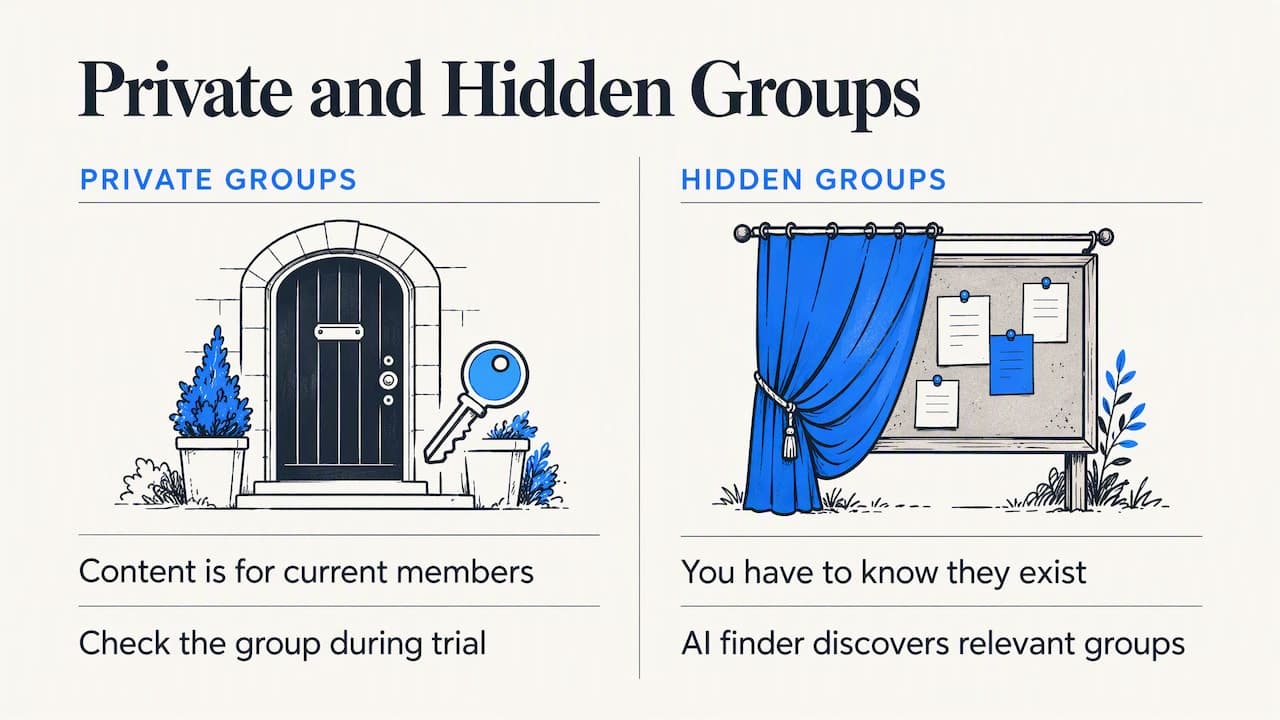
This is the question people ask most and the one with the least straightforward answer. Meta’s own documentation is clear that private group content is for current members. Anything a signed-out visitor could do on their own will not reach it, and no honest workaround exists on the visitor side.
The practical answer is to separate two things: who watches the group and whose account is exposed. With Groups Watcher, you pick the groups you care about, public or private, and we monitor them for you. You never give us your Facebook email, password or session, so there is nothing of yours to restrict. For any specific private group, we recommend checking it against your use case during the trial before you rely on it.
Hidden groups are different in one respect: you have to know they exist. Our AI group finder helps you discover relevant groups for your niche, and you can swap groups in and out at any time.
Perspective: why we built it without a login
Most Facebook group monitoring starts with an assumption that you will connect your account. That creates a quiet risk: the profile you use for your business, your ads access and your own community presence all sit behind that login. One restriction and you lose far more than a lead source.
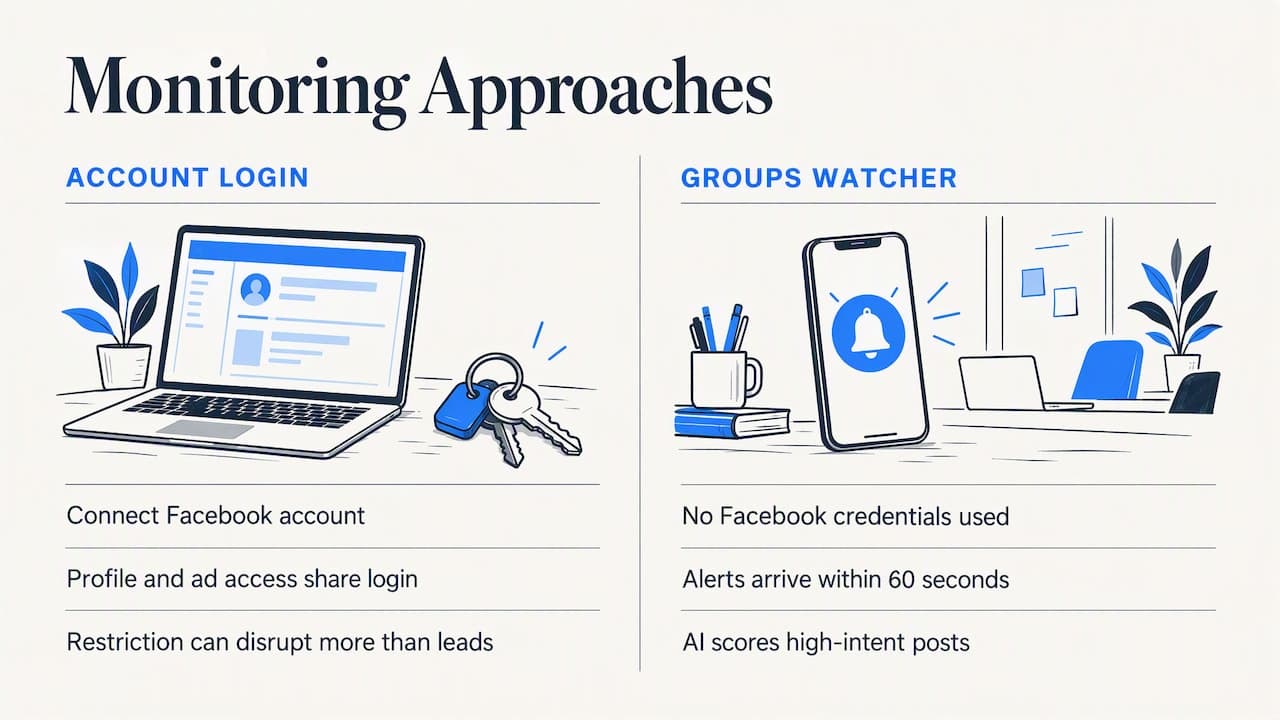
We took the opposite approach. Groups Watcher does not use Facebook credentials, so a monitoring problem cannot become an account problem. Then we focused on the part that makes money: speed and signal. Alerts arrive within 60 seconds, AI scoring filters for high-intent posts, and the alert lands where your team already works. A post that says “where can I buy lift kits for a 2019 Silverado” should reach a parts store as fast as a message from a customer, and in any language the poster writes in.
Our view is that the best monitoring is boring: no logins to babysit, no scraper to repair, just a notification worth acting on.
— Groups Watcher Team
How to get lead alerts from Facebook groups with no account
Here is the workflow, start to finish.
-
Define the intent. Write down the phrases real buyers use: “looking for”, “recommend”, “where can I find”, your product category, your city, and the names of competitors people complain about.
-
Choose groups. Think about where your buyers talk: local community groups, hobby and vehicle groups, landlord and Airbnb host groups, wedding planning groups, industry groups. Our guide to Facebook group types local service businesses should monitor lists the main ones, and the AI group finder suggests more.
-
Set filters and scoring. Keyword filters narrow the stream. AI lead scoring then separates a real request from a casual mention.
-
Pick your channel. Slack, Discord, Microsoft Teams, email, webhooks or a CRM. Send alerts where someone will see them within minutes.
-
Reply fast and helpfully. Within a few minutes is the target. Our setup guide for instant notifications covers the configuration.
-
Review and prune. After a couple of weeks, drop groups that produce noise and add ones that produce leads.
For a deeper look at keyword setup, see our guides on Facebook group keyword alerts and monitoring Facebook groups for keywords and leads.
Examples of what to track
-
Performance auto parts store: “aftermarket”, “where to buy”, a truck model, a part name.
-
Real estate agent: “looking to buy”, “moving to”, neighborhood names, “recommend an agent”. There is a dedicated page for real estate agents.
-
Wedding vendor or Airbnb host: “need a florist”, “DJ recommendations”, “co-host”, “cleaner”.
-
B2B software: “alternative to”, a competitor’s name, “does anyone use” plus your category.
What it costs
Groups Watcher starts with a 7 Days Trial for a one-off $1. After that, the Professional plan is $99 per month, with unlimited lead scoring and alerts, and extra groups cost $2 per month per group. Current details are always on the pricing page.
To judge whether that is worth it, use simple math. If an average customer is worth a few hundred dollars to you, one extra closed lead a month covers the plan.
Try it on your own groups
If you already know three or four groups where your buyers ask questions, you can have alerts running the same day. Start the $1 trial, add your keywords, connect Slack or email, and see how many requests you were missing. No Facebook login, no risk to your profile.
Want to see how it fits your situation first? Read how Facebook social listening works, or see our overview of Facebook group lead monitoring.
Choosing between the approaches
| Approach | Needs your login | Sees private groups | Speed of alerts | Ongoing effort |
|---|---|---|---|---|
| Browse signed out | No | No | None | High, and unreliable |
| Manual checking logged in | Yes | Only ones you joined | Hours | High |
| DIY scraper | For private groups, yes | Only with authentication | Depends on polling, with ban risk | High |
| Monitoring service without credentials | No | Supported for selected groups | Within 60 seconds | Low |
The differences come down to risk and time. The first three leave you either blind or exposed. The fourth is built so that speed does not depend on your account’s safety. For a wider overview of tools by type, see our roundup of Facebook monitoring tools.
FAQ
Can you view Facebook groups without an account?
Sometimes, in part. Meta says anyone on or off Facebook can see what is shared in a public group, but in practice signed-out visitors often hit a sign-in wall and see only a group’s name, description and member count. Private group posts are only visible to members.
Can you monitor public Facebook groups without logging in?
You can try, but results are inconsistent and access can be cut off after repeated requests. A monitoring service is more dependable because it is built for steady, fast alerts and needs no login from you.
Can people see what private groups I’m in?
It depends on the group’s visibility and your own privacy settings, and Facebook controls those. If you want to keep your personal profile out of the picture entirely, a tool that monitors groups without your account means there is no profile activity to see.
Is it safe to give a tool my Facebook password?
We advise against it. Meta’s standards prohibit obtaining another person’s login information for unauthorized access, and sharing credentials puts your account at risk of restrictions. Groups Watcher never asks for them.
Does monitoring work in languages other than English?
Yes. Groups Watcher supports posts in any language, so you can catch requests in Spanish, Portuguese or any other language your customers use.
Sources
Recommended
Stop checking Facebook groups by hand.
Groups Watcher finds the leads in your Facebook groups and sends them to you in 60 seconds, before your competitors reply, without using your Facebook account. 7 day trial for $1 with full features.