Facebook Group Types Local Service Businesses Should Monitor
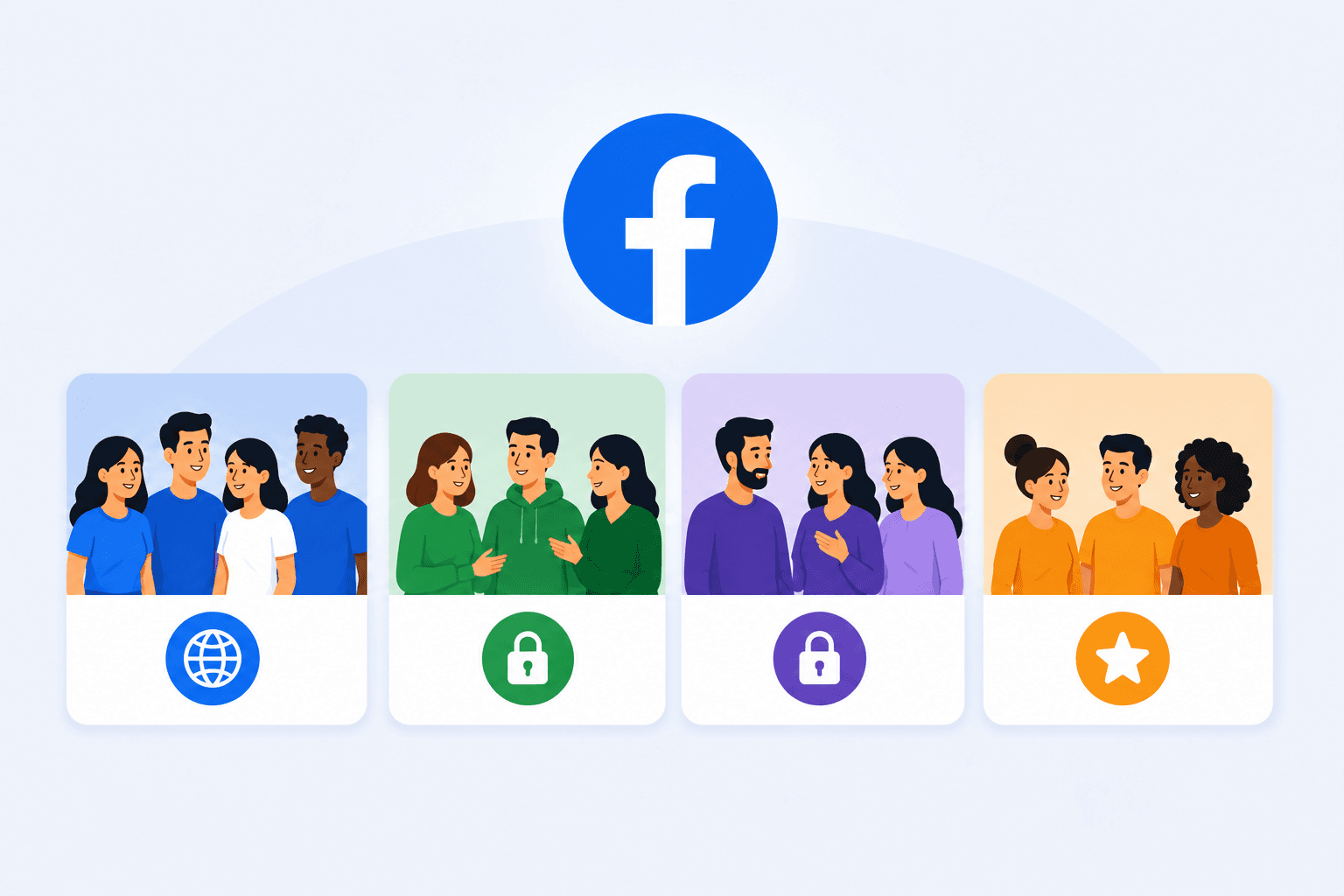
Facebook groups are still one of the strongest local lead sources because people ask for recommendations in real time. They post, “Who do you recommend?” and they often hire from the first few helpful replies.
The mistake most local businesses make is joining random groups and hoping something happens. Monitoring works best when you target the right group types and build a simple system to catch high-intent posts early.
This guide breaks down the Facebook group categories that consistently produce local leads. You’ll also get a quick scorecard to pick winners, plus a monitoring workflow that doesn’t require living in Facebook all day.
TL;DR
These are the Facebook group types you can monitor using Groups Watcher:
Neighborhood and community groups
Parent and mom groups
Buy/sell/trade and freebie groups
Relocation and “moving to [city]” groups
Local business networking and referral groups
HOA, condo, and subdivision groups
Contractor, trades, and subcontractor groups
Community help, emergency, and “in a bind” groups
Niche local groups (pets, schools, hobbies, and more)
Why Group Type Matters More Than Group Size
A huge group with low engagement can waste your time. Meanwhile, a smaller group with frequent recommendations and “need help” posts can outperform it easily.
When you monitor by group type, you spend time where intent is naturally higher. That’s how you turn Facebook group activity into predictable leads.
Group type predicts what people post about. Neighborhood groups lean into referrals, parent groups lean into urgency, and networking groups lean into partnerships.
The Difference Between Browsing and Buying Intent
Browsing intent looks like casual conversation, memes, or general community chatter. Buying intent looks like “Who can help?” “Any recommendations?” and “Need someone ASAP.” Those direct requests show that someone has a problem and may hire a provider soon.
Get high intent leads from Facebook groups.
Turn Facebook groups into a lead source for your business. Book a demo to see if it fits.
Book a demoLocal leads often show up as short, direct posts. If the group type encourages those posts, your monitoring becomes more efficient and consistent.
A plumber, for example, gains more from “Need someone for a leak today” than a general plumbing discussion because the first post shows a current need.
Why Recommendation Posts Are the Highest-Value Threads
Recommendation posts create built-in social proof. People tag businesses they trust, and those tags act like endorsements.
When you earn a spot in the first few replies, you get visibility, credibility, and often a direct message. Someone who needs an HVAC repair today may contact an early recommendation before later replies appear.
Recommendations in open groups can be publicly visible, and non-members may read content Facebook makes public.
How Trust Works Inside Local Groups
Members remember who gives useful advice and who appears only to promote a service.
When your presence is consistent and helpful, you become “the obvious recommendation.” But when your presence feels promotional, you get ignored or removed. That difference can affect future referrals because trusted members may start tagging your business before you reply.
Closed groups can support more personal discussions because only current members can see private posts. Group members may share honest feedback when they trust the people in the community.
Admins can review the member list to manage membership, and people can use a profile picture to identify who they’re talking to.
9 Best Facebook Group Types to Monitor
If you want the fastest shortlist, start here. These group types tend to produce the most recommendation posts, urgent needs, and vendor requests for local services. Many Facebook users turn to local groups when they need a provider and want advice from people nearby.
Once these are covered, you can expand into more niche and B2B categories. But for most local service businesses, the groups below will produce the highest return for the time you spend monitoring.
Look for strong community engagement, relevant membership, and regular service requests. Businesses that participate in these talks can become familiar names over time. Members can then visit your company’s Facebook page for more details.
1. Neighborhood and Community Groups
People ask for plumbers, HVAC techs, cleaners, roofers, handymen, and landscapers every week, often with urgency.
They’re also great for reputation because residents will tag businesses they trust. One helpful reply can turn into repeat referrals if you show up consistently.
For most local services, neighborhood groups are the highest ROI. The requests are direct and local, and people are actively looking for trusted providers. Someone asking for a plumber in their subdivision gives you a stronger lead than a broad home repair discussion.
These groups also create compounding benefits. As you help consistently, members start tagging you without being asked. Each tag puts your business in front of another local person who already needs the service.
What You’ll See in These Groups
Expect posts about home repairs, seasonal maintenance, emergencies, and vendor recommendations. Other group content can include lost pets, road closures, neighborhood events, and local safety updates.
You’ll also see “Who do you recommend?” threads where you need to respond fast. Neighbors may ask friends in the community for names before searching elsewhere. In most cases, they want a provider who serves the area and can respond within their deadline.
If someone asks where they can learn more about your company, you can share your business page when the group’s rules permit it.
Best Services for This Group Type
Home services that usually win here:
HVAC
Plumbing
Electrical
Cleaning
Landscaping
Pest control
Handyman work
Roofing
Painting
Moving
Any business that solves a local problem quickly can get traction, especially if you can respond the same day. These services fit neighborhood groups because the customer usually needs someone who can travel to a specific home.
Keywords and Triggers to Monitor
Monitor intent phrases and service terms together. “Looking for” plus your service is usually stronger than your service word alone. Useful terms include “recommend,” “need someone,” “available today,” “reliable,” “emergency,” and words that describe the problem you solve.
Also monitor neighborhood names if you serve specific areas, so you can find posts your competitors miss. Monitoring tools become more useful when you combine location, service, and intent terms.
Take note of urgent requests first because their deadlines leave less time to respond.
Groups Watcher lets you choose keywords for the Facebook group posts you want to monitor.
How to Engage Without Getting Removed
First, answer the question, ask one clarifying question, and keep it short. Someone with a home repair problem needs a useful answer before they need your sales pitch.
Avoid dropping links on first contact unless group rules allow it. In many groups, links feel like promotion and reduce trust.
Some communities require admin approval before certain posts appear. New members may need to complete an approval process before they can take part.
Read those rules first, then manage your replies within the limits the admins set.
2. Parent and Mom Groups
When parents need help, they want answers now, and they trust personal recommendations more than ads. These groups are gold for home services, cleaning, pest control, tutoring, photography, and family-focused businesses.
Parent groups generate fast-moving threads because parents need reliable answers quickly. They also tend to value experience, trust, and “someone I can count on.”
If you show up with a hard pitch, it usually backfires. A recommendation from another parent gives them first-hand information about how a provider treated a local family.
Why Parents Post High-Intent Requests
Parents often have time pressure. They need a cleaner before guests arrive, a pest problem handled, a repair done before the weekend, or help that fits a busy schedule.
That urgency makes these threads convert well if you respond with empathy and real solutions. A parent whose sitter canceled for tomorrow has a real deadline, and someone with a broken backyard gate may need a repair before a child can safely use the yard.
Best Services for This Group Type
Here are the common services that tend to do well in this group:
Cleaning
Home services
Pest control
Tutoring
Photography
Family-focused local businesses
If your service improves convenience or reduces stress, parent groups can become a steady source of referrals. Parents often recommend companies on Facebook after a good experience because another family may need the same cleaner, tutor, photographer, or repair service.
Urgent Need Patterns to Watch
Look for phrases like “ASAP,” “today,” “this week,” and “anyone available.” These are high-value triggers. “Canceled,” “last minute,” “before tomorrow,” and “emergency” can signal an even shorter deadline.
Aside from that, watch for “trusted recommendation” language since it usually signals the person is ready to book. The request becomes more useful when it includes a service, location, and deadline because those details tell you whether your business can actually help.
Safe Engagement Tips
Keep replies respectful and simple. Acknowledge the need, offer a quick direction, and ask one question that helps you help them.
Avoid sounding aggressive or salesy. These groups protect their culture strongly. Parents may compare providers, reviews, prices, or safety details before inviting someone into their home.
Give them facts they can use to make that choice. Mention your relevant experience when it answers their concern, and don’t turn an urgent family problem into a long promotion.
3. Buy/Sell/Trade and Freebie Groups
Although these groups look transactional, they generate surprisingly strong service leads. People post when something breaks, needs installing, or requires pickup, removal, or repair.
They’re also full of “I need this done today” energy. If you offer fast response or same-day service, these groups can produce quick wins.
The lead quality, however, varies, so filter them wisely.
When These Groups Produce Real Leads
When someone buys something heavy, they need transport or installation. When someone gives something away, they may need pickup help.
You’ll also see “who can fix this” posts tied to furniture, appliances, and small repairs. A resident clearing out several large items before Friday may need junk removal. Someone replacing an appliance could need installation help.
Moving-sale posts can reveal a bigger need too. A person selling furniture before leaving town may still need movers, cleaners, or someone to remove items that don’t sell.
Services That Win Here
Usually, these services perform well in these groups:
Moving help
Junk removal
Handyman work
Appliance repair
Mounting/installation
Cleaning
If you can take calls and act quickly, you win. Many posts have a fixed deadline because the seller needs an item gone, the buyer needs it transported, or a homeowner needs something installed.
What to Avoid
Some posts attract price shoppers, and that’s not automatically bad, but you need a script that keeps you from wasting time.
If your service is premium, these groups can still work, but you’ll be selective about which posts you respond to. Skip requests outside your service area, unrelated listings, and posts that show no need for paid help.
Avoid copying the same sales reply into several threads. Members can read repeated promotion as spam, and admins may remove comments that break their rules.
A short answer tied directly to the person’s request gives them a real reason to respond.
4. Relocation and “Moving to [City]” Groups
New residents need a vendor stack fast. They ask for movers, cleaners, handyman help, HVAC contacts, lawn care, and “best local companies” lists.
If you become a consistent, helpful name in these groups, you get leads from people who haven’t built local relationships yet and make conversion easier.
Relocation groups are a lead source that many businesses ignore. That’s a mistake, because new residents often hire multiple services in the first 30 to 60 days.
They’re also more open to recommendations because they don’t have a personal network yet. A neighbor’s referral can help them choose a provider without comparing dozens of unfamiliar local companies.
Why New Residents Convert Quickly
New residents convert quickly since they need fast solutions:
Movers
Cleaning
Handyman tasks
Lawn care
HVAC contacts
Moving creates several jobs within a short period. Someone may need a cleaner before furniture arrives, an HVAC check after closing, and lawn care during the first week. New residents haven’t built relationships with local providers yet, which makes trusted recommendations useful.
If you become a familiar name in these groups, you get recurring visibility as new members join. Each new arrival creates another chance to answer the same types of local service questions.
The Vendor Stack Requests to Watch
Watch for “best of” and “who do you recommend” posts that list multiple needs. These are high-value because one post can lead to multiple referrals.
A request for a cleaner, landscaper, handyman, and pest company tells you the person needs several providers now. Watch for phrases such as “just moved,” “new homeowner,” “closing next week,” and “new to the area.”
Even if your service is one piece of their stack, you can still win because they’re actively building a shortlist. Your reply only needs to solve the part that matches your service.
How to Become the Go-To Recommendation
Engage in a value-first way. Offer helpful tips, not just your name.
When you’re consistently helpful, other members start recommending you, and that’s when group monitoring becomes truly compounding. Those member referrals can introduce your company to each new group of residents without requiring you to promote yourself on every post.
5. Local Business Networking and Referral Groups
Networking and referral groups are more relationship-driven than urgent-need groups. They’re ideal for building referral loops with other business owners.
They can produce steady B2B work and partnerships, especially if your service complements other local providers rather than competing with them. These groups also tend to value professionalism, responsiveness, and documentation, so your positioning should reflect that.
A realtor may need the same cleaner after several home sales, and a property manager may call one plumber for many rental units.
What These Groups Post About
Many posts are about turnover repairs, maintenance requests, emergency fixes, and vendor sourcing.
A property manager might ask for a cleaner before a new tenant moves in. Another member may need a roofer who can inspect several properties. These requests can lead to more than one job because the buyer manages several locations.
You may also see questions about compliance, scheduling, and “who is reliable.” Those details help you judge whether the person wants general advice or needs a provider they can hire.
How to Position for Repeat Work
Instead of chasing every thread, focus on relationship-building. Offer clarity, timelines, and dependable communication.
Tell potential partners what jobs you handle, where you work, and how quickly you can respond. A property manager needs to know if you can handle future calls after the first job.
A single strong relationship here can produce ongoing referrals across multiple properties. Keep your promises on the first project because that experience gives the buyer a reason to contact you again.
6. HOA, Condo, and Subdivision Groups
Typically, HOA, condo, and subdivision groups can be strict and hard to access, but they are incredibly targeted. If you’re approved, you’re speaking directly to the exact households you serve.
The lead volume may be lower, but the match quality is often higher. Several homes may share similar roofs, fences, plumbing, or yards because builders completed them around the same period.
Why These Groups Are High ROI
The audience is local, concentrated, and often homeowner-heavy, which is ideal for many home services.
One completed job can put your company in front of nearby homeowners who have the same problem. A roofer repairing one house may find neighbors with roofs of a similar age.
You may also get seasonal waves of demand tied to community needs and shared maintenance patterns. Storm damage, pest seasons, and HOA maintenance deadlines can create several requests within the same area.
How to Handle Strict Rules
Many HOA groups ban promotions and link sharing, so you need to follow the rules.
Some communities only accept residents. Don’t claim membership if you don’t meet the group’s requirements. If local vendors can join, answer all entry questions truthfully and follow the posting rules after approval.
The best strategy is to be helpful and let others recommend you. When members tag you, it doesn’t feel like advertising. A recommendation from a homeowner who already hired you gives neighbors a real experience they can judge.
7. Contractor, Trades, and Subcontractor Groups
Trade groups can be a strong channel for partnerships and overflow work. If you’re a specialty trade or a support service, these groups can produce steady B2B leads.
People here care about competence and reliability, not marketing. Contractors often need specific information before they respond, such as their trade, crew size, service area, license, insurance, and available start date.
How Leads Show Up in Trade Groups
You’ll see subcontract requests, sourcing questions, and “who can handle this job” posts. These are often time-sensitive.
You may also see equipment and staffing conversations that hint at upcoming demand. Watch for start dates, project locations, bid requests, crew requirements, and job size because those details tell you if the work fits your business.
How to Engage Like a Pro
Give the general contractor facts they can use. State your trade, location, available start date, relevant license, crew size, and similar project experience when those details apply.
If the post lacks enough detail for a quote, ask for plans, measurements, deadlines, or bid documents.
8. Community Help, Emergency, and “In a Bind” Groups
People post here when they have a problem right now and need help quickly.
A burst pipe, broken lock, failed AC unit, or fallen tree can create a service need within minutes. The customer may choose one of the first qualified providers because waiting could cause more damage.
If you can respond fast and actually help, these groups can produce high conversion leads. Check the location and problem before promising an arrival time because an inaccurate promise can make an already stressful situation worse.
Response Rules That Work
Be helpful, ask one clarifying question, and offer a next step. Keep it short.
For example, as a plumber, you can tell someone how to shut off the home’s water before asking where the leak started. Then explain whether you can take the job and provide an honest arrival time.
Ask before sending a private message when possible because someone dealing with an emergency may already have several people contacting them.
9. Niche Local Groups (Pets, Schools, Hobbies, and More)
Niche groups can become “hidden” lead streams. The volume is lower, but trust is often higher.
Pet groups can produce requests for groomers, trainers, sitters, or fence repair. School communities may need tutors and photographers. Gardening groups can contain drainage, tree care, or lawn questions.
If your service overlaps with a niche community, being present there can generate referrals that feel natural and high-quality.
How Niche Groups Create Leads
People prefer recommending vendors who understand their community. If you show that you “get it,” you become the obvious recommendation.
A dog owner whose puppy keeps escaping may need a trainer or fence contractor. Someone complaining about backyard drainage, on the other hand, could need a landscaper.
You can also use niche groups to discover language and questions that improve your marketing everywhere else. Save the phrases people use because you can use and review them, so you can monitor future posts that describe the same problem.
How to Pick Groups Worth Monitoring
Before you join and monitor a group, you want a quick way to judge whether it’s worth your time. This prevents you from collecting dozens of dead groups that never produce leads.
Use a simple scorecard: engagement, intent, fit, rules, and admin quality.
Engagement Signals
Look for recent posts and real comment activity. If the last post was days ago and nobody comments, it’s a dead group.
A healthy group has consistent posting frequency and threads that get responses. Even a few strong recommendation threads per week can be valuable.
Intent Signals
Scan the feed for “who do you recommend,” “looking for,” “need help,” and “anyone know.” These phrases predict lead potential.
If the group is mostly photos, memes, or announcements, it may still be useful, but it’s not lead-focused.
Fit Signals
Fit is about service area and audience. A group full of renters may not be ideal for certain home services, but a group full of homeowners may be perfect.
When your business is hyper-local, prioritize groups that match your exact neighborhoods.
Rule Strictness
Some groups ban promotions entirely. That doesn’t mean they’re useless, but it changes how you engage.
Once the rules are strict, you may focus on being helpful and letting others recommend you rather than posting direct offers.
Admin Quality
Good admins reduce spam and keep conversations clean. That improves trust and makes recommendation threads more valuable.
Groups with no moderation often become noisy, which lowers lead quality and increases risk for your account.
Best Practices for Monitoring Groups Without Getting Flagged
Monitoring works when you’re consistent and safe. If you join too aggressively or comment in a spammy way, you risk restrictions.
Keep your activity natural and community-friendly. It’s better to win steadily than to burn an account quickly.
Join Pace and Account Safety
Avoid joining a large number in a short window. Be patient with approvals, and don’t treat groups like ad placements.
Before joining, check the group description and rules to confirm that your business fits the community. A cover photo often gives you a quick clue about the group’s location or purpose.
Depending on your Facebook layout, the left menu can give you access to your groups. Private communities may limit discussions to only members, so respect those privacy limits when monitoring posts.
The Helpful-First Comment Framework
Answer the question, keep it short, and ask one clarifying question. That increases replies and keeps your comments from sounding promotional.
Give useful advice that relates directly to the problem. A plumber could explain how to shut off the water safely before asking where the leak started. That response helps the homeowner immediately and shows that you understand the problem.
When someone asks for a recommendation, a calm, helpful response wins far more than a hard pitch. Your reply should solve part of the problem first, then mention your service when it fits naturally.
When to DM vs Comment
Comment first when it helps the thread and follows rules. Move to DM when details are sensitive, complex, or invited by the poster.
Public comments work well for general advice because other members can benefit from the answer. Use a DM for an address, phone number, property photos, or a detailed quote.
In strict groups, you may rely on DMs only after the poster asks you to reach out. Respecting that choice is one of the ways you can control how much direct contact you make with potential customers.
How to Monitor Public and Private Facebook Groups Efficiently
Public groups let anyone read public posts, comments, and shares. A private group, on the other hand, limits posts to members. Owners choose a privacy setting, then admins use group settings to control access.
Hidden groups don’t appear in public search results, and visible groups can appear when someone searches the group name.
Your monitoring method should match the groups you can access and the number of communities you need to check.
Method 1: Browser Extensions
Browser extensions run through the browser where you’re logged into Facebook. You set keywords such as “plumber,” “recommend,” or “emergency,” then the extension checks accessible groups for matching posts.
Since these extensions operate in your browser, you may want to review your privacy choices before using one. Controlling cookies with browser settings can limit some website tracking.
Where the option exists, you can allow only essential cookies. These settings affect browser data use, though they don’t change which private Facebook groups your account can access.
Method 2: Monitoring Tools (Groups Watcher)
Groups Watcher monitors both public and private Facebook groups for you. You provide the group URLs and choose keywords that you want to find.
Moreover, you don’t need to give Groups Watcher your Facebook account or have admin access. Its system handles the monitoring on its own servers 24/7.
You can track every new post or use keywords and AI-based relevance checks to focus on local service requests and lead intent. Alerts arrive within 60 seconds through email, Discord, Slack, Teams, webhooks, or SMS.
With the automatic comment on matching posts, you can be one of the first businesses to respond as soon as an opportunity appears.
Method 3: Facebook’s Built-In Tools
Facebook’s built-in options work when you want to monitor groups manually. You can use group notifications to keep up with new activity and search within groups for specific words or phrases.
Your ability to view private group posts still depends on your membership and the group’s privacy settings.
How Groups Watcher Helps Local Services Monitor Private and Public Groups
Local lead capture in Facebook groups is a timing game. The first helpful reply often gets attention before the thread fills with competing recommendations.
Groups Watcher monitors both private and public Facebook groups 24/7. You provide the group URLs and choose what to track. There’s no need to share your Facebook account, become an admin, keep a browser extension open, or leave your computer running.
You can monitor every new post or use keywords and AI-based relevance checks to focus on service requests, locations, and buying intent. Groups Watcher sends matching alerts within 60 seconds via email, Slack, Discord, Teams, webhooks, or SMS.
Automatic comments can further help you respond to relevant posts quickly. For local services monitoring neighborhood, parent, relocation, and emergency groups, that speed can help you reach homeowners before a high-intent thread fills with replies.
FAQs About Facebook Group Types
What are the top 10 Facebook groups?
There isn’t an official ranking of the top 10 Facebook groups. Popular groups vary by topic, location, member count, and activity, so the best ones depend on the type of community you want to join.
What are the different types of groups?
Facebook groups can be public or private. Public groups let anyone see members and posts, while private groups limit group content to members.
What is replacing Facebook groups?
No single platform is replacing Facebook groups. People also use Discord, Circle, Mighty Networks, Skool, WhatsApp, Reddit, and other community platforms depending on whether they need chat, courses, paid memberships, or private discussions.
How many FB groups are there?
There are more than 70 million active Facebook groups and more than 1.8 billion people using them monthly.
Ready to get more leads from Facebook groups?
Book a demo and see how Groups Watcher can turn Facebook groups into a lead source for your business.
Book a demo