Monitor Facebook Group Keywords Without Admin Access
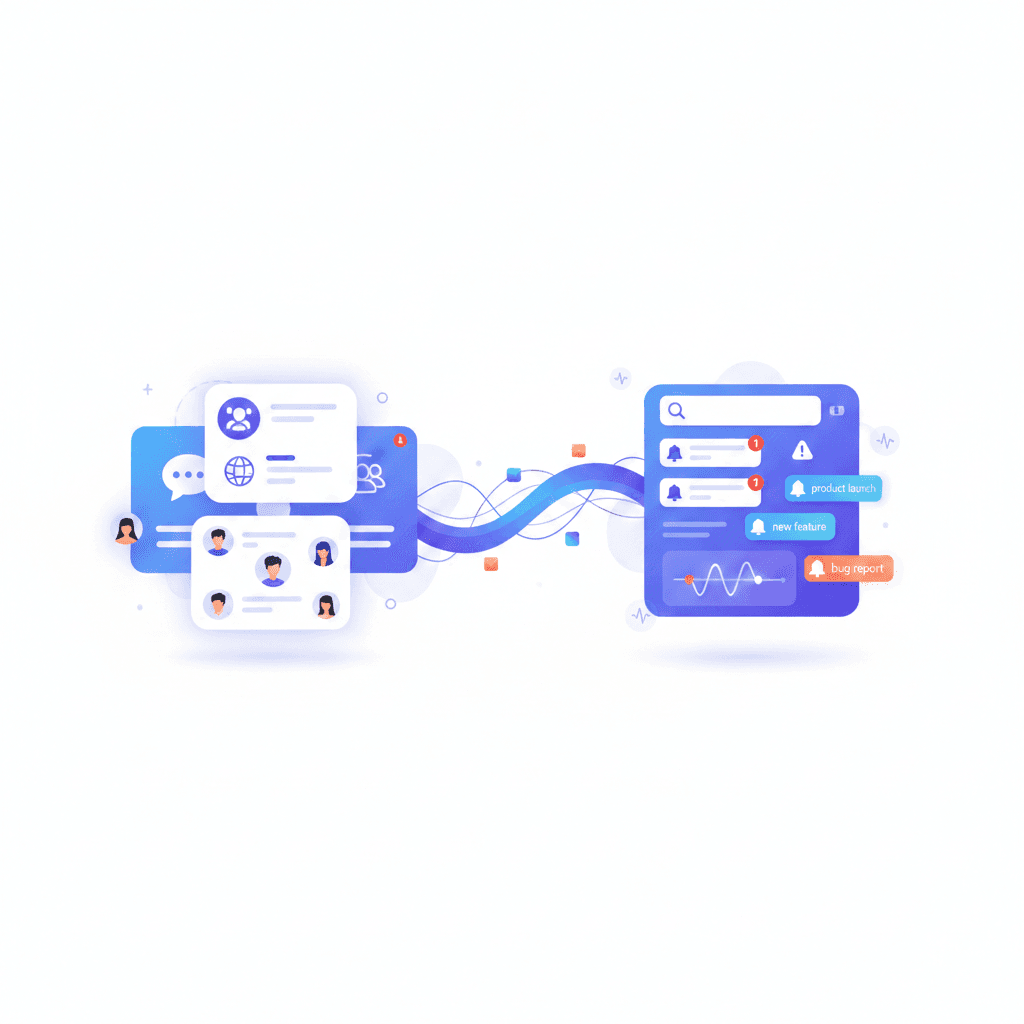
If you've ever wanted to monitor Facebook groups for specific keywords, you might've assumed you need admin privileges to set up keyword alerts. After all, most monitoring tools seem to require special permissions or admin access.
But here's the thing. You don't need to be an admin to monitor Facebook groups for keywords. In fact, you don't need any special permissions at all. As long as you're a member of the group, you can set up keyword alerts and get instant notifications.
In this blog post, you'll learn how to set up keyword alerts in Facebook groups without being an admin, why this approach actually works better, and how Groups Watcher makes it all possible. By the end, you'll understand that being a regular member is all you need to turn Facebook groups into a powerful lead generation channel.
Why You Don't Need Admin Rights for Keyword Alerts
Many people think you need admin rights to monitor Facebook groups for keywords. This makes sense on the surface. Admins have more control over group settings, and Facebook does allow admins to set up keyword alerts through their built in features.
But here's the reality. If you're not an admin, Facebook doesn't give you access to keyword alert features directly. You can't set up keyword monitoring through Facebook's native tools unless you have admin rights.
The good news? You don't need admin rights to monitor Facebook groups for keywords. You just need a third party tool like Groups Watcher that can scan group content directly. And for that, you only need to be a member of the group.
How Keyword Alerts Work Without Admin Rights
The key to monitoring Facebook groups without admin rights is understanding how group access actually works. When you're a member of a group, you can see all the posts and comments that are visible to members. This includes both public and private groups.
Groups Watcher uses your existing Facebook account to access groups you're already a member of. It scans the content you can already see, looking for keywords you specify. When it finds a match, it sends you an instant notification.
This approach works because you're not asking Facebook for special permissions. You're simply automating what you could do manually. If you can see a post as a member, Groups Watcher can scan it for keywords.
Get high intent leads from Facebook groups.
Turn Facebook groups into a lead source for your business. Book a demo to see if it fits.
Book a demoThe best part? This works for both public and private groups. As long as you're a member, you can monitor it. No admin access required.
What You Can Do Without Admin Rights
Let's be clear about what you can accomplish as a regular group member with the right tool.
Set Up Automated Keyword Monitoring
You can monitor unlimited keywords across unlimited groups. Set up positive keywords for what you want to see, and negative keywords to filter out noise. The system scans continuously, so you never miss an opportunity.
Get Instant Notifications
Receive alerts in under 60 seconds on managed plans, or 3-7 minutes with the Chrome extension. These notifications can go to Slack, Discord, Teams, Email, SMS, or custom webhooks. Choose whatever channel works best for your workflow.
Track Mentions Across Multiple Groups
Monitor hundreds of groups from one dashboard. You don't need to manually check each group. The system scans them all automatically, sending you alerts only when keywords match.
Set Up Automated Responses
Use auto comment functionality to automatically respond to posts that match your keywords. This ensures you're first to respond, even when you're not available. Being among the first 3 comments dramatically increases your chances of winning the lead.
Monitor Competitor Mentions
Track when competitors are mentioned in groups. This lets you engage and offer alternatives, shaping market perceptions in your favor.
What Admin Rights Actually Give You
It's worth understanding what admin rights actually provide, so you know what you're not missing.
Admins can manage group settings, approve or reject membership requests, remove posts, and ban members. These are important functions for running a group.
Facebook also allows admins to set up keyword alerts through their built in features. This is something non admins can't access directly through Facebook.
However, even if you're not an admin, you can still monitor Facebook groups for keywords using third party tools like Groups Watcher. These tools work with your existing group memberships, so you don't need admin access to use them effectively.
Why Member Based Monitoring Is Actually Better
Here's something interesting. Member based monitoring is actually better than admin based monitoring would be, if such a thing existed.
You Only Monitor Groups You Care About
As a member, you join groups that are relevant to your business or interests. You're not monitoring random groups just because you have admin access. This means every alert you receive is from a group that matters to you.
You Have Natural Context
Since you're already a member, you understand the group's culture and norms. You know how to respond appropriately. This context helps you craft better automated responses and engage more effectively.
No Permission Requests Needed
You don't need to request special permissions or explain why you need admin access. You simply use groups you're already part of. This makes setup faster and simpler.
Works With Private Groups
Many valuable groups are private. Admin based monitoring wouldn't help here anyway, since you'd need to be a member regardless. Member based monitoring gives you access to both public and private groups seamlessly.
Real World Use Cases
Let's look at how businesses use keyword alerts without admin rights.
Local Service Businesses
HVAC companies, plumbers, and contractors monitor neighborhood Facebook groups for recommendation requests. When someone asks "Who do you recommend for AC repair?", they get notified instantly. Being among the first 3 comments means they often win the lead.
These businesses don't need admin rights. They just need to be members of local community groups, which they usually already are.
Real Estate Professionals
Real estate agents monitor groups for property mentions, referral requests, and people looking to buy or sell. Speed matters when someone posts about needing a realtor, as the first professional to respond often gets the opportunity.
They monitor both public neighborhood groups and private real estate investment groups, all without needing admin access.
E Commerce Businesses
Online businesses monitor buy sell groups and niche communities for product mentions. They track keywords related to their products, competitors, or industry trends.
These businesses monitor multiple groups simultaneously, getting alerts whenever relevant keywords appear. No admin rights needed.
Marketers and Agencies
Marketing professionals track brand mentions, competitor mentions, and industry keywords across multiple groups. They use this intelligence to inform their strategies and engage with opportunities.
They don't need admin access to any of these groups. They just need to be members, which is usually easy to arrange.
How to Set Up Keyword Alerts Without Admin Rights
Setting up keyword alerts is straightforward when you don't need admin permissions.
Step 1: Join the Groups You Want to Monitor
Simply join the Facebook groups you want to monitor as a regular member. This works for both public and private groups. For private groups, you'll need to get approved by the admin, but that's usually straightforward.
You don't need any special reason to join. Just be a genuine member who contributes value to the group.
Step 2: Add Groups to Your Monitoring Dashboard
In Groups Watcher, add the groups you want to monitor. The system will verify you're a member and start scanning those groups for keywords.
You can add unlimited groups, so don't worry about hitting limits. Monitor as many groups as are relevant to your business.
Step 3: Configure Your Keywords
Set up the keywords you want to track. Use positive keywords for what you want to see, like "AC repair" or "plumber needed". Add negative keywords to filter out noise, like "DIY" or "free".
Groups Watcher supports unlimited keywords, so you can track everything that matters to your business.
Step 4: Choose Your Notification Channels
Select how you want to receive alerts. Groups Watcher supports Slack, Discord, Teams, Email, SMS, Ntfy push notifications, Zapier, n8n, and custom webhooks.
Many users prefer Slack, Discord, or Teams for instant team notifications. Choose whatever works best for your workflow.
Step 5: Set Up Automated Responses (Optional)
If you want to respond automatically, configure auto comment templates. These will post automatically when keywords match, ensuring you're first to respond.
Customize your templates to include contact information, service details, or whatever message works best for your business.
Common Misconceptions About Admin Rights
Let's clear up some common misconceptions.
Misconception 1: Only Admins Can Monitor Keywords
While Facebook does allow admins to set up keyword alerts through their built in features, non admins can also monitor keywords using third party tools. You don't need admin rights to use tools like Groups Watcher. You just need to be a member of the groups you want to monitor.
Misconception 2: You Need Admin Rights for Private Groups
You don't need admin rights to monitor private groups. You just need to be a member. Once you're approved as a member, you can monitor the group like any other group.
Misconception 3: You Need Facebook's Admin Features
While Facebook's admin features do allow keyword alerts, you don't need them if you use third party tools. Tools like Groups Watcher can monitor keywords in any group you're a member of, regardless of whether you're an admin. For keyword monitoring, third party tools are often more powerful because they work across multiple groups and offer more customization options.
Misconception 4: You Need Special Permissions
You don't need any special permissions beyond group membership. If you can see a post as a member, you can monitor it for keywords. It's that simple.
The Advantages of Not Needing Admin Rights
There are actually several advantages to not needing admin rights.
Faster Setup
You don't need to request admin access or explain why you need it. You simply use groups you're already a member of. This makes setup much faster.
More Groups Available
You can monitor any group you're a member of, not just groups where you have admin access. This gives you access to many more groups than you'd have as an admin.
Less Responsibility
As a member, you don't have group management responsibilities. You can focus purely on monitoring and engaging with opportunities, without worrying about group administration.
Natural Fit
You're monitoring groups you're already part of, which means you understand the context and culture. This helps you engage more effectively than someone who just has admin access.
Why Groups Watcher Works Without Admin Rights
Groups Watcher is designed specifically to work with your existing group memberships. It doesn't require admin rights because it doesn't need them.
The tool uses your Facebook account to access groups you're already a member of. It scans content you can already see, looking for keywords you specify. When it finds matches, it sends you notifications.
This approach is actually more powerful than admin based monitoring would be. You can monitor unlimited groups, track unlimited keywords, and get alerts faster than any admin tool could provide.
We help over 1000 users monitor Facebook groups for keywords without needing admin rights. Our users are often the first to see opportunities, which means they're the first to comment too.
The good news? We're the only tool in the market that can notify you this fast. All other tools take a minimum of 2 hours. Yes, 2 hours. Which means you'll dust the competition off.
Ready to set up keyword alerts in Facebook groups without admin rights? Check our pricing to get started today at our pricing page
FAQs
Here are answers to common questions about keyword alerts in Facebook groups without admin rights.
Do I need to be an admin to monitor Facebook groups for keywords?
No. While Facebook allows admins to set up keyword alerts through their built in features, non admins can also monitor keywords using third party tools like Groups Watcher. You only need to be a member of the groups you want to monitor. No admin access or special permissions required.
How does Groups Watcher access group content without admin rights?
Groups Watcher uses your Facebook account to access groups you're already a member of. It scans public posts and comments that are visible to group members. Since you can already see this content as a member, Groups Watcher can scan it for keywords.
Can I monitor private Facebook groups without admin rights?
Yes, as long as you're a member of the private group. Groups Watcher can monitor any group you have access to, including private ones. You just need to be approved as a member first, which is usually straightforward.
How fast are the keyword alerts?
Groups Watcher provides alerts in under 60 seconds on managed plans, or 3-7 minutes with the Chrome extension. This is often faster than Facebook's built in admin features, and gives you more control over your monitoring setup.
Is this against Facebook's terms of service?
No. Groups Watcher operates within Facebook's terms of service by using your legitimate group memberships and only accessing publicly visible content. We monitor groups you're already a member of, just like you would manually.
How many groups can I monitor?
You can monitor unlimited groups with Groups Watcher. There are no restrictions on the number of groups you can track. As long as you're a member, you can monitor it.
Can I set up automated responses without admin rights?
Yes. Groups Watcher includes an auto comment feature that allows you to automatically respond to posts containing your keywords. This works for any group you're a member of, no admin rights needed.
What notification methods are available?
You can receive alerts via Email, Slack, Discord, Teams, SMS, Ntfy push notifications, Zapier, n8n, or custom webhooks. Choose the method that works best for you.
Do I need to keep my browser open?
It depends on your plan. The Chrome extension requires your browser to stay open for continuous monitoring. Managed plans (Professional and Local Business) don't require anything running on your end, as their team handles all monitoring.
Can I monitor competitor mentions?
Yes. You can track any keywords you want, including competitor names, brand mentions, or industry terms. This helps you engage and offer alternatives when competitors are discussed.
Ready to Get Started?
Facebook groups are a powerful source of leads and opportunities. But you need to act fast. The first few comments get the most attention, and if you're not notified immediately, you'll miss out.
You don't need admin rights to monitor Facebook groups for keywords. You just need to be a member, and the right tool. Groups Watcher helps you stay ahead of the competition by notifying you within minutes (or even seconds) of new posts that match your keywords.
You'll be among the first to see and respond to opportunities, turning Facebook groups into a 24/7 lead generation machine. All without needing admin access or special permissions.
To learn more about our plans and get started, visit our pricing page
Ready to get more leads from Facebook groups?
Book a demo and see how Groups Watcher can turn Facebook groups into a lead source for your business.
Book a demo