Browser Extension vs Facebook Monitoring Software Breakdown
Get Facebook group alerts in 60 seconds.
Groups Watcher finds the leads in your Facebook groups and sends them to you in 60 seconds, before your competitors reply, without using your Facebook account. 7 day trial for $1 with full features.
Start your $1 trialMonitoring Facebook by yourself gets harder as you join more groups, follow more pages, or manage more clients. New posts can appear at any time, and missing one could mean losing a customer.
Different tools solve that problem in different ways. Some only work inside your browser, while others keep checking for activity even after you close your computer.
In this guide, you’ll learn the differences between a browser extension and a Facebook monitoring tool such as Groups Watcher, and which one you should choose.
TL;DR
Here’s a quick browser extension vs Facebook monitoring software comparison:
Installation: Browser extensions install in your browser, while monitoring software runs in the cloud.
Facebook group monitoring: Extensions can scan private groups you belong to, while most cloud tools, such as Groups Watcher, can monitor both public and private groups.
Keyword tracking: Both track keywords, but cloud tools keep monitoring even after you close your browser.
Team collaboration: Browser extensions are built for individuals, while cloud platforms support shared workspaces.
Reporting: Browser extensions offer basic results, while cloud platforms include analytics, reports, and historical data.
What Is a Browser Extension for Facebook Monitoring?
A browser extension is a small program that you install in Chrome, Edge, or another browser. Most people connect it to their own social media accounts, then enter keywords they want to watch.
After setup, the extension watches the Facebook content that loads on your screen. For example, you can track phrases like “need a plumber” or “looking for a web designer.” When a post contains one of those keywords, the extension highlights it or sends a notification.
Since it reads content that your account can already access, it can also monitor private Facebook groups that you’ve joined.
Many freelancers and owners of small businesses choose browser extensions because they’re easy to install and cost less than larger platforms.
Get Facebook group alerts in 60 seconds.
Groups Watcher finds the leads in your Facebook groups and sends them to you in 60 seconds, before your competitors reply, without using your Facebook account. 7 day trial for $1 with full features.
Start your $1 trialThe downside is that monitoring only works while your browser stays open. If you close your laptop, sign out of Facebook, or lose your internet connection, the extension stops checking for new posts.
What Is a Facebook Monitoring Tool?
A Facebook monitoring tool is social media monitoring software that runs on remote servers. You add the groups and keywords you care about, and it keeps checking for new posts even when your browser is closed.
The software can look for your company name, products, competitors, or industry terms. It also tracks brand mentions, which helps you respond quickly when people talk about you online.
Many platforms also include social listening. Instead of only collecting posts, they study social conversations to show what people think, the topics they discuss most, and how opinions change over time.
These tools also support reputation management by helping you reply to complaints before they spread. Fast responses can protect your online reputation and build trust with your target audience.
Large consumer brands often choose cloud-based monitoring tools because they keep running all day.
Browser Extension vs Facebook Monitoring Software Breakdown
Choosing between options is simple since most tools depend on whether you want a tiny local tracker or heavy corporate systems.
Installation and Setup
Getting started looks different for each option, and the setup process shapes your monitoring workflow from the first day you use the tool.
Browser Extension
A browser extension installs directly into Chrome, Edge, or another supported browser.
After adding it from the browser store, you should approve permission that lets it read the text on the web pages you visit. Without that access, it can’t scan Facebook for your keywords.
Next, sign in to your Facebook account and open the extension. Enter the words or phrases you want to monitor, then choose the groups or pages you want it to watch. Some tools let you paste Facebook links to narrow the search.
Leave Facebook open after setup. The extension checks new content as it appears and alerts you when it finds a match.
Once you close the browser or let your computer sleep, the tracking stops.
Facebook Monitoring Software
Facebook monitoring software doesn’t install in your browser. You create an account on the provider’s website, then add the groups and keywords you want to watch. With Groups Watcher, you never connect your Facebook account.
Next, build keyword rules, choose notification settings, and invite team members (if more than one person will use the dashboard). Everything is saved online, so you can manage settings from different devices without repeating the setup.
Once the configuration is complete, the platform starts monitoring immediately. It continues running even after you close your browser because the work happens on remote servers.
Facebook Group Monitoring
Facebook groups often contain recommendation requests and buying intent, but the way each platform scans them is very different.
Browser Extension
A browser extension reads the content that loads in your Facebook tab. Since your account already has permission to view private groups, the extension can scan new posts that appear in those communities.
Your choice of social tool determines what it can access. If the extension depends on your Facebook login, it can only read groups where your account is already a member.
Group monitoring stops when Facebook is closed, or your computer goes offline.
Facebook Monitoring Software
Cloud platforms monitor public Facebook content from their own servers. They check posts without relying on your browser and can continue collecting new activity day and night.
Most platforms scan public groups, pages, and other social media channels. Standard monitoring software can’t normally view private Facebook groups because Meta blocks outside systems from reading closed communities.
Some specialized platforms solve this by using their own approved accounts to monitor selected groups.
Businesses that rely on Facebook groups can use Groups Watcher to monitor public and private communities from one platform.
Keyword Tracking
Keyword tracking starts with the same goal for both tools, but each one finds matching posts in a different way.
Browser Extension
Browser extensions compare the words on your screen with the keywords you entered during setup. When they find an exact match, they display a notification so you can open the post and reply.
The process operates much like Google Alerts, except it only checks the Facebook content loading in your browser instead of searching the wider internet.
There are extensions that support simple hashtag monitoring, but they usually depend on exact words or phrases. If someone describes the same problem with different wording, the tool may not flag the post.
Facebook Monitoring Software
Cloud platforms store your keyword rules on remote servers and compare them with new Facebook content as it becomes available. They can send alerts without requiring your browser to stay open.
Some platforms produce AI-powered insights by understanding the meaning of a post. A request for “someone to build my company website” may still appear even if it doesn’t contain the keyword “web designer.”
Higher-end platforms may include visual monitoring that checks images for logos, brand names, or other text. Some systems can even combine that with hashtag monitoring to find posts that simple keyword searches might miss.
Real-Time Notifications
Notification speed depends on where the monitoring happens and whether the tool can keep checking Facebook after you leave your computer.
Browser Extension
A browser extension watches your active Facebook tab for new keyword matches. When a matching post appears, it displays a desktop notification that opens the post with one click.
Fast alerts only happen while your browser stays open. Put your computer to sleep, close the browser, or lose your internet connection, and tracking stops on all social channels because the extension no longer has access to new Facebook content.
Phone notifications are usually not available because browser extensions run on desktop browsers.
Facebook Monitoring Software
Cloud platforms watch Facebook from remote servers. As soon as a matching post appears, the platform can send real-time alerts through email, mobile apps, Slack, or Microsoft Teams.
Some services deliver alerts within a few minutes of a live post. Since the monitoring happens online, notifications continue even if your laptop is turned off or you’re away from your desk.
Cloud Accessibility
Cloud access decides where you can use the tool and whether your data stays on one computer or remains available from anywhere.
Browser Extension
Browser extensions stay on the computer where you installed them. Your keyword lists, settings, and results are usually saved locally instead of on remote servers.
Apple and Google do not allow these desktop extensions to run inside mobile browsers. So, they can’t monitor Facebook from smartphones or tablets on major social media platforms.
If your computer fails or your browser data is removed, you may lose saved information unless the extension offers its own backup feature.
Facebook Monitoring Software
Cloud platforms store everything online, including keywords, reports, user settings, and multiple social accounts. You can sign in from another computer and continue working without setting everything up again.
Because everything runs on remote servers, social media listening continues even when nobody is logged into the dashboard. You can review results from the office, home, or while traveling.
Team Collaboration
Working alone is simple, but managing several people requires tools that let everyone see the same information.
Browser Extension
Browser extensions are built mainly for one user. If you find important social mentions, you usually need to copy the Facebook link and send it to a coworker through email or a chat app.
Each person manages their own browser, settings, and notifications. Without a shared dashboard, two employees may reply to the same customer because neither person can see what the other is doing.
Facebook Monitoring Software
Cloud platforms give marketing teams one shared workspace where everyone can see new activity as it arrives. Comments, messages, and alerts appear in one place, so it’s easier to assign work.
Most platforms collect customer replies in a unified inbox, so you don’t need to switch between several screens. User roles support enterprise governance by giving each employee the right level of access while keeping administrator passwords private.
Reporting and Analytics
Reporting shows what happened over time, while analytics explains why those results changed.
Browser Extension
Most browser extensions save a simple list of results that you can review later, but they rarely include charts or long-term summaries.
Since data stays on your computer, comparing results from different months is difficult. You may need to export the information yourself and create reports in a spreadsheet.
Besides that, features like detailed analytics, competitor analysis, sentiment analysis, or campaign tracking are usually unavailable because the extension only reads the content that appears in your browser.
Facebook Monitoring Software
To give you reports you can understand, cloud platforms collect large amounts of data. Many include Facebook analytics to measure page growth, engagement, and long-term Facebook performance.
Reports often include sentiment analysis, which sorts public comments into positive, neutral, or negative categories. You, in addition, can review customer feedback, compare results with competitors, and use audience insights to learn when followers are most active.
Advanced platforms build audience intelligence by studying who interacts with your content over time. They monitor conversations, support analyzing conversations, and help with market research by storing years of historical data.
Many dashboards include monitoring features that email weekly reports automatically. They can identify market trends, support brand monitoring, measure brand perception, and provide actionable insights.
Some platforms even use visual listening to detect logos or products in images, which helps companies stay brand-focused and identify trends before they become widespread.
Security and Privacy
Security depends on how each tool collects data and where it stores the information.
Browser Extension
Browser extensions need permission to read the content displayed in your browser. Some extensions process Facebook data by reading pages through your logged-in account, and aggressive scraping behavior may trigger Meta’s security systems.
If the extension refreshes pages too often or scrolls faster than normal, Facebook may treat the activity as automation. That can lead to temporary restrictions or even account suspension.
Some extensions save captured Facebook posts, keywords, and settings on your computer rather than secure online servers. Anyone with access to your device or browser data may be able to view that information.
Facebook Monitoring Software
Since personal Facebook accounts are not used to scrape pages, this reduces the risk of account restrictions.
Even when your laptop is lost or damaged, your monitoring data remains available after you sign in again.
Most providers build their platforms for enterprise teams that need stronger security. User permissions, encrypted storage, and regular security controls help protect business information while allowing employees to work safely from different locations.
How to Choose Between a Browser Extension and Facebook Monitoring Software
The right choice depends on how you work, what you need to monitor, and how your business plans to grow.
Choose a Browser Extension If...
A browser extension makes sense when your main objective is finding leads in private groups that your account already belongs to.
A free trial lets you test the tool before paying. Some providers even offer a free plan, which is useful if you only need simple keyword tracking and have a limited budget.
Choose this option if you want basic monitoring without advanced reports or team features. Your setup for hashtag tracking will usually focus on Facebook communities.
Choose Facebook Monitoring Software If...
The best Facebook monitoring software is a better choice if you need long-term monitoring, team access, and advanced reports. It keeps running even after your computer is turned off and supports larger workloads.
A flexible pricing model lets you add more users, keywords, or features as they grow, which makes it a good fit for mid-sized businesses that need a platform that can grow with them.
Marketing agencies that manage influencer marketing often choose cloud software because they need to monitor public discussions, creator content, and multiple campaigns from one dashboard.
Automate Facebook Group Monitoring Today With Groups Watcher
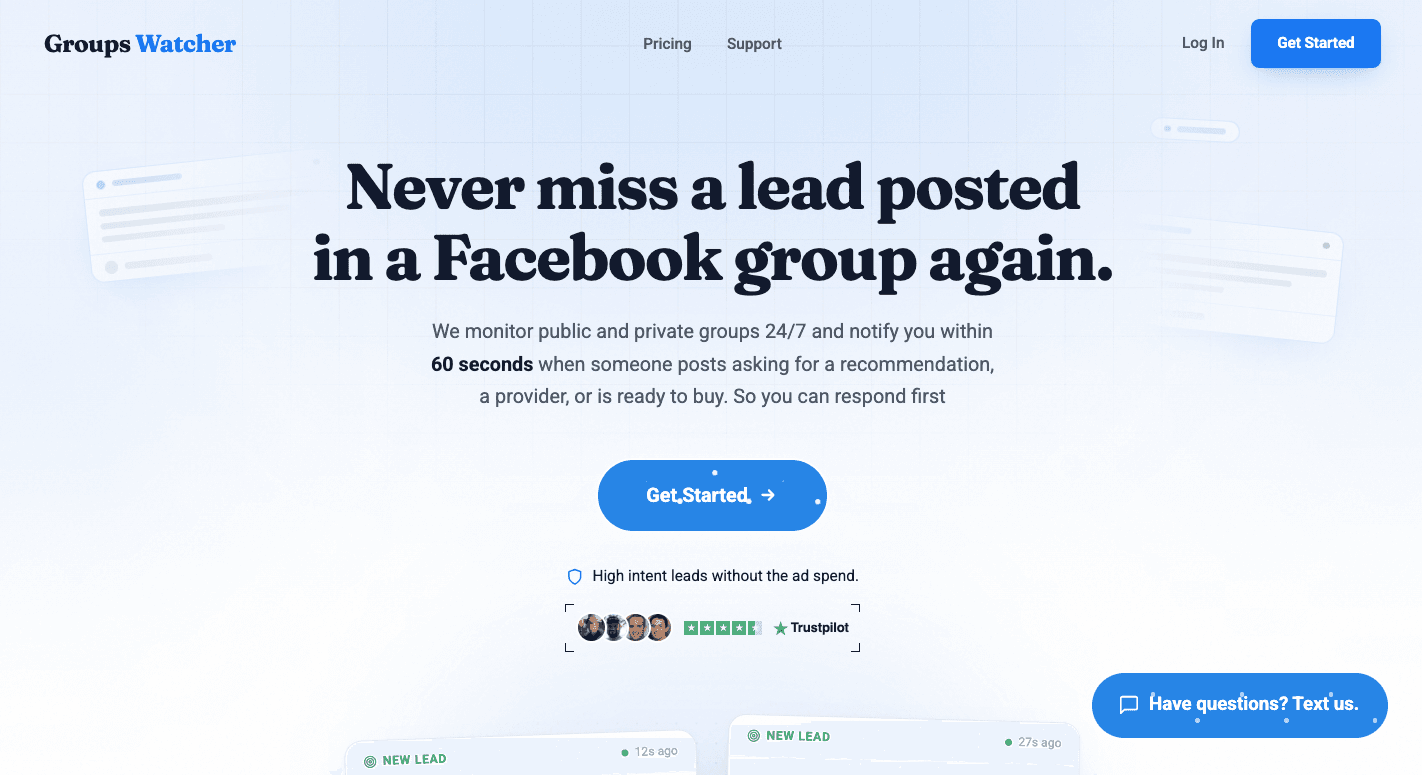
Once you decide that Facebook monitoring software is the better fit than a browser extension, Groups Watcher combines continuous monitoring, fast alerts, and AI filtering to help you respond before competitors.
Monitor Public and Private Facebook Groups
Groups Watcher monitors both public and private Facebook groups from one dashboard. You don’t need to keep a browser extension open, become a group admin, or use your personal Facebook account.
Just send the group URLs you want to track, then choose whether you want alerts for every post or only posts that match your keywords. AI filters the results by context, so it’s easier to find relevant opportunities.
Get Alerts in Under 60 Seconds
Groups Watcher sends alerts in under 60 seconds after a matching post appears. Notifications can go to email, Slack, Discord, Microsoft Teams, SMS, or webhooks, so you can respond from the tools your team already uses.
Fast notifications help you react before discussions become crowded. Instead of checking Facebook throughout the day, you receive alerts only when a post matches your settings.
Be First to Comment Automatically
Groups Watcher helps you stay ahead by finding matching posts and letting you reply faster. Alerts arrive within 60 seconds, so you can reply while the post is still fresh.
Being one of the first people to comment often increases your visibility in Facebook groups, especially when someone asks for recommendations or local services. That makes Groups Watcher a strong choice if you’re looking for the best Facebook monitoring tool to save time and improve response speed.
Getting started is simple because there is no steep learning curve. AI helps surface relevant opportunities, so you can spot leads, brand mentions, and emerging trends.
Don’t let valuable Facebook group posts pass you by. Try Groups Watcher and be one of the first to comment on new opportunities!
FAQs About Browser Extension vs. Facebook Monitoring Software
What is the best social media monitoring tool?
The best social media monitoring tool depends on your needs. Groups Watcher is for Facebook group monitoring, while tools like Sprout Social, Brandwatch, and Meltwater support multiple social networks.
Can Facebook monitor your internet activity?
Facebook can collect activity from websites and apps that use Meta technologies, such as Meta Pixel or Facebook Login. It does not monitor everything you do on the internet.
How to monitor a Facebook page?
Pick a monitoring tool, add the groups or pages and keywords you care about, and review notifications and reports from the dashboard. With Groups Watcher, you never need to connect your Facebook account.
Which social media management tool is the best?
The best social media management tool depends on your goals. Buffer, Hootsuite, and Sprout Social are common choices for publishing and managing social media content.
Stop checking Facebook groups by hand.
Groups Watcher finds the leads in your Facebook groups and sends them to you in 60 seconds, before your competitors reply, without using your Facebook account. 7 day trial for $1 with full features.