How to Monitor Comments on Facebook Groups: Easy Guide
Facebook comments often show what people really think about your brand. They’re where customers ask questions, share feedback, and decide if they want to take the next step.
A post can get attention, but the replies often create the real connection.
Still, keeping up with comments gets harder as your content grows. You may need to check different relevant posts, ads, and notifications just to find conversations that need a response.
This guide explains how to monitor comments in Facebook groups, build a simple reply process, handle moderation, and track your progress.
TL;DR
To monitor comments on Facebook groups, use Meta Business Suite for your own page and Groups Watcher to monitor public and private Facebook groups with real-time alerts.
Build a simple workflow by managing comments from one inbox, prioritizing important conversations, assigning ownership, and replying consistently.
Track key metrics like comment rate, response time, response rate, and engagement rate to improve future content and replies.
Quick Start Checklist (Do This Today)
You don’t need a complicated setup to see improvement. Most engagement problems come from slow replies, inconsistent tone, and missed comments that sit unanswered for days. Fixing the basics often creates an immediate lift.
Start by choosing one place to manage comments, setting a realistic response goal, and using a handful of repeatable reply patterns. Then add simple moderation rules so spam doesn’t take over your thread.
After that, track a few metrics weekly so you’re improving on purpose.
The Fastest Ways to Monitor Facebook Comments
Monitoring is easier when you understand where comments actually show up. Depending on how you use Facebook, you may be dealing with page post comments, ad comments, inbox messages, and sometimes comments that start in groups and spill into your page.
Get high intent leads from Facebook groups.
Turn Facebook groups into a lead source for your business. Book a demo to see if it fits.
Book a demoYou want one hub for day-to-day work, plus a backup method for when you’re away from your main dashboard.
Meta Business Suite Inbox (Best Native Hub)
Meta Business Suite is the place to manage interactions in one view. It helps you see comments, messages, and activity.
When you run a page and care about engagement, this should be your default starting point.
Use the inbox to find unread messages and comments that need attention. If you have more than one person helping, the admin can assign conversations and use filters to avoid duplicate replies or missed tasks.
Facebook Notifications (Good Backup, Not A System)
Notifications can help you spot new activity, but they’re not a complete system.
They can become loud, easy to miss, and difficult to manage once your comment volume grows. Aside from that, they don’t give you a way to sort leads, questions, and support requests.
Use notifications when you’re away from your computer or need quick updates on your mobile device. Relying on them alone can cause important comments to get buried when several conversations happen at once.
Comments Manager and Professional Dashboard Tools
For pages that post frequently, a dashboard-style view is useful for scanning threads quickly. These views can help you identify posts where the conversation is active and where you need to jump in to keep engagement moving.
A dashboard helps when you need to review several posts during one session. Rather than opening each post separately, you can browse activity from a single view and check the conversations that need a response.
Third-Party Social Tools
Third-party social tools become important when you manage multiple pages, work with a team, or handle many campaigns. These tools often add features such as tagging, reporting, and reply management that Facebook’s basic options may not cover.
Some businesses move to dedicated software when finding comments takes too much time. Once your team spends too much time just “finding comments,” you’re ready for a better inbox system.
Before choosing one, compare the features you use most, such as comment tracking, alerts, team access, and reporting.
The Comment Monitoring Workflow That Doesn’t Break
A workflow prevents missed comments and keeps your engagement tone consistent across posts. It also makes it easier to train a team or hand off tasks without losing quality.
To create a monitoring workflow, you need to:
Step 1: Create a Single Source of Truth
Pick one place that becomes your “home base” for comment monitoring. It could be Meta Business Suite Inbox or a team inbox tool, as long as it helps you stop checking different places throughout the day and start reviewing comments from one location.
When you centralize, you reduce mental load. You stop wondering, “Did I miss anything?” and you start working the list in front of you.
An activity log can further help you track replies, follow-ups, and comments that still need attention.
Step 2: Triage Comments Into Four Buckets
Not every comment needs the same type of reply. Treating every message equally can waste time and cause you to miss high-value conversations.
A simple triage system uses four buckets:
Leads show buying interest
Questions need information
Support comments need a solution
Spam comments may need removal or hiding
Sorting comments this way creates a clear order of work. You know which messages need a fast response and which ones can wait until later.
Step 3: Assign Ownership
Ownership prevents delays. If you’re solo, ownership means you’re clear on when you will handle comments and how often you check.
Teams also need clear roles so someone takes responsibility instead of waiting for another person to reply.
Your team can benefit from a simple division: one person handles leads and questions, another handles support, and spam is handled by whoever is on monitoring duty.
Even light structure makes engagement more consistent.
Step 4: Set a Realistic Response SLA
A response SLA sets a target for reply times. Comments that show buying interest or urgent problems usually need faster answers than casual conversations.
Commonly, it’s a standard to respond quickly during active hours and within the same day for everything else. If you can’t respond quickly, tighten your posting schedule or adjust your monitoring so you’re not generating conversations you can’t support.
Step 5: Close the Loop
Replying is only one part of comment management. You also need to resolve conversations and learn from repeated questions. After handling a comment, mark it mentally as “done,” and log common questions you keep seeing.
Your comment section can show what your audience wants to know. Repeated questions about price, availability, timing, or location can become future posts, FAQs, or saved replies.
Pay attention to common words and phrases people use in their comments. Those details can help you understand customer concerns and create content that answers real questions.
What to Reply (Engagement Playbook)
Engagement is about creating replies that feel human, relevant, and easy to respond to. Short replies often perform better because they invite the other person to continue.
Most industries use this simple formula: acknowledge, answer, then ask a question.
The question is what keeps the thread alive and signals to the algorithm that the post is worth showing.
Replies That Increase Engagement Without Sounding Corporate
Start by acknowledging the comment. It can be as simple as “Totally get that” or “Great question” to show that you’re paying attention. Then give a clear answer in one or two sentences.
End with a question that keeps the conversation moving and easy to answer. Questions like “Which city are you in?” or “Is this for today or later this week?” help you understand the person’s needs and create a natural next step.
Using the right tone is necessary when replying on a public platform like Facebook. People want answers that sound like they came from a real person, not a copied message from a brand.
How to Handle Common Comment Types
“Price?” comments are common and easy to mishandle. Instead of posting a full price list, give a starting range and ask one question to understand what the person needs.
“Is this available?” shows clear interest. Answer directly, then ask for timing or location. Speed matters here because the person is ready to act.
“Where are you located?” is usually a trust question. Give a clear answer, then add a follow-up question such as “Want me to send the quickest way to get started?”
When to Move From Comment to DM
Move the conversation to DM when the details are private, sensitive, or too detailed for a public reply. Booking details, account information, addresses, and private customer concerns should not appear in comments.
Avoid, however, moving every conversation to DM. Simple questions should usually get a public answer first. Other people reading the thread may have the same question, and your reply can help them too.
For instance, something like “Happy to help! I’ll send you a quick message to confirm the details” keeps the move natural and non-pushy.
How to Encourage More Comments on Future Posts
Engagement often comes down to how you ask. If your Facebook posts don’t invite conversation, comments will be low even if the content is good.
Use prompts that are easy to answer and connected to your audience’s interests. Either-or questions are effective because people can reply quickly. Poll-style questions create another simple way for members to join the conversation without writing a long response.
For example, a local business could ask, “Do you prefer morning or evening appointments?” Simple questions like that help start conversations and show what people care about.
Moderation and Brand Protection Without Killing Engagement
Real users may stop joining the discussion when your comment section becomes a spam pile. Poor responses to negative comments can hurt trust and make people question how your brand handles problems.
A moderation approach protects your brand while keeping real conversation alive. It should feel calm, not defensive.
The Basic Moderation Rules to Set Up
Spam patterns are usually easy to spot: link drops, repeated comments, fake profiles, unrelated promotions, and offensive language.
You don’t need to spend time arguing with spam accounts. Remove them quickly and keep the discussion clean.
Aside from that, rules help your team decide what belongs in the comment section. For example, you can block accounts that repeatedly post harmful links or unwanted promotions.
When to Hide, Delete, or Reply
Hide or delete comments when they contain spam, abuse, or clear attempts to damage the discussion. Reply when someone raises a real concern, even if the feedback is negative.
A calm response can show that your brand listens and wants to help. Many people judge a company by its response after a problem appears.
Handling Negative Comments Like a Pro
Start with acknowledgment and a calm tone. Avoid arguing or blaming the person. Offer a next step when the issue needs a private conversation.
A strong response is short and service-driven: “Sorry you’re dealing with that. We can help. Can you DM your details so we can look into it?” A reply like this shows responsibility without turning the comment section into an argument.
Sentiment and Escalation for Teams
Once you have a team, decide what needs escalation. Refund requests, safety concerns, legal threats, and PR-sensitive comments should be routed to a senior person.
A simple escalation process reduces rushed responses. It gives you a path when a comment needs approval or a more careful answer.
Reviewing common issues can help you create better reply guidelines over time.
Tools and Setups for Faster Comment Monitoring
Your setup should match your volume and your team size.
Start with a native stack, upgrade to a pro stack when routing and reporting become necessary, and add a group-monitoring layer when engagement starts happening on Facebook groups (which is common in local and niche markets).
Native Stack (Free)
A native setup usually includes Meta Business Suite Inbox, saved replies, and basic automation options. Usually, small businesses and creators who post often and need a simple way to review comments use it.
Meta Business Suite gives you the ability to reply to comments, review messages, and check recent activity from one place.
Yet, deeper routing, tagging, and reporting can be limited once your team grows or your comment volume spikes.
Pro Stack (Growing Brands)
A pro setup uses a shared inbox with features like tagging, assignments, approvals, and reports. It becomes helpful when several people handle replies, manage different pages, or need a process for customer questions.
A shared system helps you know who handles each conversation. One person can take care of sales questions, another can manage support issues, and managers can review replies that need approval.
Group Monitoring Stack (When Leads Start in Groups)
Page tools help you monitor comments on your own posts, but many high-intent conversations happen in Facebook groups where people ask for recommendations and referrals.
Groups Watcher fits here by monitoring both private and public groups and sending real-time alerts when group posts match your keywords, so you can engage early and drive engagement back to your page or offer.
It’s especially useful when you’re trying to respond fast on “looking for” posts and capture attention before the thread fills up.
In short, it helps you monitor posts that match specific terms instead of using FB search every day.
High-Volume Stack (Ads + Many Comments)
High-volume setups add smarter routing and prioritization. You may use approval modes for sensitive replies, stricter moderation rules, and tighter SLAs for lead comments.
Automation can help during busy periods, but it should not replace human replies. Generic answers can make people feel ignored, especially when they ask detailed questions or share a problem.
Some businesses, in addition, use AI features to sort comments or flag conversations that need attention. Human review is still needed, though, for complaints, private details, and sales conversations.
Engagement Metrics That You Need to Track
Tracking metrics keeps your monitoring system honest. Without metrics, you can’t tell whether your changes are working or whether you’re just busier.
Focus on a small set of KPIs you can review weekly. Keep it simple enough that you actually do it.
The Core KPIs
Comment rate per post shows whether your content invites conversation. Response time, on the other hand, shows whether you’re replying fast enough to keep momentum. Then, response rate shows whether you’re consistently addressing your audience.
Engagement rate is important when you want a high-level view of performance.
When a post has strong reach but low comments, it may need a better prompt. If it has strong comments but low reach, timing or format may be the issue, which is a good reason to test one change before making larger adjustments.
What to Review Weekly
Review your top posts by comments and identify what made them work. Look for patterns in the topic, hook, format, and the type of question you asked.
Then review your common comment themes. If you see repeated questions, or people repeatedly mention the same concern, those become future posts, pinned answers, or saved reply templates.
What to Test Next
Test one change at a time. Change your post hook, your CTA, your format, or your timing.
When more than one owner manages the page or group, avoid having each person switch strategies at the same time, or you won’t know what caused the improvement.
Over a month, minor improvements in prompts and reply speed can create a noticeable engagement lift.
Advanced Tactics to Improve Engagement Through Comments
Once your baseline monitoring is stable, you can use comments to drive even more engagement. The key is to treat comments as content signals, not just reactions.
These tactics work best when you’re already replying consistently, and your audience expects you to be present:
Pinning Smart Comments
Pin a helpful answer or a strong user comment when it adds clarity. Pinning directs the conversation and reduces repeated questions.
A pinned comment is also like a mini headline, which helps new viewers understand the post quickly, which can increase participation.
Turning Comments Into Content
If someone asks a great question, make it a post. For multiple people asking the same thing, address it proactively in your content calendar.
This is one of the fastest ways to create content that resonates. Your audience literally tells you what they want.
Monitor Groups to Multiply Engagement
Groups often generate higher-intent conversations than pages because people post in communities where they trust the audience. Engagement in groups can influence brand perception fast.
Once your audience spends time in groups, monitoring group conversations helps you show up earlier, answer better, and pull insights into your page content.
How Groups Watcher Helps You Catch Relevant Posts
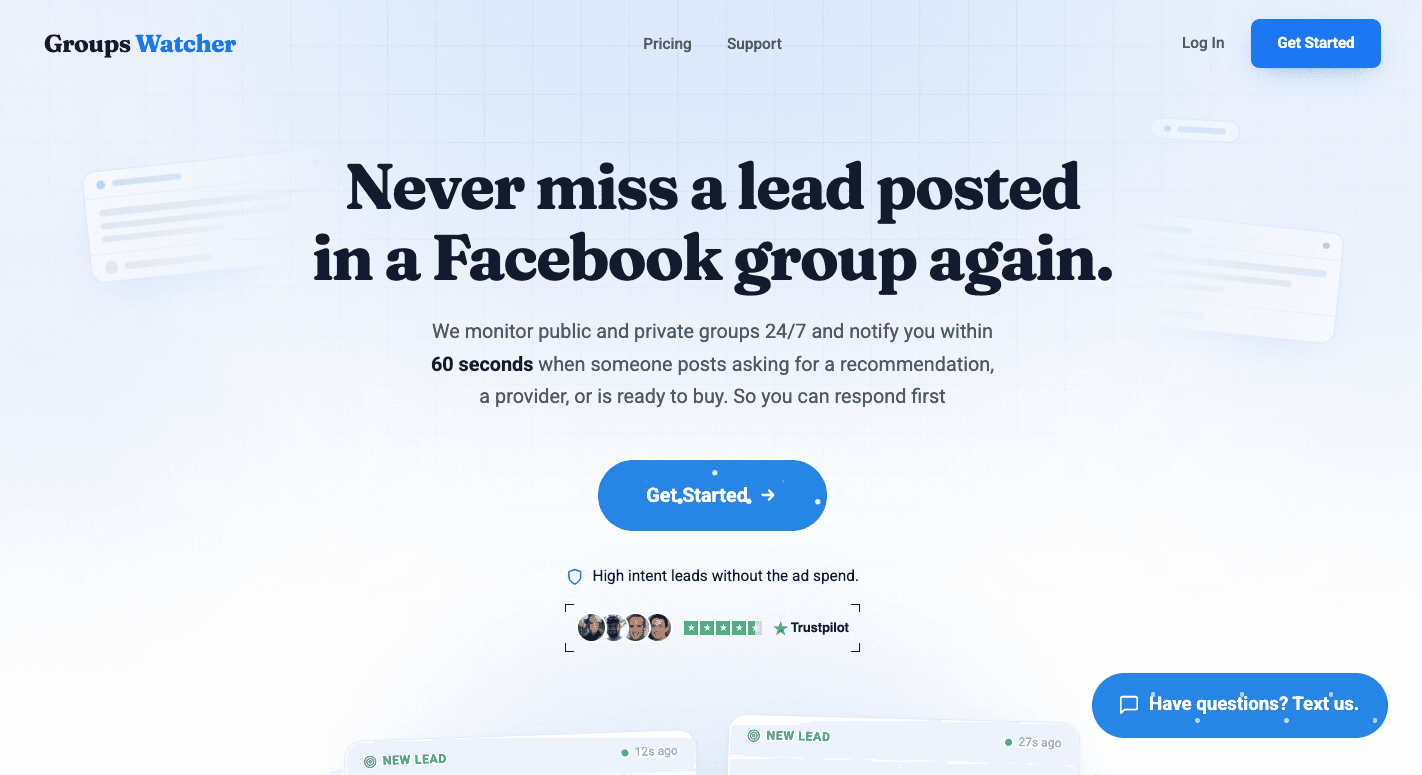
Comment monitoring doesn’t only happen on your page. In many industries, the most valuable conversations start in Facebook groups, where people ask for recommendations, share problems, and request help in real time.
Groups Watcher helps you monitor both public and private Facebook groups, even if you aren’t an admin or a member. It notifies you when posts match your keywords or when every new post appears, so it’s easier to catch high-intent conversations before they become crowded.
You can tap the alert to reply immediately or use automatic comments with your predefined response to improve your chances of being one of the first people to engage. Early replies often receive more visibility and build trust.
AI filters also help surface more relevant conversations, which reduces the risk of responding to unrelated posts.
These alerts are intended to bring you the opportunities that make the most sense for your business, and automatic comments are available where accepted.
Don’t wait for Facebook notifications. Be one of the first to comment on relevant group posts with Groups Watcher!
FAQs About How to Monitor Comments on Facebook Groups
Why can’t I see comments in Facebook groups?
You may not see comments because the post was deleted, comments were turned off, you’re no longer a group member, or Facebook hasn’t loaded them yet. Try refreshing the page or sign in again if needed.
Can you monitor Facebook comments?
Yes, you can monitor comments on your own Facebook posts with Meta Business Suite or third-party tools. For Facebook groups, Groups Watcher monitors public and private groups and alerts you to relevant new posts.
How do I see all comments on Facebook group posts?
Open the post and select “view more comments” until everything loads. Some comments may stay hidden if they’ve been removed by moderators or filtered by Facebook.
Is there a way to see all of someone’s Facebook comments?
No. Facebook doesn’t provide a way to view every comment someone has made. You can only see comments on posts or in groups where you and your friends have permission to view the content.
Ready to get more leads from Facebook groups?
Book a demo and see how Groups Watcher can turn Facebook groups into a lead source for your business.
Book a demo