Sales Prospecting in Facebook Groups: A Working System
Get Facebook group alerts in 60 seconds.
Groups Watcher finds the leads in your Facebook groups and sends them to you in 60 seconds, before your competitors reply, without using your Facebook account. 7 day trial for $1 with full features.
Start your $1 trialSales Prospecting in Facebook Groups: A Working System
Sales prospecting in Facebook groups works when you stop browsing and start listening. Your buyers are already posting things like "Can anyone recommend a..." or "Looking for a replacement for..." inside groups you can name. The reps who win those threads pick the right groups, define what a buying post looks like, and reply within minutes, before five other vendors pile in. This guide walks through that system step by step, with examples, a daily routine and the numbers to track.
TL;DR
- Prospect where buyers ask questions, not where sellers advertise. Niche, local and industry groups beat "promote your business" groups.
- Define a high-intent post in advance: a request for a recommendation, a complaint about a competitor, a price question or a "who does X near me" thread.
- Speed decides who gets the conversation. Automated alerts to Slack, Discord or email replace hours of scrolling.
- Reply with help first, then move to a private conversation. Never paste a pitch under a stranger's question.
- Measure replies, conversations started and deals closed per group, then swap out groups that produce nothing.
Table of Contents
- Why Facebook groups are a prospecting channel, not just a community
- Step 1: Choose groups where buyers ask, not where sellers post
- Step 2: Define what a buying post looks like
- Step 3: Get alerted instead of scrolling
- Step 4: Reply like a neighbor, not a salesperson
- Step 5: Move the conversation out of the thread
- A daily routine that takes 30 minutes
- Metrics that tell you if it is working
- Our perspective: prospecting is a speed and signal problem
- Put the system on autopilot
- FAQ
- Sources
Why Facebook groups are a prospecting channel, not just a community
Meta has said that 1.8 billion people use Facebook Groups every month, and a large share of them belong to several active groups. You do not need that number to make the case. You only need the one fact behind it: people ask for buying advice in groups because they trust peers more than ads.
That changes what prospecting means here. On LinkedIn or cold email you interrupt someone. In a group, the prospect has already raised a hand. The post itself is the qualifying signal. A homeowner asking a neighborhood group for a roofer, a founder asking a SaaS group which tool replaces their current one, a bride asking for a photographer for a specific weekend: each is a lead with a stated need, a stated moment and often a stated budget.
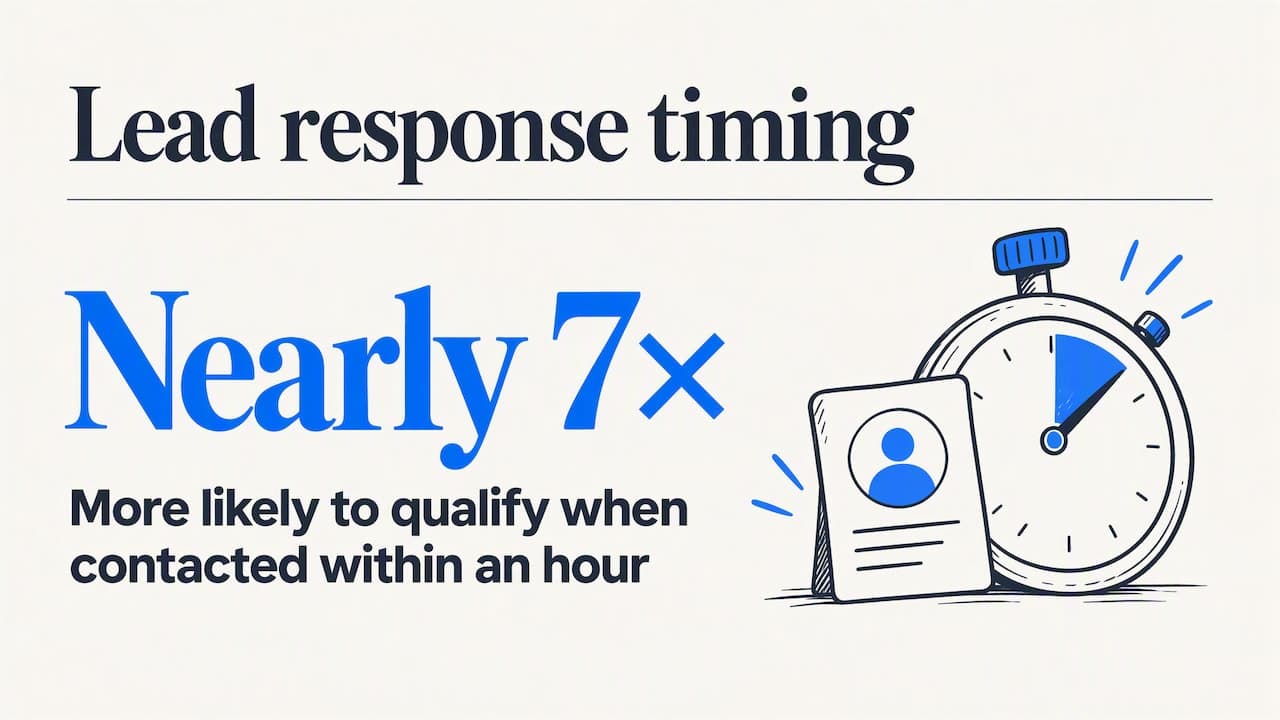
The catch is timing. A post that is hot at 9:02 a.m. has 40 comments by lunch, and the poster has usually picked a name by then. Research on web leads makes the same point: in a Harvard Business Review study, firms that tried to contact a lead within an hour were nearly seven times as likely to qualify it as firms that waited longer, yet the average response among companies that replied at all was 42 hours. Group posts behave the same way, only faster.
Step 1: Choose groups where buyers ask, not where sellers post
The biggest prospecting mistake is joining groups built for self-promotion. Those groups are full of other sellers, and nobody in them is buying. The groups that produce leads share three traits:
- Members are the customer, not the competition. A group of 12,000 local homeowners beats a group of 40,000 contractors.
- Questions outnumber announcements. Scroll the last 30 posts. If more than a third are people asking for something, the group is active on the demand side.
- Recent activity. Look for posts from the past 48 hours with real replies, not a dead feed of old links.
Group types worth monitoring
| Your business | Group types that surface buyers | Typical high-intent post |
|---|---|---|
| B2B software | Industry practitioner groups, tool-specific user groups, founder communities | "What are you using for X? Our current tool is a nightmare." |
| Real estate | Neighborhood, relocation, first-time buyer and landlord groups | "Moving to the area in spring, anyone know a good agent?" |
| Wedding and event vendors | City wedding planning groups, venue-specific groups | "Need a DJ for June 14, budget around $1,500." |
| Short-term rental owners and services | Host communities, local property management groups | "Looking for a cleaner for my Airbnb, 2 units." |
| Ecommerce and parts sellers | Hobby, vehicle-model and enthusiast groups | "Where do you buy aftermarket parts for a 2019 F-150?" |
| Home services | Local community and neighborhood groups | "Water heater died this morning, who can come today?" |
If you do not know where your buyers gather, start with the questions they ask. Search group names for your customer's job title, hobby, city or problem, then check member counts and activity. Our guide to finding customers in Facebook groups covers five ways to build that list, and the market research approach helps you learn the language buyers use before you ever reply.
Keep your starting list to 10 to 25 groups. That is enough to produce a steady flow without drowning you in posts you cannot read.
Step 2: Define what a buying post looks like
A group of 20,000 people produces hundreds of posts a week. Perhaps five matter to you. Write down the patterns before you start, so you can recognize or filter them quickly.
Get Facebook group alerts in 60 seconds.
Groups Watcher finds the leads in your Facebook groups and sends them to you in 60 seconds, before your competitors reply, without using your Facebook account. 7 day trial for $1 with full features.
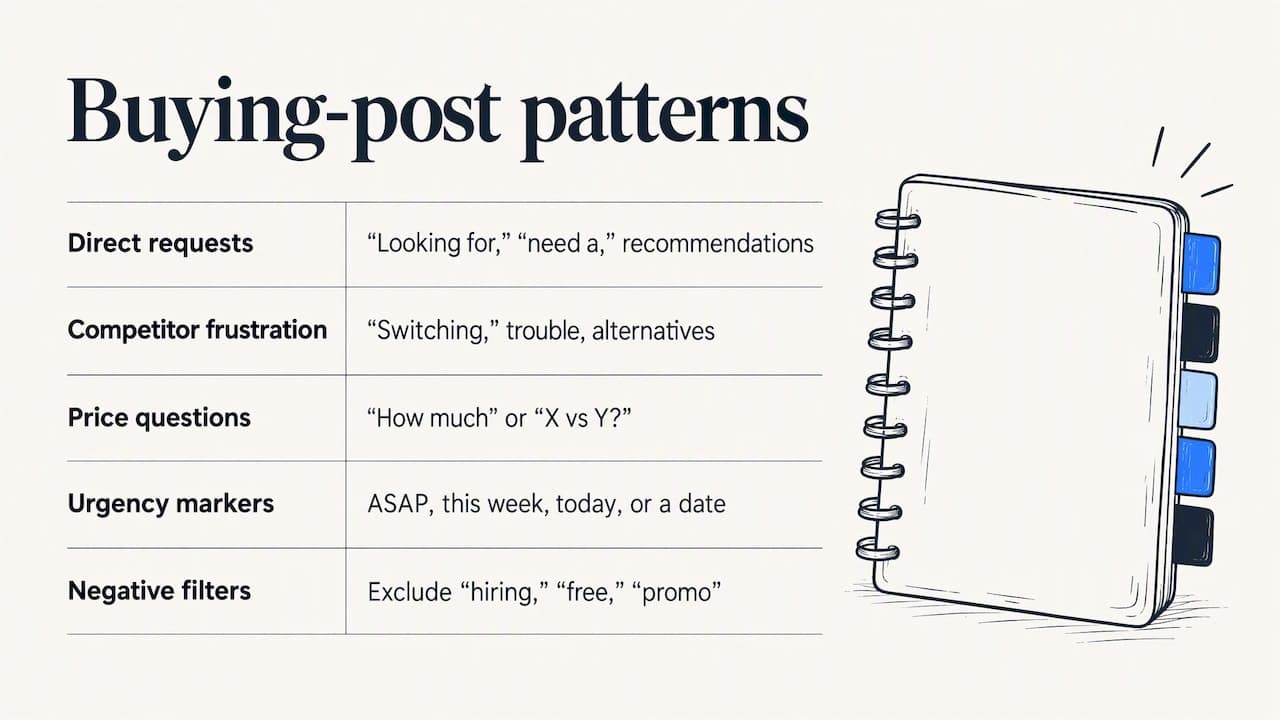
Start your $1 trialDirect requests. "Looking for," "need a," "anyone recommend," "who does," "where can I buy." These are your highest-intent posts.
Competitor frustration. "Switching from," "anyone else having trouble with," "alternatives to." Include your competitors' names as keywords. A person venting about a rival is often one reply away from a demo.
Price and comparison questions. "How much should I expect to pay for..." or "X vs Y?" The buyer is mid-decision.
Urgency markers. "ASAP," "this week," "today," a date. Urgent posts close fast, and they also go cold fast.
Negative filters. Exclude "hiring," "free," "promo," "DM me for," and other seller phrasing so your feed shows buyers, not vendors.
Test each pattern against a week of posts from your best groups. If a phrase pulls in mostly noise, tighten it by adding a second condition, such as the product category plus a request word. Our walkthrough on monitoring Facebook groups for keywords and leads shows how to build and tune these filters.
Step 3: Get alerted instead of scrolling
Manual prospecting looks like this: open Facebook, visit eight groups, scroll, lose 40 minutes, miss the post that went up while you were with a client. It does not scale past two or three groups, and it fails exactly when you are busy, which is when leads arrive.
The fix is automated monitoring that watches your groups for you and tells you when a post matches. The Facebook group lead monitoring guide explains the options. Whatever you use, check for these features:
- Alert speed. Minutes matter. Look for alerts in about a minute, not a daily digest.
- Where alerts land. Alerts should go where your team already works: Slack, Discord, Microsoft Teams, email, or straight into a CRM through a webhook.
- Filtering quality. Keyword matching alone creates noise. Scoring that ranks a post by buying intent saves you from reading 50 false positives.
- Language coverage. If you sell to Spanish, Portuguese or Vietnamese speakers in your market, the tool should read those posts too.
- No credential handoff. Anything that asks for your personal login puts your own profile at risk of being locked out of the account you also use for business. Tools that work without your login avoid that exposure entirely.
If you run a lead pipeline in a CRM, the thing to protect is the handoff between a post and a record. A clear difference between a raw lead and a qualified opportunity keeps your history clean, and this explanation of keeping lead and opportunity history connected is a useful model for structuring that.
Step 4: Reply like a neighbor, not a salesperson
Speed gets you in the thread. The quality of the reply gets you the conversation. A pitch under a stranger's question reads as spam and gets ignored or deleted by moderators. A useful answer reads as expertise.
A reply formula that works across industries:
- Answer the question first. Give one concrete, free piece of help.
- Show you read the post. Mention a detail: the date, the model, the neighborhood.
- Offer the next step privately. "Happy to send a quick quote, want me to message you?"
- Stay short. Two to four sentences.
Examples
A wedding photographer sees: "Looking for a photographer for a Saturday in June, outdoor venue." Weak reply: "Hi! I'm a photographer, check my page!" Better: "Congrats! Outdoor June weddings look great in the two hours before sunset, so ask any photographer how they handle harsh midday light. I have a few Saturdays open. Want me to send my pricing and a gallery from a similar venue?"
A SaaS rep sees: "Anyone moving off [competitor] for scheduling? Renewal is next month and the price jumped." Better: "Renewal timing is the leverage here. Ask for a 90-day export of your data before you decide. If you want, I can show you how our import handles it, 15 minutes."
A parts store sees: "Where do I find a cold air intake for a 2019 Silverado?" Better: "Confirm your engine size first, because the 5.3 and 6.2 take different kits. We stock both and can check fitment from your VIN. Want me to send the link?"
In each case the reply helps whether or not the person buys. That is what earns the private message.
Step 5: Move the conversation out of the thread
Once someone responds, take the next step in a direct message or a call within a day. A simple sequence:
- Message 1 (within minutes of their reply): Confirm what they need and ask one qualifying question, such as budget, timeline or quantity.
- Message 2 (same day): Send the specific thing: a quote, a demo link, a fitment check.
- Follow-up (day 2 and day 5): One short nudge each. After that, let it go.
Log every conversation in your CRM with the group name and the original post. That source tag is what lets you measure which groups pay off. If you also run paid campaigns on the platform, a guide to connecting Facebook lead ads to your sales process covers the paid side of the same handoff, so group leads and ad leads end up in one pipeline.
A daily routine that takes 30 minutes
You do not need to live in Facebook. A realistic routine for a solo owner or a small team:
| Time | Task | Minutes |
|---|---|---|
| Morning | Clear overnight alerts, reply to the top-scored posts | 10 |
| Midday | Handle new alerts as they arrive, one reply each | 10 |
| End of day | Follow up on open conversations, tag outcomes in your CRM | 10 |
Once a week, spend 20 minutes reviewing which groups produced alerts, which produced replies and which produced revenue. Cut the groups that give you volume but no conversations. Add one or two new ones.
Metrics that tell you if it is working
Track five numbers per group, for at least a month before you judge:
- Matching posts per week: is the group active on the demand side?
- Replies sent: are you actually acting on alerts?
- Response time: minutes from post to your reply.
- Conversations started: replies that turn into a private chat.
- Closed revenue: deals traced back to the group.
A group with 30 matches a week and no conversations has a relevance or reply-quality problem. A group with 3 matches and two closed deals a quarter may be your best channel. Dollar value per group tells you where to spend your time. Our guide to getting leads from Facebook groups goes deeper on methods and benchmarks.
Our perspective: prospecting is a speed and signal problem
We built Groups Watcher after watching the same pattern repeat. A business joins a dozen Facebook groups, checks them for a week, gets bored and quits. The leads were there. The process was the problem, because no one can read every post in every group while running a business.
We think the answer is to separate the two jobs. Software should do the watching: read every new post in your chosen groups, score it for buying intent and tell you inside a minute. You should do the part only a person can do: reply with judgment, build trust and close.
We also believe a prospecting tool should never need your Facebook login. Your profile is a business asset, and handing over credentials to monitor groups is a risk we think no one should have to take. That is why Groups Watcher works without your account, supports posts in any language, and lets you swap groups whenever a group stops producing. If a group goes quiet, replace it. If a new niche opens up, add it.
The teams that get the most from this approach treat every alert as a conversation to start, not a list to mine. They reply in minutes, they help first, and they track the result.
— Groups Watcher Team
Put the system on autopilot
If you want the watching handled for you, Groups Watcher monitors the groups you pick and sends alerts within about 60 seconds to Slack, Discord, email, Teams, webhooks and your CRM, with AI lead scoring and an AI group finder to build your starting list. You can start with a 7-day trial for $1. After that, the Professional plan is $99 per month, and extra groups are $2 per month per group.
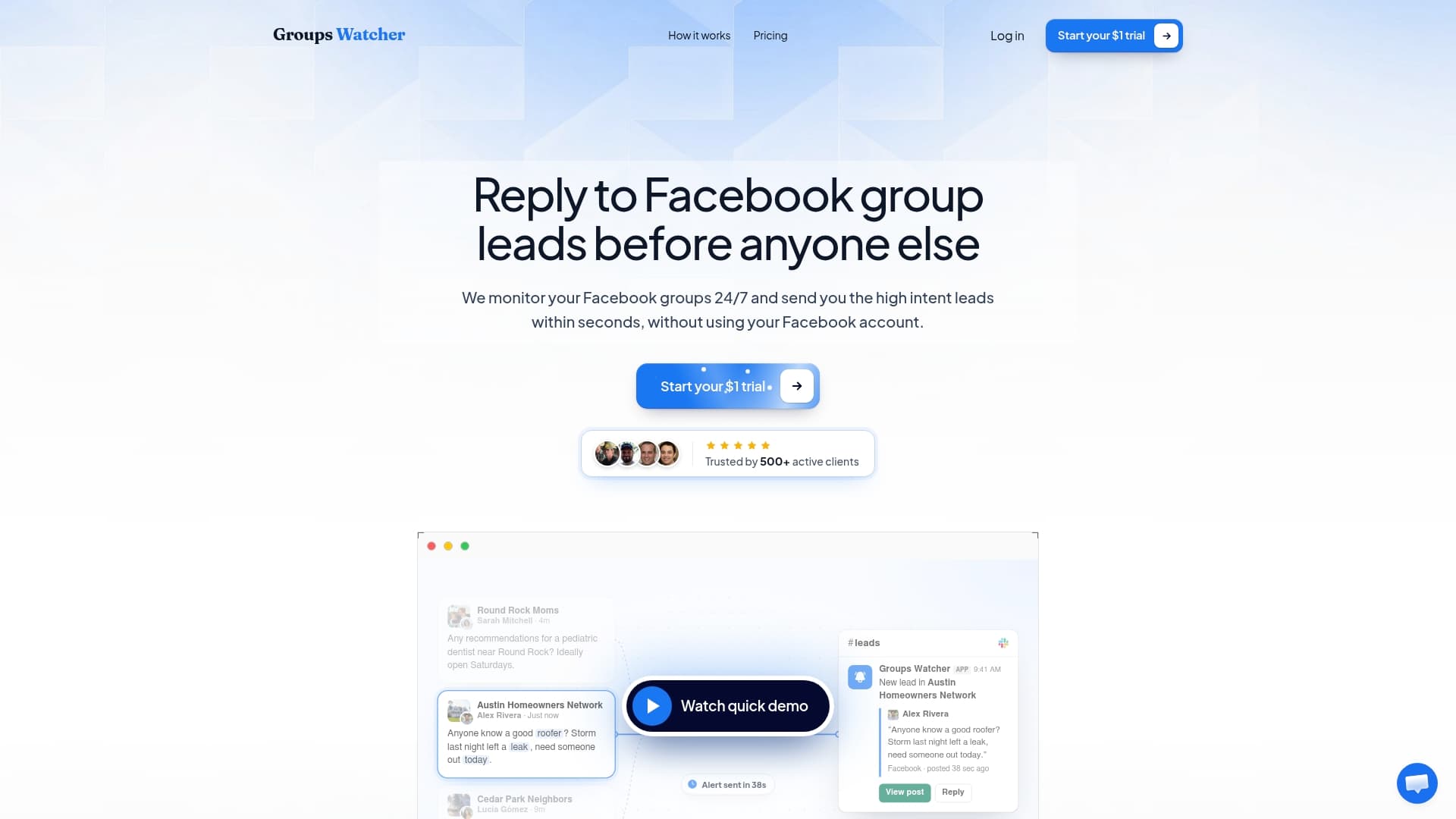
New to alerts? The setup guide for Facebook group instant notifications shows how to go from zero to your first alert.
FAQ
How many Facebook groups should I prospect in?
Start with 10 to 25 groups where your buyers ask questions. That volume gives you steady opportunities without overwhelming you. After a month, drop the groups with no conversations and replace them with fresh ones.
Should I post in groups or only reply to others?
For prospecting, replying to buying posts is far more effective than posting your own offers. A reply responds to someone who already wants something. Your own posts reach people who may not be looking right now.
How fast do I need to respond to a group lead?
As fast as you realistically can, ideally within minutes. Group threads fill quickly and buyers often choose from the first helpful answers. Automated alerts make that speed possible without staring at your feed.
Can I find leads in groups I am not able to read all day?
Yes. A monitoring tool reads new posts for you and alerts you only when one matches your filters. You can then reply from your phone or desk in a couple of minutes, wherever you are.
What kind of businesses get the best results?
Businesses with a clear local or niche audience do well: real estate agents, home service pros, event vendors, short-term rental hosts, software with a defined user community, and ecommerce stores in enthusiast categories. The real estate agents page shows how one of these works in practice.
Sources
Recommended
Stop checking Facebook groups by hand.
Groups Watcher finds the leads in your Facebook groups and sends them to you in 60 seconds, before your competitors reply, without using your Facebook account. 7 day trial for $1 with full features.