SaaS Leads From Facebook Groups: A Working Playbook

Get Facebook group alerts in 60 seconds.
Groups Watcher finds the leads in your Facebook groups and sends them to you in 60 seconds, before your competitors reply, without using your Facebook account. 7 day trial for $1 with full features.
Start your $1 trialSaaS Leads From Facebook Groups: A Working Playbook
The best SaaS leads in Facebook groups are not members who join your group. They are people who post "does anyone know a tool for…" in someone else's group, and who get five replies within the hour. You win those leads by being first, being useful, and seeing the post while it is still fresh. Groups Watcher monitors the Facebook groups you pick, scores posts for intent and alerts you within 60 seconds, without asking for your Facebook login.
TL;DR
- Buyers ask for software in niche groups every day, and the first helpful answer usually gets the conversation.
- Pick groups by problem and job title, not by your product category, and drop groups where nobody asks real questions.
- High-intent posts have three signals: a named problem, a request for recommendations, and a mention of a rival tool or a switch.
- Speed decides who gets the reply, so route alerts to Slack, Discord, email or your CRM instead of scrolling feeds.
- Answer in public first, then move to a private conversation only when the person asks what you do.
Table of Contents
- Why Facebook groups are a lead source for SaaS
- Choose the right groups before you watch anything
- The post signals that mark a high-intent SaaS lead
- How to monitor Facebook groups and get alerts in time
- How to reply without sounding like a vendor
- From thread to pipeline
- Adapting the method to your product
- What Groups Watcher costs and how to start
- Our view: speed and safety beat volume
- FAQ
- Sources
Why Facebook groups are a lead source for SaaS
Most software research is imagined as a Google search or a G2 comparison. In practice, a large share of it begins as a question to peers. An operations manager asks an accounting group which invoicing tool handles recurring billing. A recruiter asks an HR group what people use after outgrowing spreadsheets. A founder in an e-commerce group asks what replaced their email platform after a price hike.
Those posts have three things ads and cold outreach lack:
- Stated intent. The person tells you the problem in their own words.
- A live decision. They are asking now, not eventually.
- Social proof from the replies. Whoever answers first and well is often the one the thread settles on.
The weakness is timing. A group with 40,000 members can produce hundreds of posts a day, and a buying question is buried within minutes. A post that is six hours old already has an accepted answer. That is why this channel rewards monitoring rather than occasional browsing.
If you want the wider picture of where buyers show up across groups, our guide to sources of leads in Facebook groups maps the common post types. This article stays on the SaaS case.
Choose the right groups before you watch anything
Alerts are only as good as the groups behind them. Three group types tend to produce SaaS buying questions.
Problem groups
These form around a task: bookkeeping for freelancers, Shopify store operations, property management, event planning, agency owners. Members ask "how do I…" questions all day, and many of them end in a tool recommendation. This is the richest type for most SaaS products.
Role and industry groups
Groups for dentists, realtors, recruiters, coaches or wedding planners. Members share a workflow and a budget. If your product serves one vertical, these groups put you in front of the exact buyer.
Get Facebook group alerts in 60 seconds.
Groups Watcher finds the leads in your Facebook groups and sends them to you in 60 seconds, before your competitors reply, without using your Facebook account. 7 day trial for $1 with full features.
Start your $1 trialCompetitor and category groups
People who use a rival product, or who are comparing several, often gather in user groups and general software discussions. Posts here include complaints, pricing questions and "is there an alternative to…" requests, which are among the warmest signals you will see.
How to find them
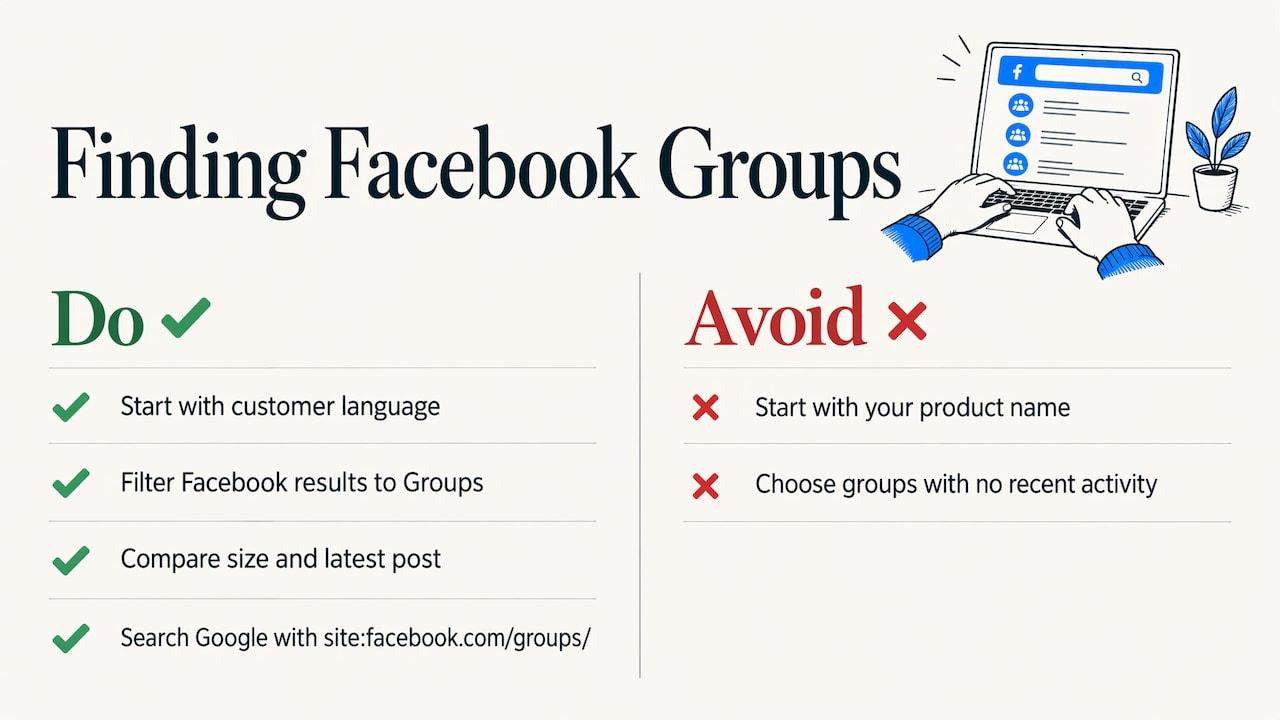
Start with the language your customer uses, not your product name. A buyer of scheduling software searches for "no-shows" and "booking chaos" long before they search for a category label. Search those phrases in Facebook, filter results to Groups, and compare membership size and the date of the latest post. A group that looks large but has no recent activity is a dead end.
You can also search outside Facebook. A Google query built with the site operator and a phrase buyers use, for example site:facebook.com/groups/ plus a complaint about a rival tool, can surface public group pages where people used that exact phrase. That is a quick way to discover groups you would not have guessed.
Groups Watcher includes an AI-driven group finder for this step, so you do not have to build the list by hand. You can also swap groups at any time, which matters because a group that performs for one quarter may go quiet in the next.
For a deeper walk-through of discovery, see how to find buyers asking in Facebook groups.
A quick group scorecard
| Question | Good sign | Weak sign |
|---|---|---|
| Do members ask questions? | Several genuine questions per day | Mostly links, memes or self-promotion |
| Is the topic tied to a problem you solve? | Posts describe the pain your product removes | Broad chatter on the general industry |
| Are tools discussed? | Members name products and compare them | Tools are never mentioned |
| Is the audience your buyer? | Titles and companies match your customer profile | Mostly students or hobbyists |
Aim for a starter list of 15 to 30 groups. It is better to watch a smaller set that fits your buyer than hundreds that do not.
The post signals that mark a high-intent SaaS lead
Not every post that mentions your category is a lead. Sorting them by hand is what burns out most teams, so decide the signals up front and write them into your filters.
Signal 1: a named, current problem
Posts like "our invoices are always late and I'm chasing clients by hand" describe pain you can solve. Phrases to track include "struggling with", "how do you handle", "workflow frustrations" and "wasting hours on". Searching inside a group for such phrasing is also a way to review recurring pain points in past conversations, which tells you whether the group is worth watching at all.
Signal 2: a request for recommendations
The strongest posts ask for a tool outright: "software recommendations for invoicing", "what do you use for…", "I wish there was an app that…". The person is already in the market and asking for names.
Signal 3: a rival or a switch
"Frustrated with [tool]", "is there anything cheaper than…", "we're leaving [tool] after the update". Someone who is unhappy with a current product has already paid for the category and has a reason to move.
Signal 4: a budget or deadline
Words such as "by next month", "our team of 12", "under $100 a month" or "need this before the season" separate shoppers from browsers.
What to ignore
- Posts from other vendors promoting their own products.
- Job postings and hiring threads.
- Generic "what's your favorite tool" polls with no stated need.
- Threads that already hold a long run of replies and a clear accepted answer.
Turning signals into filters
Write one filter per signal and keep them in plain language your buyer uses. A project-management SaaS might run these:
| Filter theme | Example phrases to match |
|---|---|
| Recommendation request | "looking for a tool", "recommend a software", "what do you use for" |
| Pain | "missing deadlines", "too many spreadsheets", "clients keep asking for updates" |
| Rival mention | your competitors' names plus "alternative", "too expensive", "switching" |
| Urgency | "this week", "ASAP", "before we launch" |
Groups Watcher applies AI lead scoring on top of your filters, so a post that matches a phrase but reads like a joke or an ad is less likely to reach you. It also supports posts in any language, useful if your buyers span markets.
How to monitor Facebook groups and get alerts in time
The manual route is to open each group, sort by new, and search keywords. It works for three groups on a quiet day. It does not work for thirty groups across time zones, and it depends on you remembering to check. The process below is what a repeatable setup looks like.
- Define your buyer and the three or four problems you solve. Write them as the buyer would say them aloud. These become your filter themes.
- Build the group list. Use the scorecard above, and let the AI group finder suggest candidates you had not considered. Our Facebook group lead monitoring guide covers selection in more detail.
- Set filters per group type. Problem groups get pain and recommendation phrases. Competitor groups get rival names and switching language.
- Pick the alert channel your team already lives in. Groups Watcher sends alerts to Slack, Discord, email, Teams, webhooks and CRM integrations, so the lead lands where someone will see it. Our setup guide for Facebook group instant notifications walks through connecting a channel.
- Decide who replies and how fast. An alert that waits in a shared channel for three hours has lost its advantage. Name an owner for each shift.
- Log every lead. Capture the post, the score, who replied and what happened next. Facebook group lead tracking explains how to keep that record.
- Review monthly. Drop groups that produced nothing, add new ones and tighten filters that let too much through.
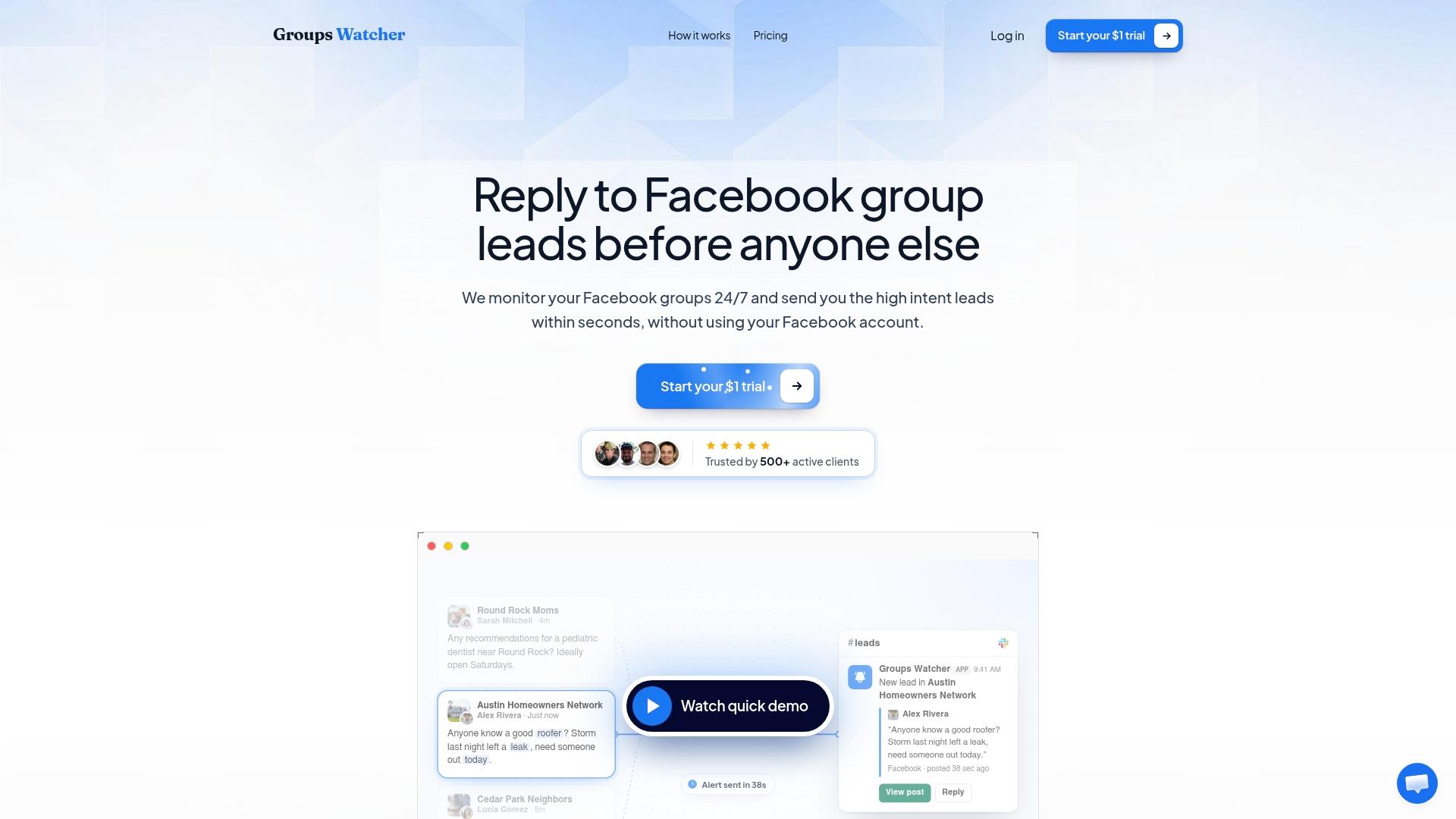
Two details of the setup matter a great deal. First, Groups Watcher works without your Facebook account or credentials, so there is no login to connect and nothing on your personal profile to manage. Second, alerts arrive within 60 seconds of a matching post, which is the window in which a reply still looks like part of the original conversation.
If your team uses a CRM, pushing alerts there from the start keeps leads from living only in a chat channel. The CRM integration guide for Facebook leads shows what to map.
How to reply without sounding like a vendor
A fast alert gives you a chance. What you write with it decides the result. Groups are communities, and members spot a pitch quickly.
Reply in public, with substance
Answer the actual question. If someone asks how to stop chasing late invoices, give two concrete tactics, and mention your tool only if it fits and if the question asked for tools. A helpful reply with no link often earns a direct message from the asker.
Reference their exact words
Quote the detail they gave: "you mentioned managing 40 clients on spreadsheets." It shows you read the post, and it separates you from the template replies that follow.
Hold direct messages until there is a reason
Real estate educators who work this channel advise messaging only people who have already engaged with you in public, referencing their question, offering something useful first and ending with a low-pressure question. They warn that cold messaging someone who merely posted a need is the fastest way to get reported. The same logic holds for SaaS: the public thread earns the right to a private one.
Keep the next step small
Skip "book a demo" as the first ask. Offer a short checklist, a template, a two-minute walkthrough or a trial. A low-effort next step suits someone who is still comparing options.
A reply pattern you can adapt
- Name their situation in one line.
- Give one or two practical suggestions.
- Mention a relevant option in a single sentence, if the post asked for tools.
- End with a question about their setup.
That is four short sentences, not a pitch.
From thread to pipeline
Trust in a group is not revenue until it becomes a conversation you can measure. The path that works is a public answer, then a private chat once the person asks what you do, then a call or a trial. The same real estate guidance stresses not rushing that bridge: answer questions until the person asks what you do, then offer a next step that helps them.
Measure these four numbers monthly:
- Alerts received per group, to see which groups feed you.
- Replies posted, to confirm the team is acting on alerts.
- Conversations started, meaning public replies that turned into a direct exchange.
- Trials or demos booked, and the revenue that follows.
The ratio between alerts and conversations tells you whether your filters or your replies need work. If alerts are high and conversations low, the replies are the problem. If alerts are thin, widen the filters or add groups. For a full operating routine, read our working system for sales prospecting in Facebook groups.
Adapting the method to your product
The core loop stays the same, the phrases change.
- B2B software: track recommendation requests and rival mentions. Your buyers write "alternative to" and "what do you use for".
- Real estate software and services: buyers and sellers ask local groups about agents, moving and neighborhoods. Our page on Facebook group lead alerts for real estate agents shows how the alerts fit that workflow.
- Event and hospitality tools: wedding vendors and short-term rental hosts ask for planners, décor, cleaners and booking systems in local and niche groups.
- E-commerce tools and stores: shoppers ask where to buy a specific part or product, and store owners ask about apps and platforms.
Pick the group types that match whom you sell to, write filters in their vocabulary, and start with a small set you can answer well.
What Groups Watcher costs and how to start
Groups Watcher is a subscription. The Professional plan is $99 per month, and each extra group is $2 per month. A 7-day trial costs $1 one-off, enough time to connect a channel, add your first groups and see which posts your filters catch. The plan includes the AI group finder, unlimited lead scoring and alerts, and you can swap groups whenever you like. Current details are on the pricing page.
If you want to see how monitoring works for a specific kind of Facebook presence before you commit, our social listening for Facebook page explains what gets watched and how it reaches you.
Our view: speed and safety beat volume
Most teams that fail at Facebook groups fail at the same point: they treat it as a posting channel. The leads are in the questions other people ask, and those questions are short-lived.
We built Groups Watcher around two ideas. The first is that response time matters, so alerts reach you within 60 seconds in the channel you already use. The second is that you should not have to hand over your Facebook account to do this. Groups Watcher uses no Facebook credentials, so there is no login on your side to manage.
We also think filtering matters more than coverage. Watching more groups is easy. Seeing only the posts worth a reply is the hard part, which is why we put AI lead scoring and custom filters at the center of the product, and why it works on posts in any language.
For a SaaS team, that means a small group of people can answer real buying questions in the first minutes, with a helpful reply, while the thread is still open.
Groups Watcher Team
FAQ
Can you get SaaS leads from Facebook groups without posting ads?
Yes. The most reliable method is answering questions other members post. Buyers ask for tools and describe problems in public threads, and a helpful, timely reply can lead to a private conversation. Ads are not required for this.
How fast do you need to respond to a buying post?
As fast as you can while still being useful. Threads fill with replies within minutes, and the first strong answer shapes the discussion. That is why Groups Watcher sends alerts within 60 seconds of a matching post.
Which Facebook groups work best for SaaS?
Groups built around a problem or a job role usually beat groups built around software in general. Check that members ask real questions, that tools get named, and that the latest post is recent. A group for the exact customer you serve is better than a large one for a broad topic.
Does Groups Watcher need my Facebook login?
No. Groups Watcher monitors public and private groups you select without your Facebook account or credentials. You choose groups, set filters and receive alerts in Slack, Discord, email, Teams, webhooks or your CRM.
How much does Groups Watcher cost?
The Professional plan is $99 per month, extra groups are $2 per month each, and the 7-day trial costs $1 one-off. See the pricing page for the current plan details.
Sources
- How to Use Facebook Group Search to Find Your Next Big Idea
- How to Get Real Estate Leads from Facebook Groups
Recommended
Stop checking Facebook groups by hand.
Groups Watcher finds the leads in your Facebook groups and sends them to you in 60 seconds, before your competitors reply, without using your Facebook account. 7 day trial for $1 with full features.