Public Facebook Group Monitoring: How to Catch Leads in 60 Seconds
Get Facebook group alerts in 60 seconds.
Groups Watcher finds the leads in your Facebook groups and sends them to you in 60 seconds, before your competitors reply, without using your Facebook account. 7 day trial for $1 with full features.
Start your $1 trialPublic Facebook Group Monitoring: How to Catch Leads in 60 Seconds
Public Facebook group monitoring means watching a defined list of groups for posts that match what you sell, then getting an alert the moment one appears. The method that works: pick groups where your buyers ask for help, write filters around buying language and competitor names, send alerts to a channel your team already watches, and reply while the thread is still fresh. Groups Watcher does this without asking for your Facebook login.
TL;DR
- Monitor groups where buyers ask questions, not groups where peers talk shop. Intent lives in "anyone know a good..." posts.
- Build filters from three buckets: problem phrases, product or service words, and competitor names.
- Speed decides who wins the thread. Route alerts to Slack, Discord, Teams, email, a webhook or your CRM so the right person sees them at once.
- Judge each group on conversations, calls and revenue, not member count.
- Groups Watcher sends alerts within 60 seconds and needs no Facebook credentials. The 7-day trial costs $1.
Table of Contents
- Why public groups are where buying intent shows up
- What "monitoring" should and should not mean
- Built-in keyword alerts versus a monitoring tool
- Step 1: Choose groups where buyers ask
- Step 2: Write filters that reflect buying intent
- Step 3: Route alerts where your team already works
- Step 4: Reply in a way the group welcomes
- Step 5: Measure leads, not activity
- What it costs
- Perspective
- Start monitoring public groups today
- FAQ
- Sources
Why public groups are where buying intent shows up
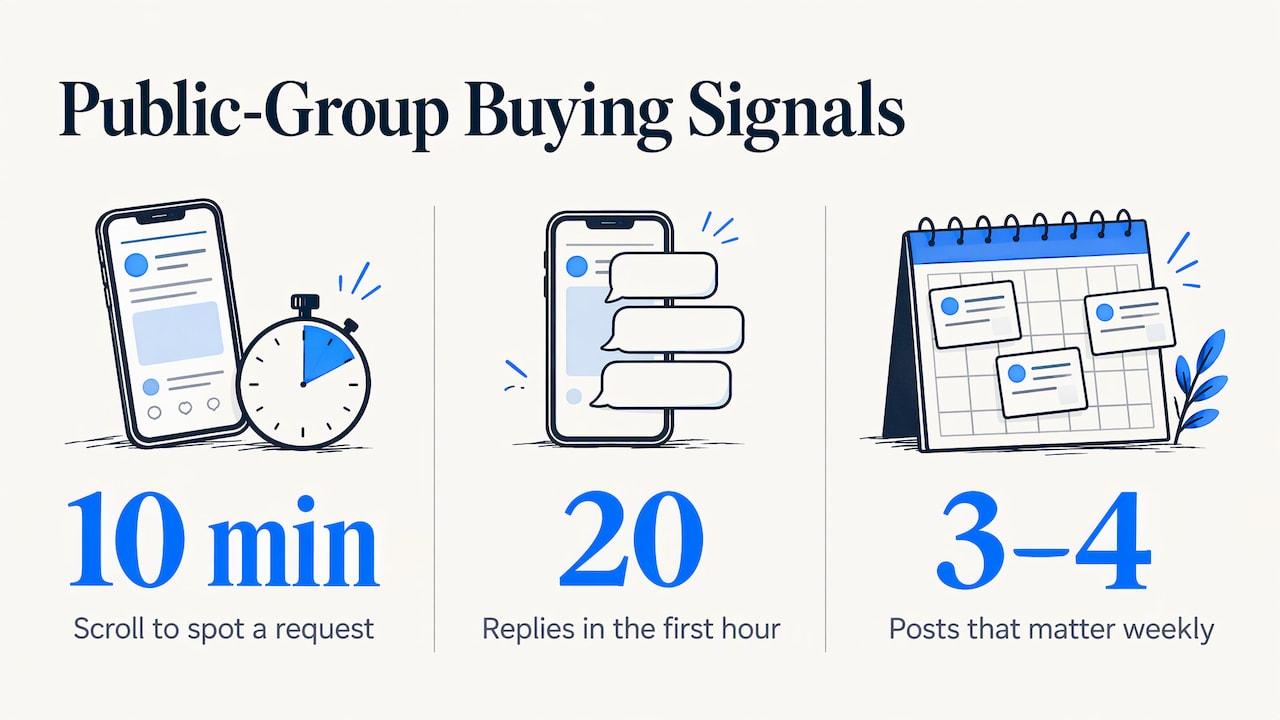
Open any active local or niche group and scroll for ten minutes. You will see someone asking for a recommendation: a wedding photographer for June, a reliable plumber, a lift kit that fits a specific truck, a CRM that handles a certain workflow. These are not ads or browsing. They are people with a need, a budget and a deadline, typing it out for strangers.
The trouble is timing. Active groups produce posts all day, and a request that gets twenty replies in the first hour is usually settled by the time you see it. The business that answers first, helpfully, often gets the message.
That is the whole case for monitoring. You are not trying to read more of Facebook. You are trying to see the three or four posts a week that matter, right when they go up.
What "monitoring" should and should not mean
Many people start by asking whether they can build something themselves that watches groups through a personal profile. It is a reasonable instinct, but the plumbing has shifted. Meta shut down the Facebook Groups API and removed third-party apps in Groups on April 22, 2024, and the change also ended third-party publishing into groups, as Postpone's documentation describes. So a plug-and-play official feed of group posts is not something you can wire into your stack.
What you want is a service built for this job, with three traits:
- It does not need your Facebook account. Handing over credentials ties your business profile to a third party. A tool that never asks keeps your profile out of the picture.
- It alerts fast. An alert that arrives the next morning is a report, not a lead.
- It filters. Raw feeds of every post are noise. You need matching and scoring so only likely buyers reach you.
Groups Watcher is built around those three. It monitors public and private groups, scores posts with AI, and pushes alerts out within 60 seconds. For a deeper look at how this category works, see our guide to monitoring Facebook groups.
Built-in keyword alerts versus a monitoring tool
Facebook has its own keyword alerts, but they are an admin feature aimed at moderating a group you run. If you are a vendor, an agency or a store owner who is a member, not an admin, they do not cover your situation. We cover the difference in keyword alerts in Facebook groups without being admin and in our walkthrough of Facebook group keyword alerts.
Get Facebook group alerts in 60 seconds.
Groups Watcher finds the leads in your Facebook groups and sends them to you in 60 seconds, before your competitors reply, without using your Facebook account. 7 day trial for $1 with full features.
Start your $1 trialHere is how the two approaches compare for a business looking for customers:
| Need | Admin moderation alerts | Dedicated monitoring tool |
|---|---|---|
| Built for | Keeping a group you manage orderly | Finding buyers across groups you choose |
| Works for groups you do not run | No | Yes |
| Lead scoring | No | AI scoring of intent |
| Alert channels | Facebook notifications | Slack, Discord, Teams, email, webhooks, CRM |
| Needs your Facebook login | Yes | Not with Groups Watcher |
Step 1: Choose groups where buyers ask
Group quality beats group count. A group of 3,000 local homeowners asking for contractors will out-produce a group of 300,000 where nobody asks anything.
Look for groups with these traits:
- Frequent request posts. Scan a week of posts. If at least a few are "looking for" or "where can I find" threads, it is a candidate.
- Your buyer, not your peers. A wedding vendor wants engaged couples, not a vendors-only networking group. A performance parts store wants truck owners, not other parts sellers.
- Local fit. For service businesses, groups tied to your city, county or neighborhood. Our post on Facebook group types local service businesses should monitor lists the kinds worth tracking.
- Active in the last few days. A quiet group wastes a slot.
If finding groups is the slow part, Groups Watcher includes an AI-driven group finder that suggests groups matching your business. You can also swap groups at any time, so a dud does not lock you in.
Starter group ideas by business type
- Wedding and event vendors: local engagement and wedding planning groups, venue-area community groups, bride-to-be groups for your region.
- Real estate agents: neighborhood groups, relocation groups, "moving to [city]" groups. See our page on lead alerts for real estate agents.
- Short-term rental owners: local event, festival and visitor-planning groups, plus hosts' groups where guests ask for stays.
- Ecommerce stores: enthusiast groups for the exact product category, such as a truck model or hobby, where members ask where to buy.
- B2B software: groups for the job role or industry your product serves, where people ask for tool recommendations.
Step 2: Write filters that reflect buying intent
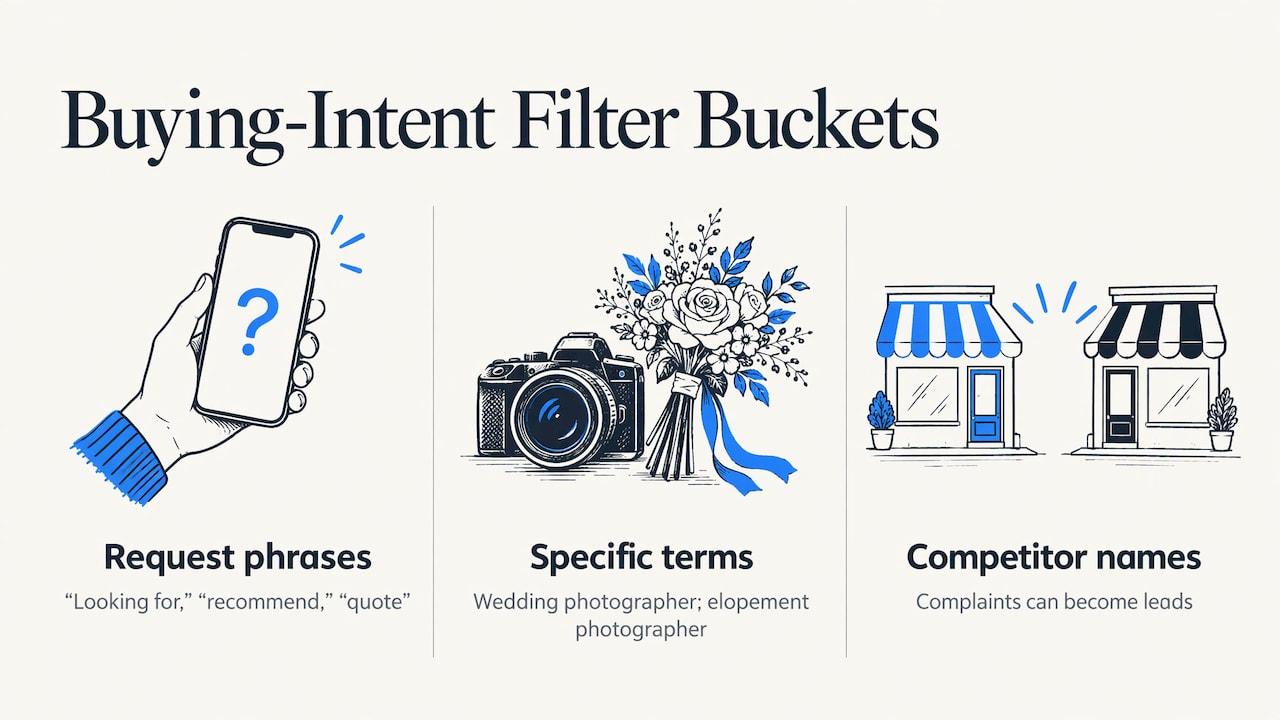
A good filter reads like the sentence your buyer would type. Build it from three buckets.
Problem and request phrases. These signal someone is shopping: "looking for," "recommend," "anyone know," "need a," "where can I get," "alternatives to," "quote."
Your product or service words. Be specific. "Photographer" is broad. "Wedding photographer," "elopement photographer" and "engagement session" narrow it.
Competitor names. When someone mentions a rival, they are either praising, complaining or asking for another option. Complaints are leads. Setting up competitor mentions is covered in our Facebook group mention monitoring setup guide.
A worked example
Say you run a performance auto parts store. Your filter might combine:
- Request words: "where to buy," "recommend," "anyone running," "best place for"
- Product words: "cold air intake," "aftermarket exhaust," "lift kit," "tuner"
- Model words: the truck and engine names your catalog covers
A post saying "Anyone know where to find a cold air intake for a 2019 Silverado that isn't a rebuilt junk part?" matches all three buckets. A post bragging about a new paint job matches none. That is the point: you only see the first one.
Because Groups Watcher supports every language, the same approach works for groups that post in Spanish, Portuguese or any other language your market uses.
Tune weekly at first
Expect your first filters to be wrong. After the first week, look at what fired. If you got a flood of irrelevant posts, tighten the product words. If you got almost nothing, loosen the request phrases or add synonyms. AI lead scoring helps by ranking matches, so the strongest-intent posts surface first.
Step 3: Route alerts where your team already works
The fastest tool still loses if the alert lands in an inbox nobody checks. Match the channel to how you work:
- Slack, Discord or Teams for teams that live in chat. Create a dedicated leads channel so alerts do not drown in general conversation.
- Email for solo owners who want a simple setup.
- Webhooks and CRM integrations to turn each alert into a contact or task automatically.
Groups Watcher delivers alerts to 10+ channels, within 60 seconds of a matching post. Our page on setting up Facebook group instant notifications walks through the options. If you track many groups, the approach in multiple group monitoring alerts keeps things manageable.
Decide who answers, and how fast
Assign one person per shift to own the alert channel. Agree on a target, for example replying inside ten minutes during business hours. A fast alert is only half the system. The other half is a human who treats it like a ringing phone.
Step 4: Reply in a way the group welcomes
The alert gets you to the thread first. What you write decides whether it works.
- Answer the question before you pitch. If someone asks about timelines, give the timeline.
- Keep the call to action soft. An offer like "Message me and I'll send over a quote" lands better than a link dump. Guidance for business posters in groups consistently points the same way: read the group's posted rules first, avoid sending identical messages, and tailor your reply to the group's tone, as this guide for appliance store owners recommends.
- Use your real business identity. Be clear about who you are and what you charge. Disclosing your affiliation up front builds trust.
- Follow up where it was asked. If the person asked in the thread, answer in the thread, then offer to continue by message.
- Be human. Use their name. Reference their specific situation.
Wedding vendors, for example, can lean on the same discipline in their email replies. These wedding inquiry response templates show how to keep a same-day reply friendly and low pressure, and the tone carries straight over to group comments.
Step 5: Measure leads, not activity
Monitoring is cheap compared with the cost of a missed customer, but you still want to know which groups pay off. Track the path from group to revenue in a simple sheet, with one row per lead:
- Group the post came from
- Time from alert to your reply
- Whether it became a conversation
- Whether it became a call or quote
- Whether it closed, and the revenue
That gives you the funnel that practitioners recommend: inbound conversations by group source, then conversation-to-call, call-to-close and revenue per group. Review monthly, once you have enough history to compare.
Do not rank groups by member count. A smaller group where you are known and where members ask for recommendations will usually outperform a giant one where you are invisible. If a group produces no qualified conversations after a couple of months, swap it for another. Groups Watcher lets you change groups whenever you like.
What it costs
Groups Watcher is a subscription. The Professional plan is $99 per month and includes monitoring, the AI group finder, and unlimited lead scoring and alerts. Extra groups are $2 per month per group. You can start with the 7-day trial for $1. Current details are on the pricing page.
A useful way to judge the price: take your average sale value and your close rate on inbound conversations. If one extra customer a month covers the plan, every additional one is margin.
Perspective
We built Groups Watcher around a simple observation: the best leads on Facebook are public, short-lived and invisible to anyone who is not looking at the right group at the right minute.
That is why we focused on speed and on keeping your account out of it. Our alerts arrive within 60 seconds, and because the service never asks for your Facebook credentials, there is nothing tying your profile to the monitoring.
We also think monitoring should be narrow. Pick fewer groups, write sharper filters, let AI scoring rank what comes in, and answer like a person. Teams that do that tend to spend their time on conversations instead of scrolling.
Groups change, and so do the questions buyers ask. That is why you can swap groups at any time and why the alerts go wherever your team already works, from Slack and Discord to your CRM.
Groups Watcher Team
Start monitoring public groups today
If you already know three or four groups where your buyers ask for recommendations, you are ready. Groups Watcher watches them for you, scores each match, and sends an alert to Slack, Discord, Teams, email, a webhook or your CRM within 60 seconds. No Facebook login required.
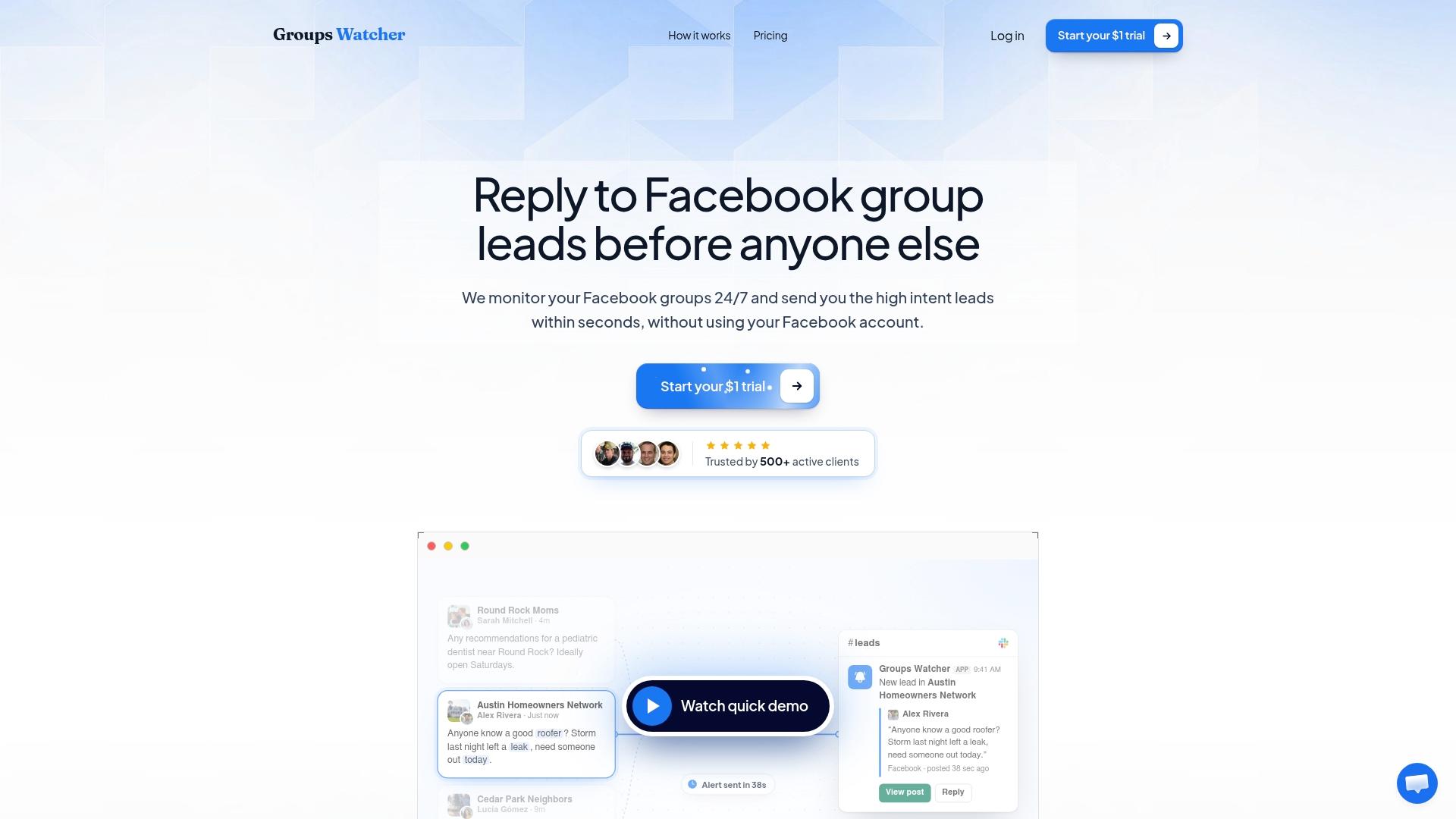
Try the $1, 7-day trial on the Groups Watcher homepage, or see how it fits your business in our overview of Facebook social listening. Local service businesses can also read about Facebook lead alerts for local service businesses.
FAQ
Can I monitor a public Facebook group without joining it?
Groups Watcher monitors the groups you select without using your Facebook account. You choose the groups, set your filters, and alerts begin arriving when matching posts appear. Joining is not something the setup asks of you.
Do I need to give Groups Watcher my Facebook password?
No. Groups Watcher does not require your Facebook credentials or account access. That keeps your personal and business profiles separate from the monitoring itself.
How fast will I hear about a new post?
Alerts go out within 60 seconds of a post matching your criteria. You choose where they land: Slack, Discord, Microsoft Teams, email, webhooks or a CRM integration.
What should I monitor for: keywords or competitor names?
Use both. Request phrases such as "looking for" and "recommend" paired with your product words catch active shoppers. Competitor names catch people comparing or looking for another option. Our social listening guide for closed groups explains how to extend this to private communities.
Does it work in languages other than English?
Yes. Groups Watcher supports posts in any language, so you can monitor groups serving Spanish-speaking, Portuguese-speaking or other communities with the same setup.
Sources
- Facebook Groups API changes, Restream Help Center
- Posting to Facebook Groups, Postpone help documentation
- The Facebook Groups Strategy Appliance Store Owners Use, Marketwiz
- How to Measure Facebook Group Marketing ROI, PilotPoster
- Wedding Inquiry Responses: Same Day Templates
Recommended
Stop checking Facebook groups by hand.
Groups Watcher finds the leads in your Facebook groups and sends them to you in 60 seconds, before your competitors reply, without using your Facebook account. 7 day trial for $1 with full features.