Facebook Group Lead Tracking: Capture, Score and Log Every Lead

Get Facebook group alerts in 60 seconds.
Groups Watcher finds the leads in your Facebook groups and sends them to you in 60 seconds, before your competitors reply, without using your Facebook account. 7 day trial for $1 with full features.
Start your $1 trialFacebook Group Lead Tracking: Capture, Score and Log Every Lead
Facebook group lead tracking comes down to three habits. Catch the post while the request is still open. Score it against fixed criteria so you reply to the best ones first. Log it, with the post text and the source group, so you can see which groups bring revenue. Most businesses do the first part badly and skip the third. This guide gives you the full system, with a scoring model you can copy and a tracking sheet you can build today.
TL;DR
- Track one record per lead: date, source group, the exact post, status, revenue and time to close.
- Score each post with points for clear buying signals (named service, location, timing) and subtract points for resolved or off-topic posts.
- Save the post text and link at the moment of capture, so the context never disappears when the thread moves on.
- Judge each group by revenue, not by how many posts it produces.
- Speed decides who wins the lead, so alerts that reach you within minutes beat a daily scroll.
Table of Contents
- What a tracked lead should look like
- How to keep the post and its context
- Which posts signal a real buyer
- A scoring model you can copy
- Adapting the model to your industry
- Replying without burning the lead
- Tracking which groups actually pay
- A one-week setup plan
- Our perspective
- Put the system on autopilot
- FAQ
- Sources
What a tracked lead should look like
A lead you can't find again is a lead you lose. Before you build any scoring, decide what each record holds. A simple spreadsheet works with one row per lead and columns for date, source group, lead name, status, revenue and time to close, which is the layout PilotPoster recommends for measuring group marketing ROI. Add a few columns that matter for group leads in particular:
| Column | Why it matters |
|---|---|
| Date and time posted | Shows how fast you responded and how fresh the request was |
| Source group | Lets you compare groups later |
| Post link | Takes you straight back to the thread |
| Post text, pasted in full | Keeps the context if the post is edited or deleted |
| Need in one line | "Needs a photographer for a June wedding in Austin" |
| Score | Your priority number (see below) |
| Status | New, replied, in conversation, call booked, won, lost |
| Revenue and time to close | The numbers that decide which groups stay |
The pasted post text is the column most people skip, and it is the one that saves you. Group threads move fast. A request that sat at the top of the feed at 9:00 a.m. is buried by noon, and members edit or delete posts after they get an answer.
How to keep the post and its context
The cleanest fix is to capture the lead at the moment it appears, not later. Manual capture means scrolling each group, copying the post, pasting the link into your sheet and noting who commented. That works for two or three groups. It breaks at ten.
A monitoring tool does the capture for you. Groups Watcher watches the groups you select and sends an alert within 60 seconds when a post matches your criteria, with the post itself in the alert. It works without your Facebook account or credentials. Alerts arrive in Slack, Discord, email, Teams, webhooks or your CRM, so the post text lands in a place you already work. Our guide on how to monitor Facebook groups for lead generation walks through the setup, and the one on CRM integration for Facebook leads covers sending those alerts into your pipeline.
Whichever route you take, follow three rules:
- Capture the original wording. Their phrasing tells you what they care about, and you will quote it in your reply.
- Note who else has already answered. Competing replies change your approach and your urgency.
- Record the link before anything else. You can fill in the rest after you reply.
Which posts signal a real buyer
Not every post that mentions your topic is a lead. Posts that deserve a high score usually name the work and ask who can do it or when someone is available. According to SMM Energy's guide to buying signals in local group posts, you should check the service, the location, the timing and whether the request is still open. Skip resolved requests, and don't treat complaints, do-it-yourself questions or trade chatter as hiring intent unless the person clearly asks for help.
Here is how that sorts in practice:
Get Facebook group alerts in 60 seconds.
Groups Watcher finds the leads in your Facebook groups and sends them to you in 60 seconds, before your competitors reply, without using your Facebook account. 7 day trial for $1 with full features.
Start your $1 trial- Strong signal: "Looking for a plumber in Tampa who can come Thursday. Water heater is leaking."
- Medium signal: "Anyone know a good wedding DJ in Denver?" There is a need and a place, but no date.
- Weak signal: "What do you all think about LED vs. halogen?" This is a discussion, not a request.
- Not a lead: "Thanks everyone, we hired someone!" The request is closed.
For more examples of phrasing that points to a purchase, see our piece on finding buyers asking in Facebook groups.
A scoring model you can copy
Scoring turns a pile of posts into an ordered list. The most useful pattern comes from CRM design: HubSpot's lead scoring documentation describes numerical scores built from record attributes and actions, with points added or subtracted, time windows, frequency rules and AND conditions. Group leads fit that pattern well. Each criterion is explicit, so you can see why a lead scored 70 and adjust the rules when results disagree.
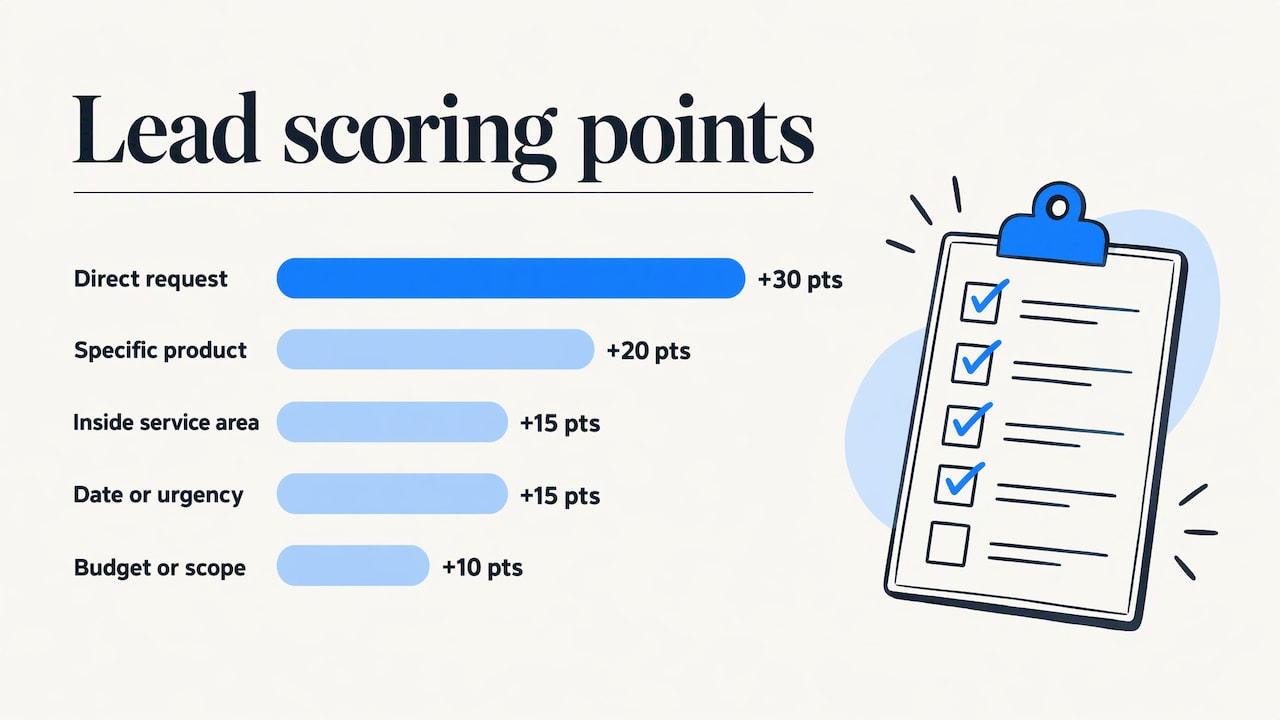
Here is a starting model with a 100-point scale. Adjust the numbers to your business.
| Criterion | Points |
|---|---|
| Post is a direct request ("looking for", "who can", "need") | +30 |
| Names the specific service or product you sell | +20 |
| Location is inside your service area | +15 |
| States a date, deadline or urgency | +15 |
| Includes a budget or scope detail | +10 |
| Posted in the last hour | +10 |
| Request is already marked resolved or filled | -50 |
| Asks for a free or DIY solution only | -20 |
| Outside your service area | -30 |
| Reads as a complaint or opinion with no request | -25 |
Then set action bands:
- 70 and above: reply now, personally.
- 40 to 69: reply within the day, or add to a queue.
- Below 40: log it and move on.
The AND conditions from the CRM pattern are useful here. A post that names your service and sits in your area and asks a direct question deserves a bump beyond the sum of its parts. Add +10 when all three are true.
Two habits keep the model honest. First, review your lost and won leads monthly and ask which criteria predicted a win. Second, keep the rules written down, so anyone on your team scores the same post the same way.
Groups Watcher applies AI lead scoring and custom filters before an alert is sent, which means the low-signal posts never reach your phone. You still set the rules, such as keywords, intent and exclusions, so the scoring matches how you sell.
Adapting the model to your industry
The same structure holds across businesses, but the weights change.
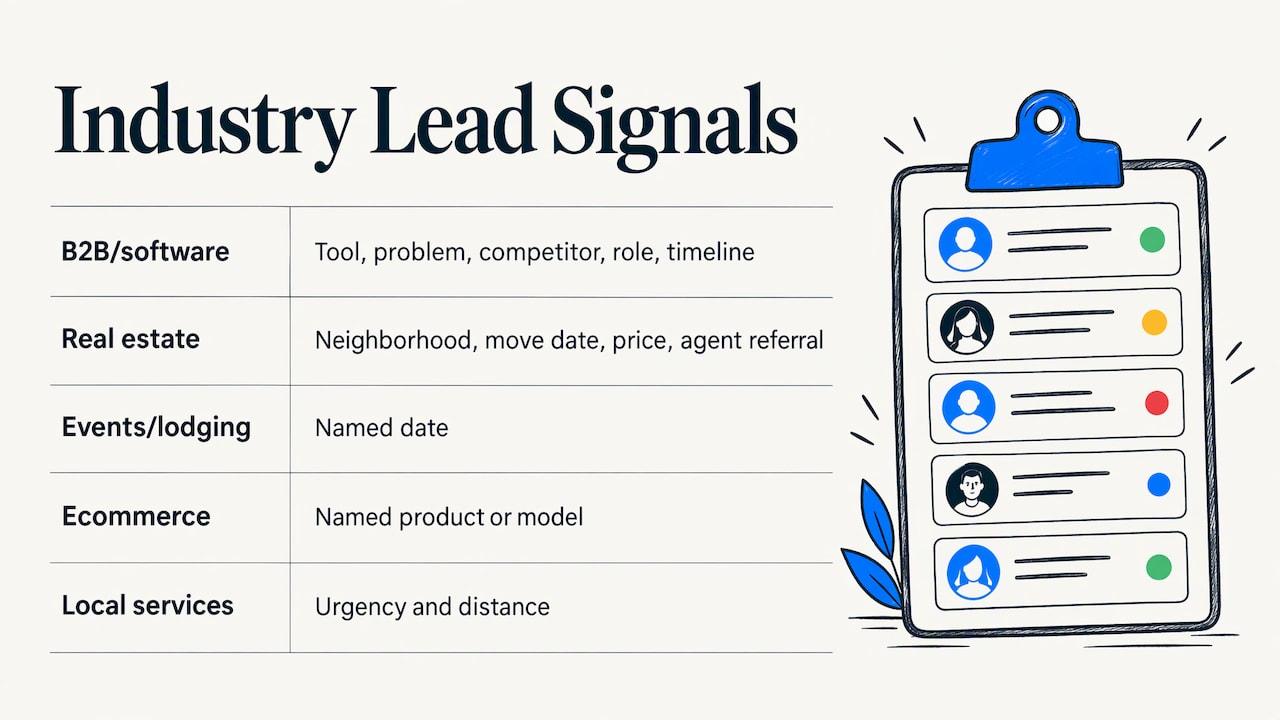
B2B and software. The best signals are people asking for a tool recommendation, describing a problem your product solves, or naming a competitor with frustration. Give extra points for team size or role mentions, and for a stated timeline such as a switch within the quarter. Our guide to sales prospecting in Facebook groups shows how this plays out.
Real estate. Timing and place carry the score: a named neighborhood, a move date, a price range. Posts from people asking for agent referrals deserve the highest weight. We cover this in detail on our page for real estate agent lead alerts.
Events and lodging. Wedding vendors, planners and short-term rental hosts should weight the date above everything else. A request for a photographer on a named weekend is worth more than a general "any ideas" post, because dates fill up and the person is ready to book.
Ecommerce. Look for "where can I buy" and "anyone know where to find" posts that name a product type or a vehicle, device or model you stock. A performance auto parts store, for example, would score a truck owner asking for aftermarket parts far higher than a general build discussion.
Local services. Urgency and distance dominate. Our page on Facebook lead alerts for local service businesses covers how to set this up.
Replying without burning the lead
Tracking only pays when the reply lands well. Public comments are the safest first move, because the person asked publicly. For direct messages, the guidance from Jamil Academy's real estate group guide is to message only someone who has already engaged with you in public, for example by replying to your comment or asking you to reach out. It also suggests the first message reference their exact question, offer something useful and end with a low-pressure question, with no links and no request for a call.
That is why the "post text" column matters. Quote their words back to them. Then log the reply and set a follow-up date, because the second touch is where most leads are lost.
A reminder system helps. An assistant that queues follow-ups for you stops promising leads from going quiet, and AI tools that stop missed follow-ups are one way to keep that queue moving when your day fills up.
Tracking which groups actually pay
Post volume is a vanity number. A group that produces 50 posts a week and no customers is worse than one that produces three and two sales. PilotPoster's measurement view is that revenue by source group is the decisive metric, backed by the path from message to conversation, call and close. Your sheet already holds the data. Once a month, build a small summary:
| Group | Leads logged | Replies | Conversations | Customers | Revenue |
|---|---|---|---|---|---|
| Example: Austin Wedding Planning | 24 | 18 | 9 | 3 | Your figure |
| Example: Central Texas Vendors | 40 | 12 | 2 | 0 | Your figure |
The numbers above are placeholders for you to replace. Look for the group with the best ratio of customers to leads, not the biggest one.
If you also send traffic to a site, tag your links so each group is separable in analytics. A guide on GA4 affiliate and click tracking rules shows how to set up click events you can then attribute to sources.
Then act on the result. Drop groups that produce noise, and swap in new ones. Groups Watcher lets you swap groups at any time, and its AI group finder suggests relevant groups to watch. For running many at once, see multiple group monitoring alerts.
A one-week setup plan
- Day 1: Build the sheet with the columns above, or add the fields in your CRM.
- Day 2: Pick five to ten groups where your buyers ask questions. Write down the phrases they use.
- Day 3: Write your scoring rules and action bands on one page.
- Day 4: Set up alerts for those groups and route them to one channel. Our instant notification setup guide covers it step by step.
- Days 5 to 7: Reply to the top-scoring leads, log everything, and note which rules misfire.
At the end of the week, adjust the weights. Most people find two or three criteria are too generous within the first few days.
Our perspective
Most lead tracking fails at the start, not the end. By the time someone copies a post into a spreadsheet, the best leads already have three replies.
We built Groups Watcher around that gap. It watches your chosen groups and sends a matching post to you within 60 seconds, so you can answer first. It does this without your Facebook login, so your personal account stays out of the process.
We also believe scoring should be yours. Our AI lead scoring and custom filters take your definition of a good lead and apply it to every post, in any language, and the result goes straight to Slack, Discord, email, Teams, a webhook or your CRM. The tracking sheet then becomes a record of wins, not a chore.
The groups that pay will differ for every business. Track them, compare them, and swap the ones that don't.
Groups Watcher Team
Put the system on autopilot
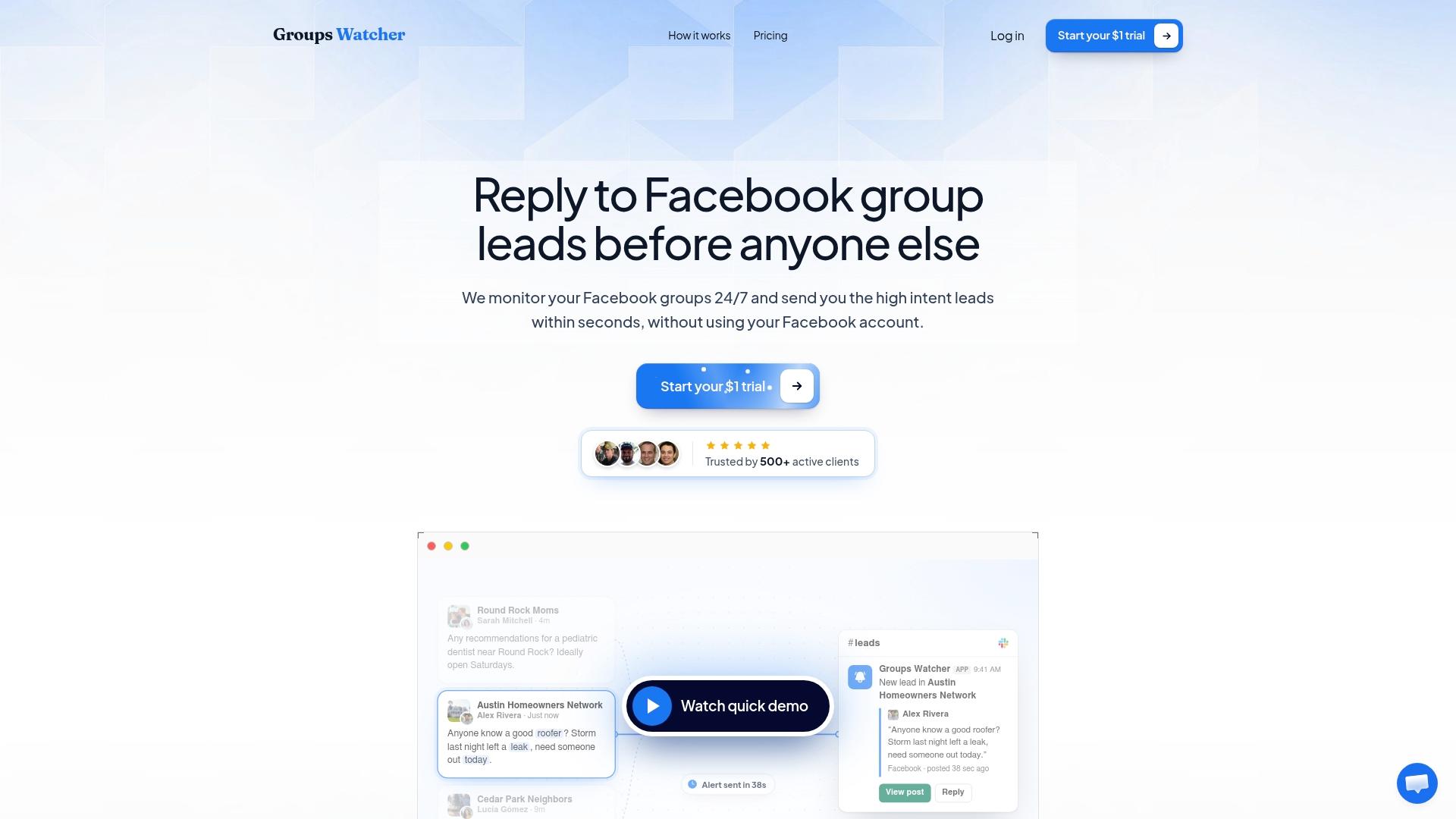
If you want the capture and scoring steps handled for you, Groups Watcher starts with a 7-day trial for $1. After that, the Professional plan is $99 per month, and extra groups are $2 per month per group. It includes the AI group finder, unlimited lead scoring and alerts.
See the details on the pricing page, or start at Groups Watcher. If you are weighing how monitoring fits a wider strategy, read about Facebook social listening.
FAQ
What is the minimum I should record for each Facebook group lead?
Record the date, the source group, the lead's name, the post link, the status and, once known, revenue and time to close. Paste the post text too, so you keep the context if the thread changes. That is enough to tell you which groups work.
How do I score leads from Facebook groups?
Give points for clear signals, such as a direct request, a named service, a location in your area and a date. Subtract points for resolved requests, wrong locations and posts with no request. Written rules, like the CRM-style point system above, keep scores consistent across your team.
How fast should I reply to a group lead?
As fast as you can while keeping the reply useful. Groups Watcher alerts you within 60 seconds of a matching post, which gives you the chance to be among the first replies. Quote their question, offer something helpful and keep the first message short.
Should I use a spreadsheet or a CRM?
A spreadsheet is enough while you watch a handful of groups. Move to a CRM when you have several people replying or want follow-up reminders. Groups Watcher can send alerts to CRM integrations, so the lead record starts itself.
Sources
- Spotting Real Buying Signals in Local Group Posts (SMM Energy)
- Build lead scores to qualify contacts, companies, and deals (HubSpot)
- How to Measure Facebook Group Marketing ROI (PilotPoster)
- Facebook Groups for Real Estate Agents (Jamil Academy)
- Capture, Queue, Act: AI That Stops Missed Follow Ups (Otto)
- GA4 Affiliate Tracking for Marketers
Recommended
Stop checking Facebook groups by hand.
Groups Watcher finds the leads in your Facebook groups and sends them to you in 60 seconds, before your competitors reply, without using your Facebook account. 7 day trial for $1 with full features.