Facebook Group Buyer Inquiries: How to Catch Them First
Get Facebook group alerts in 60 seconds.
Groups Watcher finds the leads in your Facebook groups and sends them to you in 60 seconds, before your competitors reply, without using your Facebook account. 7 day trial for $1 with full features.
Start your $1 trialFacebook Group Buyer Inquiries: How to Catch Them First
A buyer inquiry in a Facebook group is a post where a member asks where to buy something, who to hire, or what to choose. It is a short window: the post is at the top of the feed for a few minutes, a handful of members reply, and the asker usually goes with one of the first helpful answers. The way to win these inquiries is to see them within a minute of posting and reply with something specific. Groups Watcher is built for that: it watches the groups you pick for posts that match your criteria and sends an alert within 60 seconds, without asking for your Facebook login.
TL;DR
- Buyer inquiries are posts that name a product or service, a place and a timeframe. Vague chatter is not worth your time.
- Speed decides who gets the conversation. Research on U.S. companies found that contacting a lead within an hour made a meaningful conversation with a decision maker far more likely.
- Filters, not scrolling, are how you keep up across many groups: set keywords for what you sell, for "where can I find" phrasing, and for competitor names.
- Reply briefly, specifically and helpfully. A short answer with availability beats a pitch.
- Groups Watcher sends alerts to Slack, Discord, email, Teams, webhooks and CRMs, with no Facebook credentials required.
Table of Contents
- What a buyer inquiry looks like in a Facebook group
- How to tell a real buyer from chatter
- Why speed wins buyer inquiries
- Finding the groups where buyers ask
- Setting up filters that surface buyer inquiries
- Getting alerts where you already work
- How to reply without sounding like an ad
- What to track after the first reply
- Promo: watch the groups, skip the scrolling
- Our perspective
- FAQ
- Sources
What a buyer inquiry looks like in a Facebook group
Most buyer inquiries never use the word "buy." They are questions to neighbors, fellow owners or hobbyists:
- "Anyone know where to get a cold air intake for a 2019 Silverado in stock?"
- "Looking for a DJ for a June wedding near Tampa. Recs?"
- "Our rental in Asheville needs a deep clean between guests, who do you use?"
- "We're leaving our current CRM. What are people switching to?"
- "Thinking of selling my house this spring, can anyone recommend an agent?"
Each one comes from someone with a problem and a deadline, asked in a place where they trust the answers. That is why these posts convert better than a cold message: the asker invited the reply.
Four kinds of post tend to matter to the reader of this article:
| Post type | Example | Who it's for |
|---|---|---|
| Where-to-buy question | "Where can I find aftermarket exhaust for my F-150?" | Ecommerce and parts stores |
| Hire request | "Need a photographer for a December event" | Wedding, event and service vendors |
| Recommendation ask | "Who's the best realtor in Boise?" | Real estate agents, local services |
| Competitor or category mention | "Is anyone happy with [tool]? Looking for alternatives" | B2B brands and software |
How to tell a real buyer from chatter
Not every question is a lead. A useful test, taken from a guide on reading buying signals in local group posts, is specificity. "Any plumbers about?" is vague. A post that names a job, a location and a timeframe is something you can price and schedule. If one of the three is missing, treat it as something to ask about, not a reason to stay silent.
In practice, score every post on three questions:
- Is a named product or service involved? "Need a new transmission cooler" passes. "My truck is acting up" is a conversation, not yet a sale.
- Is it somewhere you serve or ship? A request in a city you do not cover wastes your fast reply. If you ship nationwide, location does not matter.
- Is there a time pressure? "This weekend," "before the 15th" and "ASAP" are the strongest words in the feed.
The same guide suggests sorting the wording into hiring, advice-seeking or already resolved. A post where the member only wants advice calls for a clarifying question before an offer. A post already marked solved should be skipped.
Why speed wins buyer inquiries
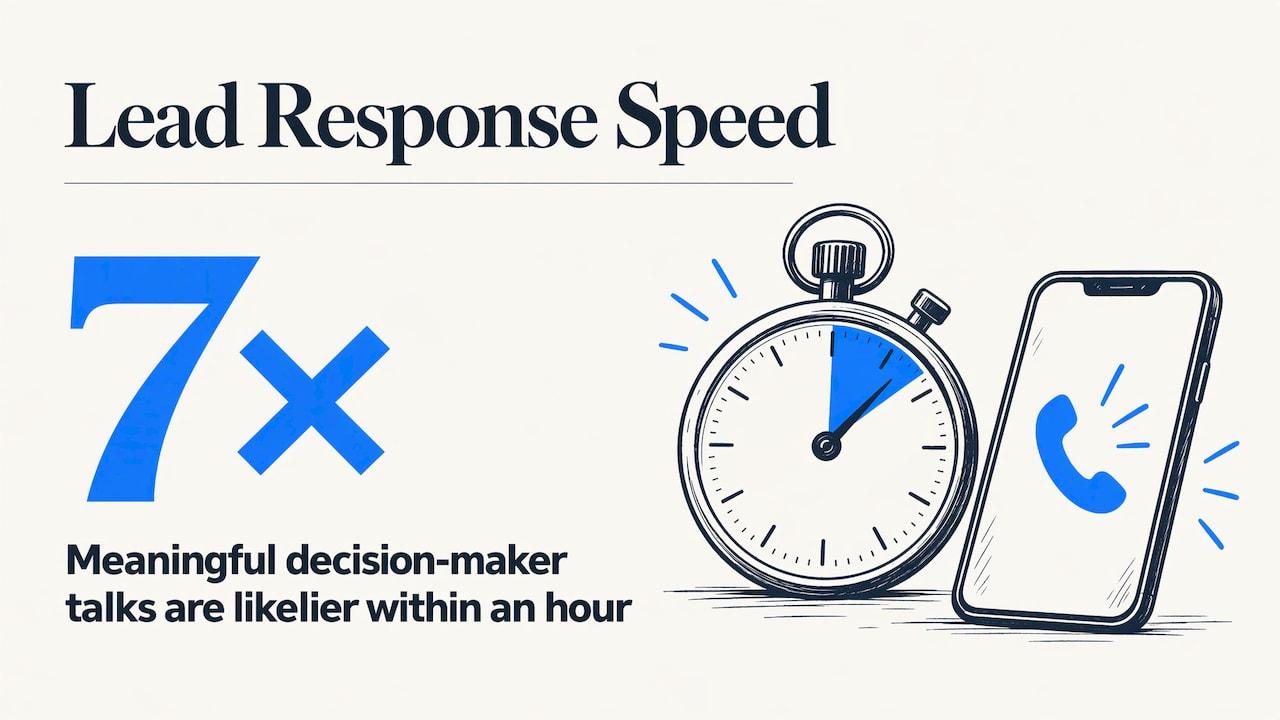
Group feeds move fast, and the first useful answer sets the tone for everyone who comments after. Sales research backs the instinct. A Harvard Business Review analysis of 2,241 U.S. companies, summarized here, found that firms contacting leads within an hour were seven times more likely to have a meaningful conversation with a key decision maker than later responders. That study covers inbound web leads rather than group posts, but the logic carries over: the later you arrive, the more the asker has already heard.
Get Facebook group alerts in 60 seconds.
Groups Watcher finds the leads in your Facebook groups and sends them to you in 60 seconds, before your competitors reply, without using your Facebook account. 7 day trial for $1 with full features.
Start your $1 trialThe problem is that nobody can sit in a feed all day. Owners run jobs, answer customers and ship orders. Checking a dozen groups by hand once or twice a day means most inquiries are hours old when you see them.
Finding the groups where buyers ask
Before you can catch inquiries you need the right groups. The groups worth watching are the ones where your customer asks questions, not the ones where your peers talk shop.
Some patterns that work for local sellers: town "buy and sell" groups, neighborhood and community groups, parent groups, "recommendations" groups and local business networks. For products, think of the owner communities around a vehicle, a hobby, a type of property or an event style. Wedding vendors look at engaged-couples groups for their city. Short-term rental hosts look at host communities and local travel groups. Truck parts sellers look at model-specific owner groups.
Two habits keep the list useful:
- Search by the customer's words, not yours. People write "meal prep for families," not "nutrition consulting." A November 2025 guide on getting leads from Facebook groups makes the same point.
- Check that the group is alive. Look for recent posts with real replies rather than a wall of promotions.
Groups Watcher includes an AI-driven group finder that suggests groups to monitor, and you can swap groups at any time, so a group that goes quiet can be replaced the same day. If you work a local market, this overview of ways to attract local clients is a good companion for deciding where your neighbors spend their time online.
Setting up filters that surface buyer inquiries
Good filters decide whether alerts feel like a gift or like noise. Build three layers.
Layer 1: what you sell
List the product and service words your customers use, including slang and part numbers. A performance parts store might use model names, "intake," "tune," "lift kit" and the common abbreviations. A venue might use "wedding venue," "reception space" and "rehearsal dinner."
Layer 2: how people ask
Pair those words with question phrasing: "where can I find," "anyone recommend," "looking for," "who do you use," "need a," "in stock." This pairing is what separates a buyer from a hobbyist showing off a build.
Layer 3: competitor and category mentions
B2B brands and software teams can add competitor names and phrases like "alternative to" or "switching from." A member comparing tools in public is telling you exactly when they are shopping.
Groups Watcher applies your custom filters and adds AI lead scoring, so posts that look like genuine high-intent requests are separated from casual talk. It reads posts in any language, which matters in groups serving bilingual communities. For a deeper walk-through, see our guide on filtering Facebook group leads without the noise.
Getting alerts where you already work
An alert is only useful if it lands where you will see it in seconds. Groups Watcher sends alerts through Slack, Discord, email, Microsoft Teams, webhooks and CRM integrations, so a lead can arrive in the same channel your sales or support team already watches. A few setups that fit different teams:
- Solo owner: email or a phone-notified chat channel, so a ping reaches you between jobs.
- Small sales team: one shared Slack or Discord channel, with a rule that whoever reacts first owns the reply.
- Agency or larger team: webhook into your CRM so every inquiry becomes a tracked lead with its source.
The setup guide for Facebook group instant notifications shows the channels step by step, and our page on Facebook lead alerts for local service businesses covers the trades and home services case.
How to reply without sounding like an ad
Getting the alert is half of it. The reply decides whether the asker writes back. Use this routine:
- Answer the question first. If someone asks where to find a part, name the part and say you carry it.
- Be specific in one or two sentences. "We have that intake in stock for the 2019 Silverado and can ship today" beats a paragraph about your company.
- Match the post type. For a hire request, reply briefly with your availability. For an advice request, ask what they are trying to achieve before offering anything. For a resolved post, skip it.
- Offer the next step, not a pitch. A link, a direct message invitation or a quote offer is enough.
- Be a regular. Spending 15 to 20 minutes a day giving useful answers in a few key groups, as the same guide recommends, builds the recognition that makes later replies land.
Read each group's pinned rules and notice what the admins reward before you start replying. Some groups ask for promotional answers on specific days or keep them to comments only. Following a group's own norms keeps you welcome there.
What to track after the first reply
Treat group inquiries like any other lead source. Keep a simple record of the group, the post, the time it was posted, the time you replied and the outcome. After a month you will see which groups produce actual orders and which just produce chatter. Move your attention, and your group slots, toward the winners. Because Groups Watcher lets you swap groups at any time, that tuning does not require a new contract or a new setup.
Promo: watch the groups, skip the scrolling
Groups Watcher monitors public and private Facebook groups for high-intent posts and alerts you within 60 seconds when a post matches your criteria. It never asks for your Facebook account or credentials. The Professional plan is $99 per month, and extra groups are $2 per month per group. You can start with a 7-day trial for $1. See plans and group pricing to choose how many groups you want covered.
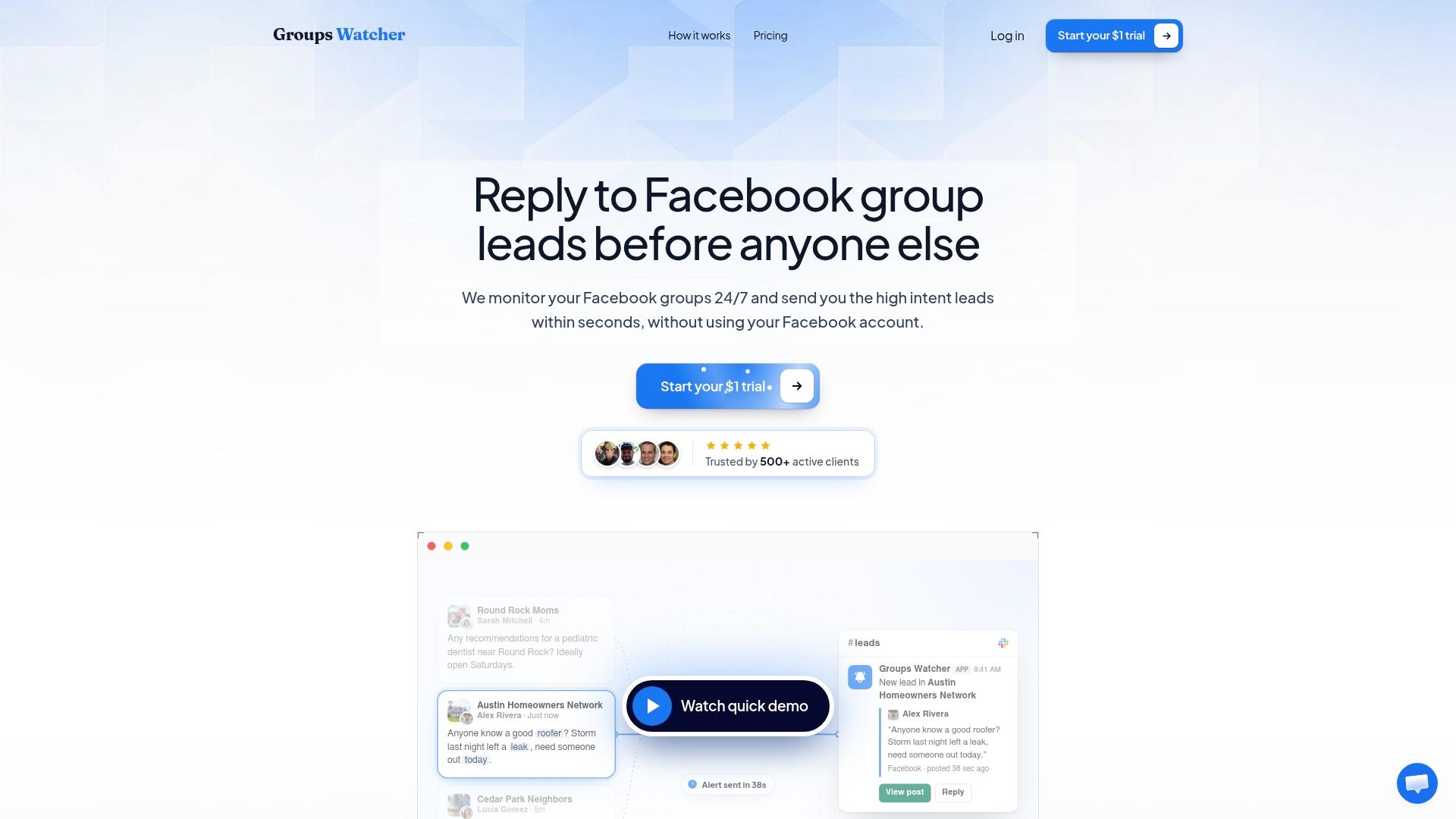
If you want the bigger picture of how monitoring works first, our guide on monitoring Facebook groups for lead generation covers it from group selection to alerts.
Our perspective
Most businesses do not lose Facebook group leads because they are bad at selling. They lose them because they saw the post too late. A member asks for a recommendation, three people answer in ten minutes, and the thread is decided before the owner opens the app.
That is why we built Groups Watcher around speed and low friction. Alerts arrive within 60 seconds. Filters and AI lead scoring keep the alerts to posts that look like real demand. And because the tool works without your Facebook credentials, you set it up once and it keeps watching, with your own account staying out of it entirely.
We think the best group lead process is simple: pick the groups where your buyers ask, tell the tool what a buyer sounds like, get the alert where your team already works, and answer like a helpful neighbor. Everything else, from finding groups to swapping them out when they go quiet, should take no more than a few minutes.
Groups Watcher Team
FAQ
How do I find buyers in Facebook groups?
Start with groups where your customers ask questions: local buy-and-sell and recommendation groups, plus owner or hobby communities around what you sell. Then watch for posts that name a product or service, a place and a timeframe. Groups Watcher's group finder and keyword filters do this watching for you and alert you when a matching post appears.
What should I say when someone asks for a recommendation in a group?
Give one specific sentence about what you do and when you can do it, then offer to continue in messages or share a link. Skip long introductions. If the asker's request is unclear, ask what they need before quoting anything.
Can I monitor private Facebook groups for buyer inquiries?
Yes. Groups Watcher monitors both public and private groups, and it does so without requiring your Facebook account or credentials. You choose which groups to cover and can swap them whenever you like.
How many groups should I monitor?
Begin with a handful of groups where buyers clearly ask for what you sell, then expand as you see which ones produce leads. On Groups Watcher, the Professional plan is $99 per month and extra groups are $2 per month per group, so adding coverage is a small step.
Sources
- Spotting Real Buying Signals in Local Group Posts
- How to Get Leads from Facebook Groups
- Speed to Lead: The B2B Guide to Faster Response
- 15 Proven Ways to Attract Local Clients
Recommended
Stop checking Facebook groups by hand.
Groups Watcher finds the leads in your Facebook groups and sends them to you in 60 seconds, before your competitors reply, without using your Facebook account. 7 day trial for $1 with full features.