Facebook Group Alerts by Email: Native Settings and Lead Alerts
Get Facebook group alerts in 60 seconds.
Groups Watcher finds the leads in your Facebook groups and sends them to you in 60 seconds, before your competitors reply, without using your Facebook account. 7 day trial for $1 with full features.
Start your $1 trialFacebook Group Alerts by Email: Native Settings and Lead Alerts
If you want an email when someone in a Facebook group asks for what you sell, you have two routes. Facebook's own settings send emails about group activity from groups you have joined. Groups Watcher sends an email alert within 60 seconds when a post in your selected groups matches your criteria, and it does this without asking for your Facebook login. For a business chasing buyers, the second route is the one built around leads. The first is worth setting up correctly, and this guide walks through both.
TL;DR
- Facebook's email alerts need two settings to agree: the group's notification level and the account-wide email setting. If either is off, nothing arrives.
- Groups default to Highlights, not All Posts, so a native email setup can miss the post you wanted.
- Native emails are about group activity. They do not look for buying intent, so you still read everything yourself.
- Groups Watcher emails you only when a post matches your filters, within 60 seconds, and also pushes to Slack, Discord, Teams, webhooks and CRMs.
- It works without your Facebook account or credentials, supports every language and lets you swap groups at any time.
Table of Contents
- What "alerts by email" can mean for a business
- The email alert built for leads
- How Facebook's own group emails work
- Why native emails fall short for lead generation
- Which setup fits your business
- Making email alerts pay off
- Try it with $1
- Our perspective
- FAQ
- Sources
What "alerts by email" can mean for a business
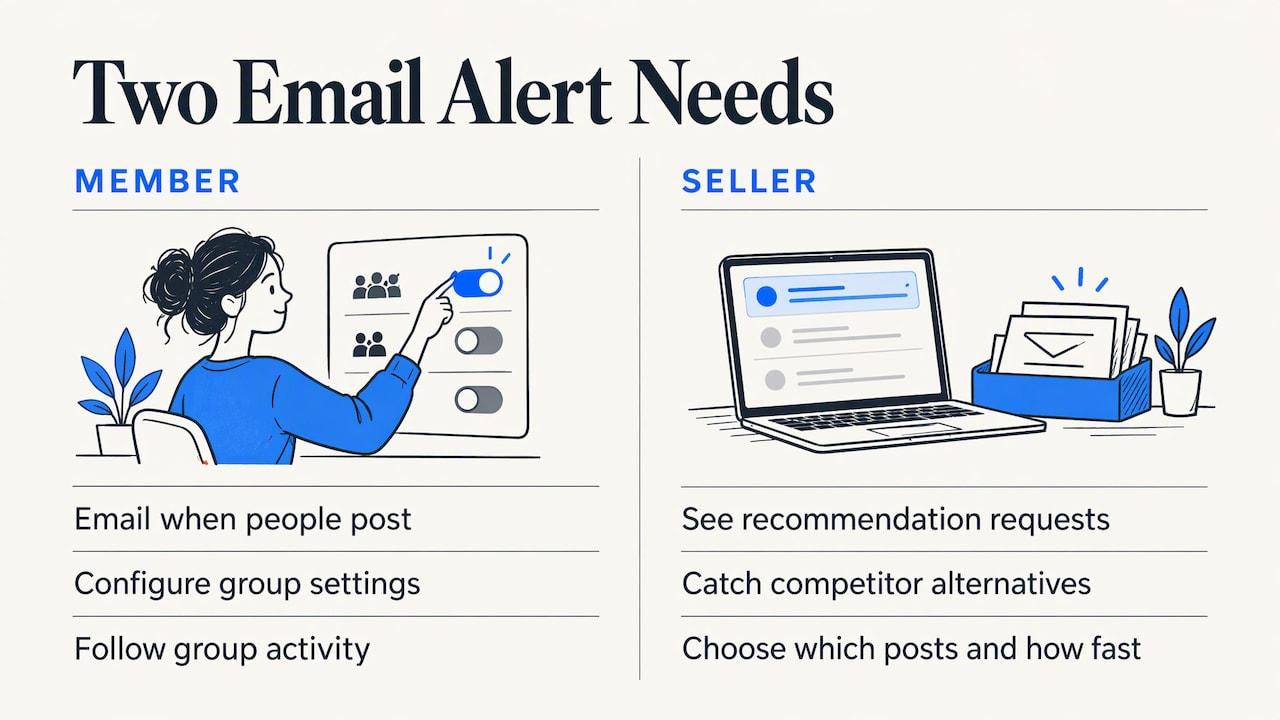
Two different needs hide behind this search.
The first is a member's need: you are in a group and want email when people post. That is a settings task.
The second is a seller's need: a wedding photographer wants to know the minute someone asks for a recommendation, a real estate agent wants to see "looking for an agent" posts, a software company wants to catch someone asking for an alternative to a competitor, and a truck parts store wants to hear from the owner asking where to buy a lift kit. Here the email is only the delivery method. What matters is which posts trigger it and how fast.
This article is for the second reader. We start with the setup that answers that need, then cover the native settings so you can configure them properly and understand why emails sometimes never show up.
The email alert built for leads
Groups Watcher monitors public and private Facebook groups for high-intent posts. You choose the groups, set the criteria, and an alert goes out within 60 seconds of a matching post. Email is one of 10+ delivery channels, alongside Slack, Discord, Microsoft Teams, webhooks and CRM integrations. Our guide to email alerts for Facebook groups compares the native settings with lead alerts in more detail.
What that changes in practice:
- You get posts, not noise. Alerts are driven by your filters and AI lead scoring, so a group with hundreds of daily posts produces an email only when something fits what you sell.
- No Facebook credentials. Groups Watcher does not use your Facebook account or login. Your personal profile is not the delivery mechanism, and your inbox settings on Facebook do not affect it.
- Any language. Posts in any language can match, which helps when you sell into multilingual communities.
- Flexible groups. You can swap groups at any time as you learn which communities produce buyers. An AI-driven group finder helps you discover groups worth watching.
- Right channel for the team. The email can go to the owner, while the same alert goes to a Slack channel for sales or into your CRM. See how Slack, Discord, email and CRM alerts fit together.
Setting up a lead alert by email
- Pick groups where your buyers ask questions. Think of the places people ask for recommendations: local community groups, hobby and vehicle groups, wedding planning groups, short-term rental host groups, industry forums. Our AI group finder suggests candidates.
- Write criteria around buying language. "Looking for," "anyone recommend," "where can I buy," a competitor's name, or your product category. The guide to monitoring Facebook groups for keywords shows how to build these filters.
- Choose email as a channel, and add Slack, Teams or a CRM if more than one person responds to leads.
- Review after a week. Tighten filters that fire too often, widen ones that stay quiet, and swap out groups that produce nothing.
Speed is the whole point. A person asking for a recommendation usually gets several replies fast, and the seller who answers first is in the conversation early. An email inside a minute puts you there. An email that arrives hours later, or never, does not.
Get Facebook group alerts in 60 seconds.
Groups Watcher finds the leads in your Facebook groups and sends them to you in 60 seconds, before your competitors reply, without using your Facebook account. 7 day trial for $1 with full features.
Start your $1 trialHow Facebook's own group emails work
You still need the native emails if you want updates about groups you belong to. They take two steps, and most failures come from doing only one.
Step 1: Set the group's notification level
On a computer, open the group, click the Joined button below the cover photo, choose Manage notifications, then pick All Posts, Highlights, Friends' Posts or Off. On iOS or Android, tap the three dots at the top right of the group and choose Manage notifications, as described in a November 2025 tutorial. Another walkthrough places the same control under Notifications on the cover photo, where All Posts means every post and Highlights, the default, covers friends' posts and suggested ones.
Facebook's labels move around between app versions, so if a button sits in a slightly different place, look for the words Manage notifications or Notifications.
Step 2: Turn on email delivery for your account
A group-level choice is not enough. Facebook also needs email delivery enabled in Settings & privacy, then Settings, then Notifications, then Email. You will see an Email Frequency choice:
| Email Frequency | What you receive |
|---|---|
| All | Every notification except the types you have turned off |
| Suggested | The default, a filtered selection |
| Required notifications | Only account, security, privacy and Pages-you-manage emails |
On a computer, click your profile picture, then Settings & privacy, then Settings, then Notifications, and under "Where you receive notifications" click Email, according to this guide to Facebook email settings. In the app, the path is Menu, Settings & privacy, Settings, Notifications, Email.
Below the frequency choice, per-type switches let you control categories such as Groups. For each activity listed there, the dropdown offers Off, Instant or Daily digest, so choose Instant if speed matters.
If you belong to many groups, the Groups section in Notifications also lets you set a default for groups you join in future and adjust push, email and SMS for groups separately.
Why Facebook group emails don't arrive
When the emails are missing, check these in order:
- The group is on Highlights. Highlights is the default and you can switch to All Posts at any time. A post you wanted may simply not have counted as a highlight.
- Email Frequency is on Required notifications, which sends only account and security mail.
- The wrong address is receiving mail. Facebook sends notifications to the primary email on the account. You can change which address is primary on the same Email settings page, which is the fix when alerts keep landing at an old work address.
- A recent unsubscribe is still processing. One guide notes this can take up to 48 hours, as described here.
- The message is in a filtered folder. Check Spam, Junk, Promotions and Social, mark messages as not spam and add the sender to your contacts, per this troubleshooting guide.
- Push and email are separate. Facebook has no single master switch; categories and delivery methods are controlled individually, so a setting can be on for email and off for push.
If a group seems to be showing you only some posts, our piece on why you miss most group posts explains what is going on in the feed.
Turning emails down when they get loud
Once your own inbox fills up, you can reduce group emails without leaving the group. Open the group, go to Options, then Manage notifications and choose Friends' Posts or Off. To limit optional mail across the account, set Email Frequency to Required notifications. Every Facebook notification email also carries an unsubscribe link at the bottom, which stops that one type of email.
Why native emails fall short for lead generation
Native emails serve members who want to follow a community. A seller needs something different, and that is where the setup stops fitting.
They are built around activity, not intent. Facebook's email system tells you a group has activity. It has no way to know that one post out of 400 is a homeowner asking for a roofer. You still open each email and read.
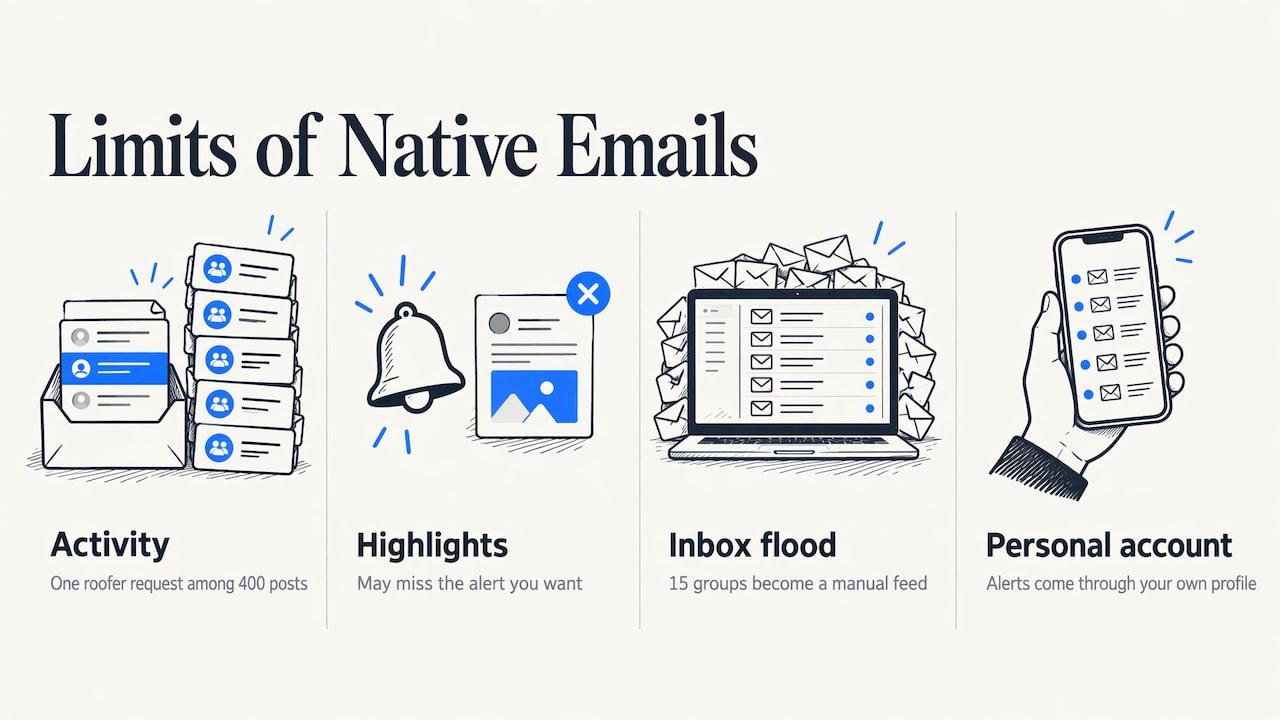
The default favors fewer alerts. Reports from 2026 say group notification settings now default to Highlights rather than All Posts for most members, and that since 2023 new members get fewer push notifications by default. For a member that reduces clutter. For someone hunting leads in the first minutes after a post, it means the alert you want may not be sent.
All Posts floods you. Switch every group to All Posts and Instant email, and fifteen groups turn your inbox into a feed you read manually. Our guides on notifications for every post and push notifications for all posts cover that setup. It works for a small group but does not scale.
Email is tied to a personal account. Native alerts come through your own profile membership. A lead alert system that does not depend on your login keeps working for the team, whoever is online.
This is why we built filtering into the alert itself. Email should arrive because a post is worth answering.
Which setup fits your business
| Business | What to watch for | Where the alert should go |
|---|---|---|
| Wedding or event vendor | "Looking for a photographer/DJ/venue" in local wedding and event groups | Email plus a phone-friendly channel |
| Real estate professional | Posts asking for agents, rentals, or neighborhood advice | Email and CRM |
| Airbnb host or property manager | Travelers and hosts asking for stays or cleaners | Email and Slack |
| B2B software company | Requests for tools in your category, or mentions of a rival | Slack and CRM, with email as backup |
| Ecommerce store | "Where can I buy..." for your product type | Email to whoever handles outreach |
| Local service business | Neighbors asking for recommendations | Email; see lead alerts for local service businesses |
A performance auto parts store, for example, would watch truck and vehicle-owner groups for phrases like "where to find" paired with part names, and have each match emailed to the person who answers customers.
Making email alerts pay off
Three habits matter more than any setting.
- Reply as a person. The best responses answer the question, then mention what you sell. A pasted ad usually gets ignored.
- Route by owner. Send the alert to the person who will answer. Shared inboxes slow response. If several people handle leads, add a multiple group monitoring setup so alerts are organized.
- Prune weekly. Drop groups that never produce a match and add new ones. Because you can swap groups at any time, there is no penalty for testing.
If you want alerts to trigger other systems, such as a CRM record or a custom workflow, see how webhook notifications work.
Try it with $1
Groups Watcher has a 7-day trial for $1. After that, the Professional plan is $99 per month, with extra groups at $2 per month per group. You can start on the pricing page and have your first email alert set up the same day.
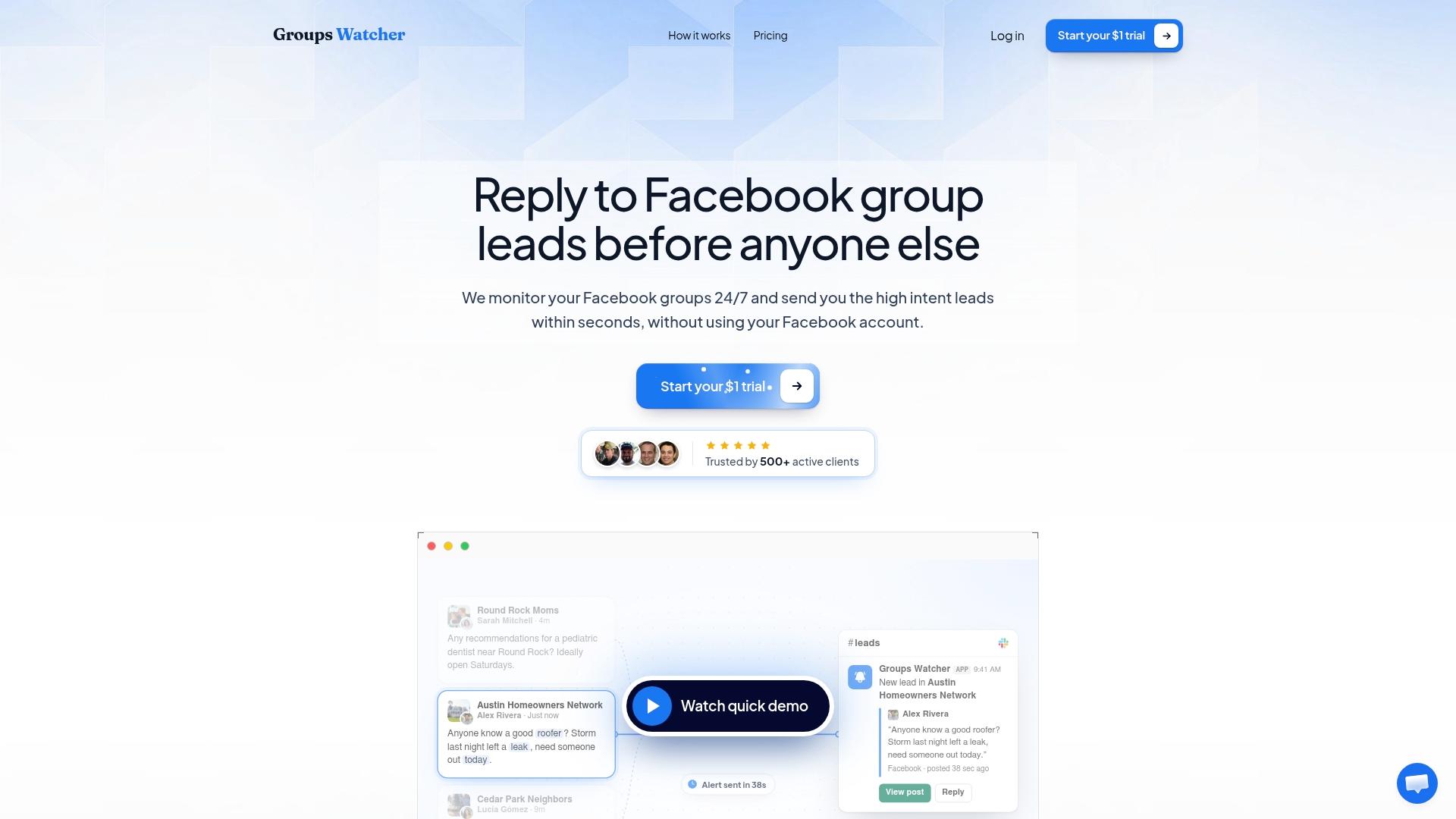
The plan includes monitoring, the AI group finder, unlimited lead scoring and alerts. If your first week shows which groups your buyers use, you will know exactly which ones to keep, and you can see the full setup on our homepage.
Our perspective
Most advice about Facebook group emails is written for members who want fewer of them. Sellers have the opposite problem: the one post that matters is buried among hundreds, and it is already getting replies.
We built Groups Watcher around that gap. Email is useful because it lands where people already work, but the value is in what triggers it. A filter that understands what a buyer sounds like, plus AI lead scoring, turns a busy group into a short list of people worth answering.
We also think speed should not depend on your personal account. That is why Groups Watcher needs no Facebook credentials, supports every language, and sends alerts within 60 seconds to email, Slack, Discord, Teams, webhooks or your CRM. The team reads the same lead at the same moment, and the first helpful reply is yours.
Groups Watcher Team
FAQ
How do I get email alerts for a Facebook group?
For general group activity, set the group to the notification level you want, then enable email in Settings & privacy, Notifications, Email. For leads, use Groups Watcher, which emails you within 60 seconds when a post in your chosen groups matches your criteria.
Why am I not getting email notifications from Facebook groups?
The usual causes are the group being set to Highlights, Email Frequency being set to Required notifications, or mail going to a different primary address. Spam and Promotions folders are also worth checking. Push and email are separate settings, so both need checking.
Can I get an email for every new post in a group?
Yes, by choosing All Posts for the group and Instant for the email activity, though in a busy group this produces a lot of mail. Groups Watcher sends an email only for posts that match your filters, which keeps the inbox usable.
Do I need to give Groups Watcher my Facebook login?
No. Groups Watcher works without your Facebook account or credentials, so the alerts do not depend on your profile settings.
Can the same alert go to my team as well as my email?
Yes. Alerts can go to email, Slack, Discord, Teams, webhooks and CRM integrations, so the lead reaches whoever responds.
Sources
- How to Turn On Notifications for a Facebook Group
- Never Miss Important Social Media Updates
- How to stop emails from Facebook
- How to Stop Facebook Emails (and Which Ones to Keep)
- How to Turn Off Facebook Notifications and Control What You See
- How Do You Turn Off Notifications For Facebook Groups
- Facebook-Gruppeneinstellungen: Highlights
- How to Stop Facebook Emails (2026)
- How to Fix Notifications Not Showing on Facebook
- How to Stop Facebook Notifications (Every Type, 2026 Guide)
- Is Facebook Shutting Down Groups? The 2026 Changes
- Why Is Facebook Group Engagement Dropping Lately
Recommended
Stop checking Facebook groups by hand.
Groups Watcher finds the leads in your Facebook groups and sends them to you in 60 seconds, before your competitors reply, without using your Facebook account. 7 day trial for $1 with full features.