Facebook Group Alert Integrations: Slack, Discord, Email and CRM
Get Facebook group alerts in 60 seconds.
Groups Watcher finds the leads in your Facebook groups and sends them to you in 60 seconds, before your competitors reply, without using your Facebook account. 7 day trial for $1 with full features.
Start your $1 trialFacebook Group Alert Integrations: Slack, Discord, Email and CRM
The most reliable way to get Facebook Group posts into Slack, Discord, email, Teams or your CRM is a monitoring tool that watches the groups for you and pushes matching posts to those channels. Facebook's own alerts only cover groups you administer, and the old automation route for Groups has been closed. Groups Watcher is built for this job: it sends an alert within 60 seconds when a post in your selected groups matches your criteria, and it never asks for your Facebook login.
This guide is for business owners, marketers, real estate agents, event vendors and store owners who want to know the moment someone in a group asks for what they sell. It covers what native alerts do, why the common integration routes stopped working, which channels to wire up, and how to build a workflow your team will use.
TL;DR
- Facebook's built-in group alerts are admin tools. They help people who run a group, not people who want to catch buying questions in groups they don't run.
- Zapier's Facebook Groups app stopped working on April 22, 2024, after Meta sunset the Groups API, so no-code automation of group posts is no longer an option.
- A monitoring tool with its own alert delivery fills the gap: choose groups, set filters, and get matching posts in Slack, Discord, email, Teams, webhooks or a CRM.
- Speed and routing decide results. Send alerts to where your team already works, and give each lead an owner.
- Groups Watcher alerts within 60 seconds, works without your Facebook credentials, and supports posts in any language.
Table of Contents
- What native Facebook Group alerts can and cannot do
- Why the old integration routes stopped working
- The channels that matter for lead alerts
- What a good lead alert contains
- How to set up a Facebook Group alert workflow
- What the workflow looks like by business type
- When an alert fires: respond like a neighbor, not an ad
- Groups Watcher: alerts without handing over your login
- Our perspective
- FAQ
- Sources
What native Facebook Group alerts can and cannot do
Facebook does offer alerts inside Groups, but they are built for moderation. Engagement Alerts, for example, are a section of the admin tools that tell admins when a post or comment gets a big response, with options for reactions, comments and replies. Admins can also be notified when an approved post is edited by its author.
That is useful if you run a community and want to know which threads are heating up. It does not help you find a buyer. Consider the situations a lead-hunting business faces:
- A homeowner asks a neighborhood group for a recommended agent.
- A bride asks a local wedding group who has a weekend date open.
- A truck owner asks where to find aftermarket parts.
- A software buyer complains about a competitor and asks for alternatives.
In none of these cases are you the admin, and in none is the signal "lots of reactions." The signal is the content of a fresh post, and the value is in being first to answer. Native alerts are not designed to watch other people's groups for that content.
Member-level notification settings, such as all posts, highlights or off, control what shows up in your own Facebook app. They send push and in-app notifications to the person logged in. They do not forward anything to a shared Slack channel, a sales inbox or a CRM, and they cannot filter for intent. If you have ever tried to run lead response from your personal notification feed, you know the problem: it is noisy, it depends on one person's phone, and it stops when that person is busy.
Why the old integration routes stopped working
Many teams first look for a connector. For several years, automation platforms offered a Facebook Groups app that could pass group activity into other tools. That route ended in 2024: Meta announced it was sunsetting the Facebook Groups API, and Zapier's Facebook Groups app stopped working on April 22, 2024.
If you still find tutorials that tell you to connect a group to Slack through a no-code recipe, treat them as out of date. The practical consequences:
Get Facebook group alerts in 60 seconds.
Groups Watcher finds the leads in your Facebook groups and sends them to you in 60 seconds, before your competitors reply, without using your Facebook account. 7 day trial for $1 with full features.
Start your $1 trial- Generic automation recipes won't see group posts. Connectors that work for Pages or ads do not give you a feed of posts in groups you don't run.
- Building your own tool is a heavy project. It means maintaining collection, filtering, deduplication, delivery and uptime. We cover that tradeoff in our guide on how to build a Facebook group monitoring tool.
- Browser add-ons manage notification settings, not leads. They help you tidy your own preferences, but they don't route a buying question to your team.
The dependable answer is a purpose-built monitor that handles collection and alert delivery as one service. That is what Groups Watcher does, and it is why integrations are a feature of the product rather than a project you assemble.
The channels that matter for lead alerts
A lead alert is only as good as the place it lands. Groups Watcher delivers alerts to 10+ channels, including Slack, Discord, email, Microsoft Teams, webhooks and CRM integrations. Here is how to choose.
| Channel | Best for | Why it works |
|---|---|---|
| Slack | Sales or marketing teams already living in Slack | Alerts land in a shared channel where a teammate can reply "mine" in seconds |
| Discord | Small teams, agencies, community-driven brands | Mobile notifications are fast and the channel is easy to split by topic |
| Solo owners and agents | Works everywhere, easy to forward, creates a searchable record | |
| Microsoft Teams | Companies standardized on Microsoft 365 | Keeps alerts inside the tool your colleagues already check |
| Webhooks | Developers and ops teams | Sends the alert into any custom system, such as a ticketing queue or internal dashboard |
| CRM | Teams that track every lead to close | Creates the record at the moment of the post, so nothing depends on copy and paste |
A few rules of thumb:
- One channel per job. Send high-intent alerts to the place people react instantly (Slack or Discord), and mirror them into the CRM so the record exists.
- Split by topic when volume grows. A real estate team might send "looking for an agent" posts to one channel and "neighborhood questions" to another.
- Keep a human-readable alert. The person who sees it should know within five seconds which group it came from, what the poster asked, and a link to the post.
What a good lead alert contains
Speed gets you to the post. Context lets you decide whether to answer. A useful alert includes the post text, the group name, a link, and some signal of how likely the poster is to buy. Groups Watcher adds AI lead scoring, so high-intent posts stand out from chatter, and it applies unlimited lead scoring and alerts on the Professional plan.
Filters do the first cut. The goal is to catch the phrasing real buyers use, not just your product name. Think in three layers:
- Need phrases: "looking for," "anyone recommend," "where can I find," "who does," "need a quote."
- Topic terms: your service, your product category, the part number, the neighborhood, the event type.
- Competitor mentions: a rival's name alongside words like "switching," "cancel," "alternative" or "frustrated."
Because Groups Watcher supports every language, you can monitor groups where members post in Spanish, Portuguese or any other language without building separate rule sets by hand. That matters in many US metro areas, where the most active local groups are often bilingual.
For a deeper look at writing rules that catch real intent, see our guide to Facebook group keyword alerts.
How to set up a Facebook Group alert workflow
Here is the routine, step by step, with the place each step usually goes wrong and what Groups Watcher takes off your hands.
1. Choose the groups where your buyers ask questions
Start with where your customers talk, not where your industry talks. A wedding photographer wants local engagement and wedding planning groups. A performance parts store wants truck and model-specific owner groups. A B2B software company wants groups where its users and its competitors' users ask for help.
Where it goes wrong: picking huge, generic groups with few buying questions, or hunting for hours to find the right ones. Groups Watcher includes an AI-driven group finder to surface relevant groups, and it monitors public and private groups. You can swap groups at any time, so a group that turns out quiet is easy to replace.
2. Write filters for intent, not just keywords
Combine need phrases with topic terms, as above. Begin broad enough to see real posts, then tighten. If a filter fires on every post that mentions your category, add the phrases that mark a request.
Where it goes wrong: rules so narrow that you miss paraphrases, or so wide that your team learns to ignore the channel. AI lead scoring helps here by ranking what comes through.
3. Pick your delivery channel
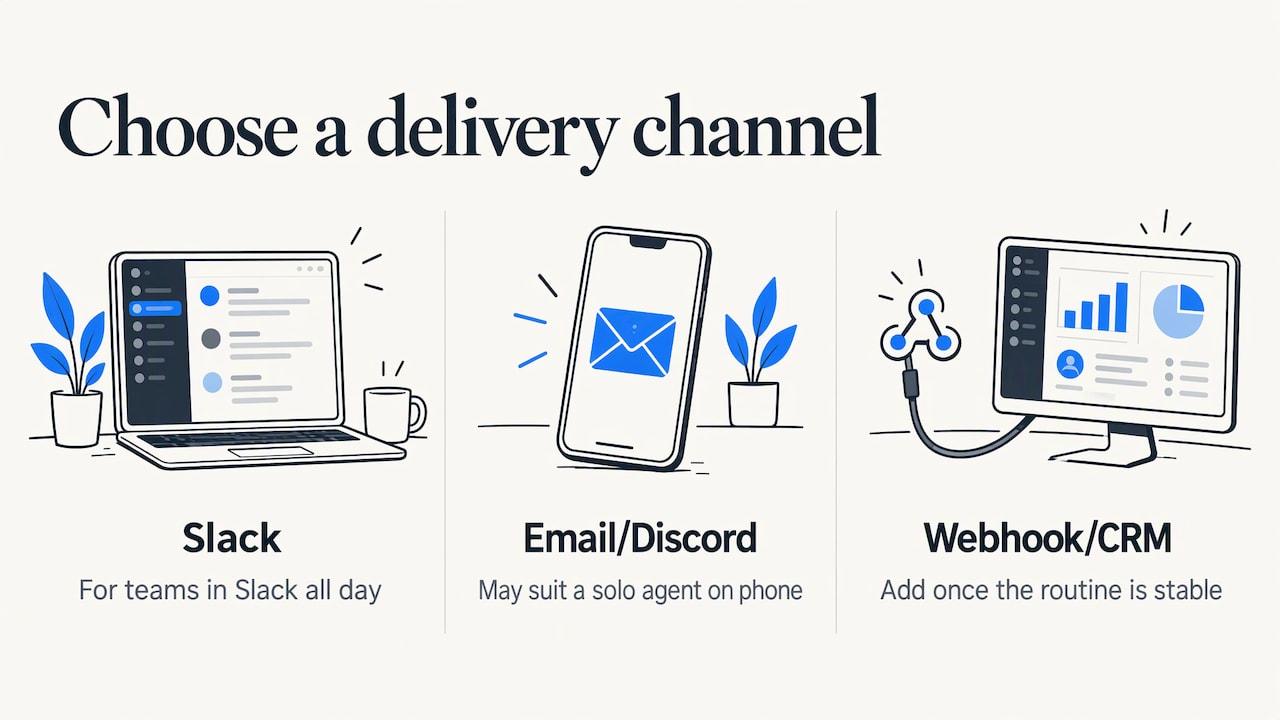
Match the channel to how fast your team really reacts. If everyone is in Slack all day, use Slack. If you are a solo agent on your phone, email or Discord may beat both. Add a webhook or CRM connection once the routine is stable.
Where it goes wrong: sending alerts to a channel nobody watches. Decide who watches it before you turn it on.
4. Assign an owner and a response window
Write one rule: the first person to react claims the lead, and the claim is visible. Many teams use an emoji reaction in Slack or Discord. Set a target, such as answering within a few minutes during business hours. Groups Watcher alerts within 60 seconds, so the delay should be on your side only if you let it be.
Where it goes wrong: two people answering the same post, or nobody answering because everyone assumes someone else will.
5. Log the lead and review weekly
Push the lead into your CRM, mark the outcome, and review once a week: which groups produced real conversations, which filters were noisy, which phrases you missed. Then adjust the filters or swap a group.
Where it goes wrong: treating alerts as a notification stream rather than a pipeline. The weekly review is what turns it into a system.
Our setup guide for Facebook group instant notifications walks through the configuration in more detail.
What the workflow looks like by business type
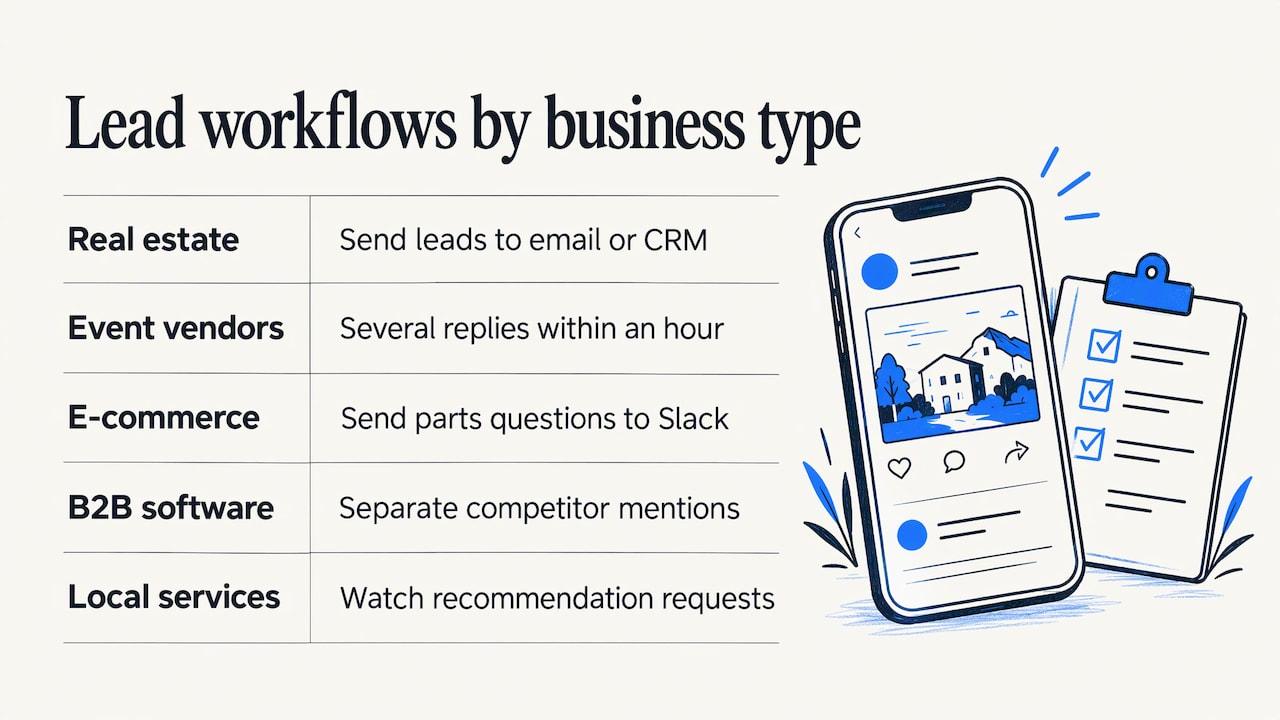
Real estate agents. Alerts for phrases like "looking for a realtor," "selling our house," or "moving to [your town]" in local and neighborhood groups. Send them to email or your CRM so the lead is recorded the second it appears. We have a page on lead alerts for real estate agents.
Event and entertainment vendors. Wedding vendors and short-term rental hosts catch requests like "need a DJ for June" or "who has availability this weekend." Speed is the whole game, because the poster often collects several replies within the hour.
E-commerce and parts stores. A performance auto parts store can watch truck and car owner groups for questions about where to buy specific aftermarket parts, and send each to Slack with the part and vehicle in the text.
B2B and software brands. Watch for people asking for a tool in your category and for posts that mention a competitor with frustration. Route competitor mentions to a separate channel so your team can answer them differently from plain requests.
Local service businesses. Plumbers, cleaners, movers and similar trades can watch community groups for requests for recommendations. See Facebook lead alerts for local service businesses.
The same logic of following a target's public activity applies on other networks too, for instance when monitoring LinkedIn activity for hiring managers. And if you want the bigger picture of how conversations feed pipeline, this look at community-led marketing for B2B shows why showing up where people already talk pays off.
When an alert fires: respond like a neighbor, not an ad
A fast alert gets you in the door. The reply decides whether it opens. Group members are neighbors, customers and peers, so the reply that works answers the question first.
- Lead with help. Give the part number, the price range, the availability, or the honest recommendation. Mention your business as part of the answer.
- Read the group first. Each group has its own culture and rules, and some admins prefer that replies stay in the comments. Follow them.
- Let the poster take the next step. If they reply or ask for details, offer to continue in a message. Ask before moving to a direct message.
- Keep it short. A two-sentence answer posted in three minutes beats a polished pitch posted tomorrow.
The stronger the signal, the warmer the follow-up can be: a direct question about your business is a clearer invitation than a general thread.
Groups Watcher: alerts without handing over your login
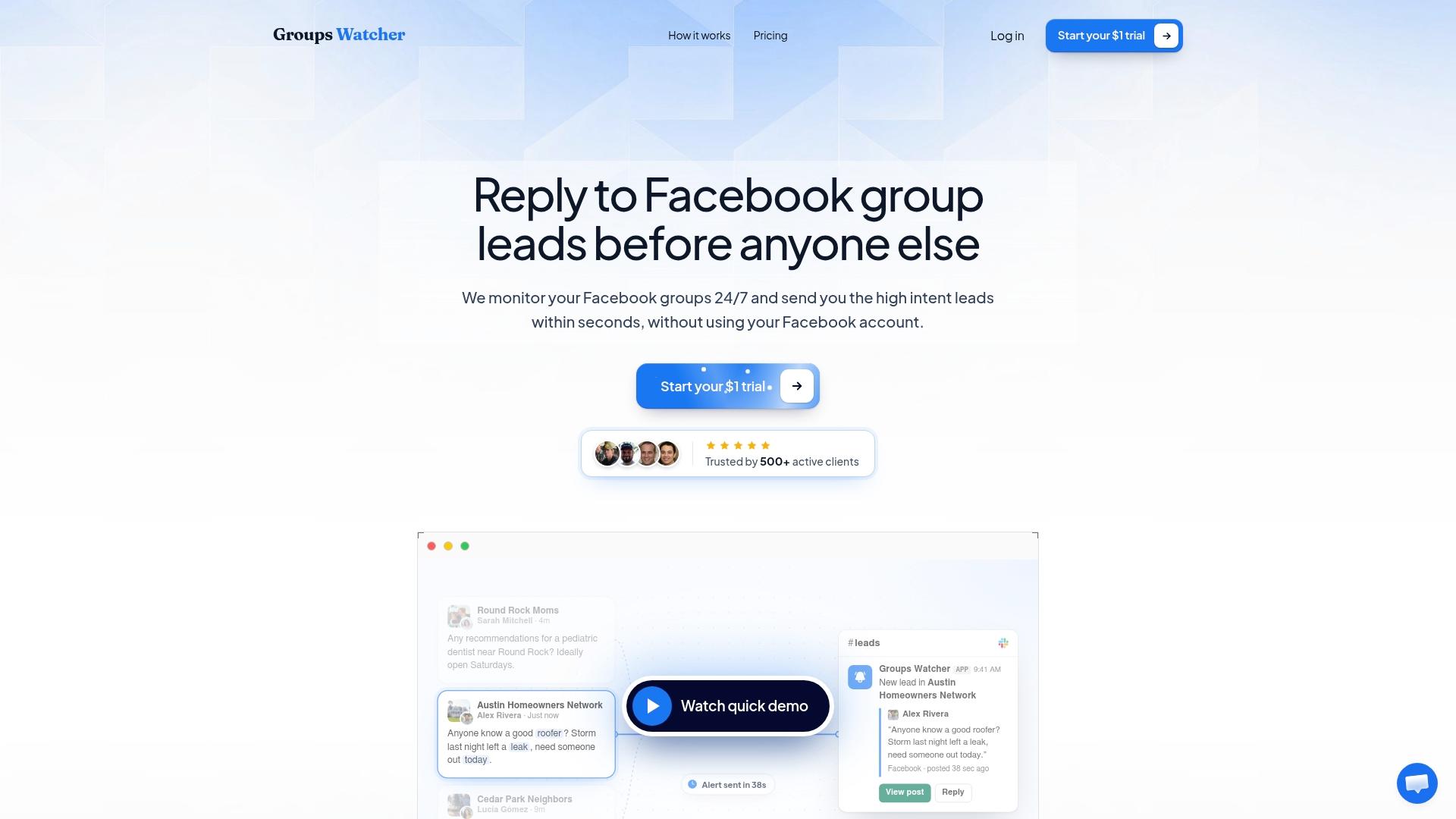
If you want this workflow running without building it, Groups Watcher is the shortest path. It monitors public and private Facebook groups, finds relevant groups with AI, scores each post, and sends alerts within 60 seconds to Slack, Discord, email, Teams, webhooks and CRM integrations. It works without your Facebook account or credentials, so your personal profile is never part of the setup.
The Professional plan is $99 per month, with extra groups at $2 per month per group. You can start with a 7-day trial for $1. See the details on the pricing page.
If you want to see how the monitoring side works before choosing groups, read about Facebook social listening and monitoring Facebook groups without a login.
Our perspective
Most teams that come to us have already tried the same thing: someone scrolls the groups in the morning, a few leads get answered, and the rest go cold by lunch. The problem was never effort. It was timing and routing.
We built Groups Watcher around two ideas. First, the alert should reach the person who can answer, in the tool they already use, within a minute. That is why delivery to Slack, Discord, email, Teams, webhooks and CRMs is part of the product and not an add-on.
Second, monitoring should not depend on your personal Facebook account. When a tool runs on your credentials, your lead flow is tied to your profile. Ours doesn't ask for them, so you can set up groups, swap them, and share alerts with a team without that dependency.
Add AI lead scoring, filters that capture the way buyers actually phrase requests, and support for every language, and the work left for your team is the part only a person can do: answering well.
Groups Watcher Team
FAQ
Can I get Facebook Group alerts in Slack or Discord?
Yes. Groups Watcher sends matching posts from the groups you select to Slack, Discord, email, Teams, webhooks and CRM integrations. Alerts arrive within 60 seconds of a matching post, so your team can respond while the thread is still new.
Can I set keyword alerts for groups I don't admin?
Facebook's own group alert tools are admin tools, so they are meant for groups you run. To watch groups you don't administer, use a monitoring tool such as Groups Watcher, which lets you choose groups and filters and receive alerts without using your Facebook credentials.
Does Zapier still connect to Facebook Groups?
No. Zapier's Facebook Groups app stopped working on April 22, 2024 after Meta sunset the Groups API. A dedicated monitoring service with its own delivery channels replaces that route.
What should a lead alert filter look for?
Combine request phrases such as "looking for" or "where can I find" with the terms of your service, product, location or competitor. AI lead scoring then ranks the matches so the strongest requests rise to the top of your channel.
How many groups can I monitor?
The Professional plan is $99 per month, and each extra group is $2 per month. You can swap groups at any time, so you can move on from quiet groups and add active ones as you learn where your buyers ask.
Sources
- Facebook Expands Engagement Alerts for Groups, Adds New Alert Options (Social Media Today)
- App update: Facebook Groups app removal (Zapier Help Center)
- Monitor LinkedIn activity (Kynzo)
- Community-led marketing for B2B (Authority Engine)
Recommended
Stop checking Facebook groups by hand.
Groups Watcher finds the leads in your Facebook groups and sends them to you in 60 seconds, before your competitors reply, without using your Facebook account. 7 day trial for $1 with full features.