Customer Requests in Facebook Groups: How to Catch Them Fast
Get Facebook group alerts in 60 seconds.
Groups Watcher finds the leads in your Facebook groups and sends them to you in 60 seconds, before your competitors reply, without using your Facebook account. 7 day trial for $1 with full features.
Start your $1 trialCustomer Requests in Facebook Groups: How to Catch Them Fast
Every day, people post in Facebook groups asking who to hire, where to buy something or what to use instead of a tool they dislike. Those posts are customer requests, and they go cold quickly. The businesses that win them find the post within minutes, filter out the noise and reply with something useful. This guide shows how to do that: where requests appear, how to search for them by hand, why the usual alert tools miss them, and how to set up a system that notifies you in real time.
TL;DR
- Customer requests are posts where a member asks for a recommendation, a quote or a place to buy. They usually carry a buying signal in the wording.
- Manual searching works for public posts but is slow, and the best leads are often a few hours old before you see them.
- Google Alerts and the official data routes do not give you a reliable feed of group posts, so you need a tool built for groups.
- Filter by intent phrases, not by topic. Then reply with help first and a pitch second.
- Groups Watcher sends alerts within 60 seconds and does not need your Facebook login.
Table of Contents
- What counts as a customer request in a Facebook group
- Why these posts are worth the effort
- Finding customer requests by hand
- Why alerts and the official routes fall short
- How to pick the right groups
- Filtering: separating real buyers from chatter
- Getting the alert where you already work
- How to reply without sounding like an ad
- Our perspective
- Put it to work with Groups Watcher
- A one-week starting plan
- FAQ
- Sources
What counts as a customer request in a Facebook group
A customer request is any post where a member signals they are about to spend money. It is different from general chatter. A member who writes about their weekend is not a lead. A member who writes "anyone know a good photographer for a June wedding in Austin?" is.
Requests tend to fall into a few patterns:
- Recommendation asks: "Can anyone recommend a plumber / realtor / accountant?"
- Where-to-buy asks: "Where can I find aftermarket exhaust parts for a 2019 truck?"
- Alternative asks: "Looking for something better than the tool I use now."
- Competitor mentions: a member complaining about a rival or asking if anyone has tried them.
- Quote asks: "What should I expect to pay for…?"
The pattern matters because it tells you what to filter for later. Each pattern has telltale phrases, and those phrases become your alert criteria.
Why these posts are worth the effort
Group members ask in groups because they trust the people there more than a search engine. They often post with a budget, a location and a deadline already attached. That is more context than most inbound form fills carry.
The catch is timing. A request posted at 9:02 a.m. can have a dozen replies by 9:30. The first helpful answer from a real business tends to get the conversation. Speed is the whole game, which is why finding the post is a bigger problem than writing the reply.
For a broader look at the tactics, see our guide on how to find customers in Facebook groups.
Finding customer requests by hand
Start with the free method, because it teaches you which phrases your buyers actually use.
Get Facebook group alerts in 60 seconds.
Groups Watcher finds the leads in your Facebook groups and sends them to you in 60 seconds, before your competitors reply, without using your Facebook account. 7 day trial for $1 with full features.
Start your $1 trialSearch public posts with Google
One approach is a Google search restricted to the groups section of Facebook, combined with a phrase a buyer would type. Proven SaaS describes this operator approach, using site:facebook.com/groups/ followed by a quoted phrase such as "looking for a tool that". It can surface conversations buried deep in a group's history.
Try variations that match your own category:
site:facebook.com/groups/ "looking for a" "florist"site:facebook.com/groups/ "anyone recommend" "roofer"site:facebook.com/groups/ "where can I buy" "lift kit"
This only reaches posts Google has indexed, so it favors older public content. It is good for research and for learning wording. It is poor for catching a request the minute it appears.
Search inside the groups you belong to
Inside a group, the search box lets you check a phrase and sort by recent posts. Doing this across ten groups, several times a day, is where most people give up. It works as a weekly research habit, not as a lead system.
Write down the phrases that convert
While you search, keep a running list of the exact wording of requests you would have wanted. Include misspellings and slang. This list becomes the backbone of your filters. Our piece on how to use Facebook groups for market research covers how to turn that list into positioning and product insights too.
Why alerts and the official routes fall short
Most businesses try the obvious tools first, then hit a wall.
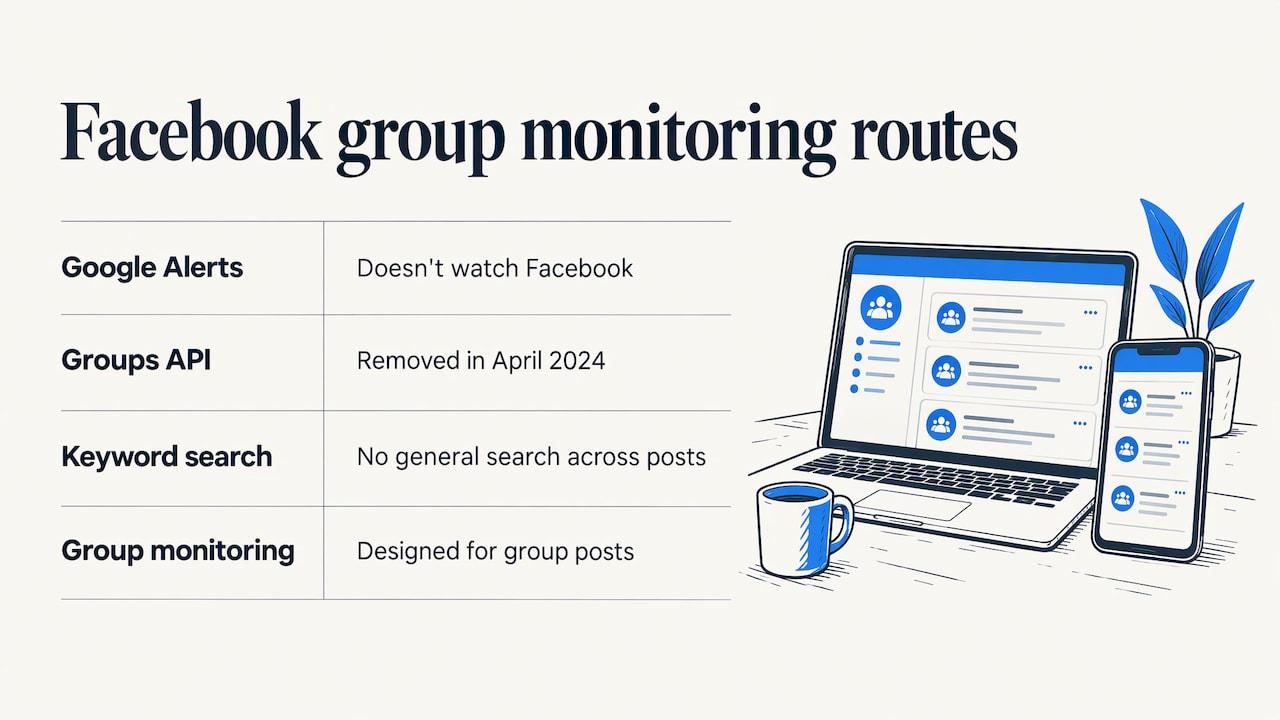
Google Alerts. It does not watch Facebook. According to Cited's guide to Google Alerts, most Facebook content sits behind a login wall that keeps it out of Google's index, so an alert for your keyword will rarely show a group post.
The official API. GetPhyllo reports that Meta deprecated the Facebook Groups API in early 2024 and removed it from all versions in April of that year, so there is no official feed of group posts to build on.
General keyword search. Postproxy notes that Meta's Graph API offers page mention tracking and Instagram hashtag search, but no general keyword search across Facebook posts. Brand mentions on your own page are covered. Strangers asking for you in a group are not.
The result: a gap between where customers ask and where most monitoring tools look. A tool designed specifically for group posts fills that gap. For a comparison of tool types, read do social listening tools work for Facebook groups and our roundup of Facebook monitoring tools.
How to pick the right groups
The quality of your leads depends on the groups you watch. A group with 200,000 members and no rules produces a flood of noise. A tight local group with 3,000 active members can produce more paying customers.
Look for groups with these traits:
- Members who ask questions. Scroll the last two weeks. If most posts are memes, move on. If many are "does anyone know…" posts, keep it.
- Your buyer's location. For local services, city and neighborhood groups beat national ones.
- Your buyer's moment. Wedding vendors want engaged-couples groups. Real estate agents want relocation, renters and neighborhood groups. A parts store wants model-specific owner groups.
- Recent activity. Posts from the last day, not the last month.
- A mix of group types. Include hobby groups, local community groups and competitor-adjacent groups where people compare options.
Groups Watcher includes an AI-driven group finder to suggest relevant groups, and you can swap groups at any time, so you can test a group for a week and replace it if it stays quiet. Both public and private groups can be monitored, and it works without your Facebook account. For private groups specifically, see what works for closed Facebook groups.
Filtering: separating real buyers from chatter
Topic keywords alone create noise. "Wedding" appears in thousands of posts that are not requests. Intent filters work better because they combine a topic with a buying signal.
Build filters in three layers
| Layer | What it catches | Example |
|---|---|---|
| Topic | The thing you sell | photographer, roof repair, exhaust, CRM |
| Intent phrase | The request wording | looking for, anyone recommend, where can I buy, need a quote |
| Context | Location, product or budget | Austin, F-150, under $500, next month |
A post that hits all three is a hot lead. A post that hits topic and intent is worth a look. A post that hits only the topic is probably discussion.
Add competitor and alternative triggers
If you sell software or services, add the names of rivals plus words like "alternative", "switch from", "cancel" or "not happy with". These posts often come from people who are already shopping. Our setup guide for group mention monitoring walks through this.
Let scoring do the sorting
Groups Watcher scores matches with AI so a vague post ranks below a clear request, and lead scoring is unlimited on the plan. That keeps your inbox for the posts that deserve a fast reply. You can also read about question alerts that flag buying questions.
Getting the alert where you already work
An alert only helps if you see it. Route it to the place your team already checks:
- Slack or Microsoft Teams for a shared sales channel
- Discord for small teams and communities
- Email for solo owners
- Webhooks and CRM integrations to create a lead record automatically
For a solo operator, a phone notification from a Slack channel is often the fastest option. For a team, assign one person per shift so no alert sits unclaimed. If you want to set this up step by step, use our guide to Facebook group instant notifications.
How to reply without sounding like an ad
Getting the alert is half the job. The reply decides whether you get a conversation or get ignored.
A simple reply formula
- Answer the actual question. If they ask what to expect to pay, give a range or a clear next step.
- Be specific to their situation. Mention the city, the model, the date they gave.
- Offer one next step. A quick call, a short list, a link to a relevant page.
- Keep it short. Three or four sentences.
- Move to a private message when it makes sense. Keep prices and contact details out of a long public thread.
Examples
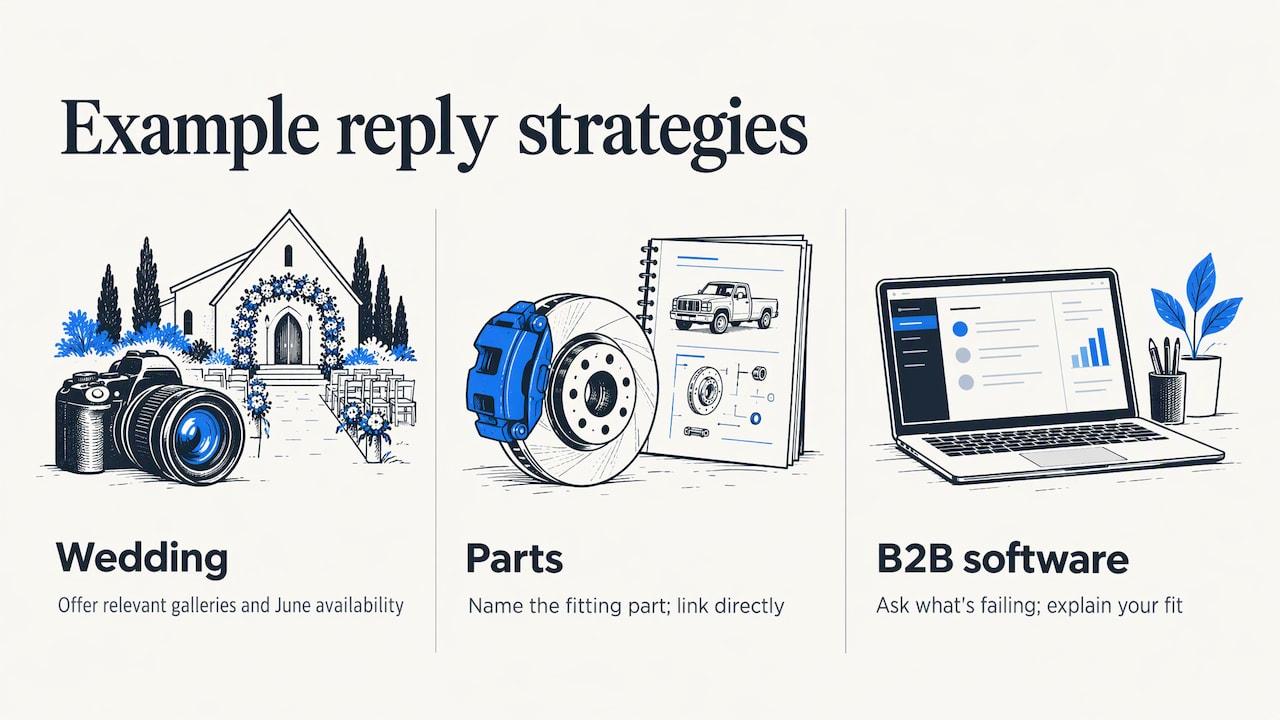
A wedding photographer sees a request for a June venue-friendly photographer. Reply: "Congrats! I shoot a lot of weddings at outdoor venues around Austin and still have a few June dates open. Happy to send a few galleries if that helps. Want me to message you?"
A parts store sees a truck owner asking where to find aftermarket parts. Reply with the part type that fits their model and a direct link, rather than a generic homepage.
A B2B software company sees someone asking for an alternative to a tool they use. Reply by asking what is not working, then say how your product handles it.
Read each group's rules before replying, and follow what the admins say about promotions. Many groups welcome helpful answers from businesses when they are relevant and honest. Being a recognizable, useful member over time helps every later reply land better.
Use what you learn elsewhere
The wording of requests tells you what buyers care about. You can reuse it in your website copy and in paid campaigns, for example with Facebook ads for small businesses built around the questions people already ask.
Our perspective
Most businesses we talk to do not have a lead problem in Facebook groups. They have a timing problem. The requests are there, posted every day, but they find them hours later, when three competitors have already answered.
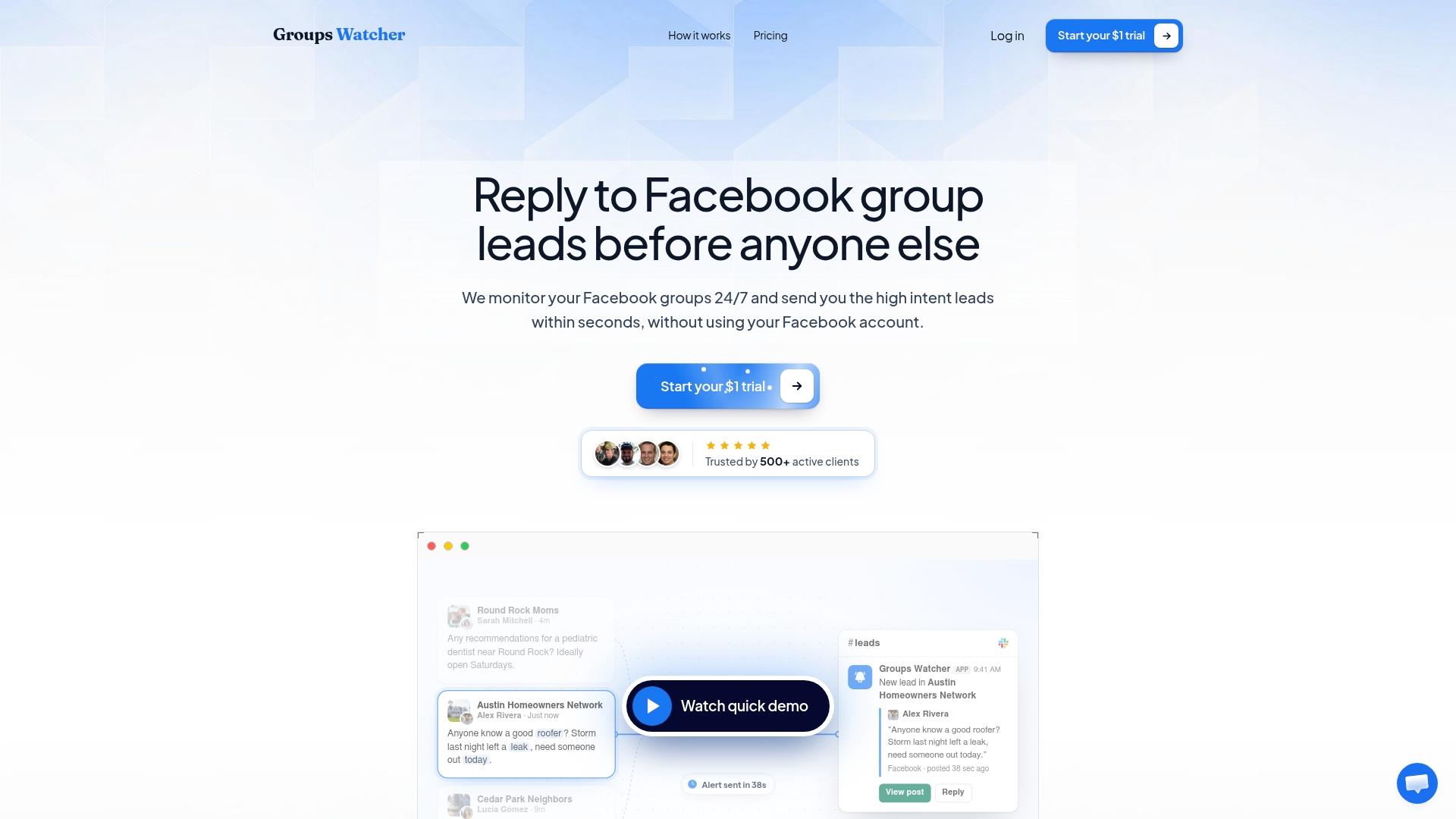
We built Groups Watcher around that gap. It watches the groups you pick, public or private, and alerts you within 60 seconds when a post matches your criteria. Because it never asks for your Facebook credentials, you do not have to hand over your personal account to run it.
We also think filtering matters as much as speed. An alert for every mention of your keyword just trades one inbox problem for another. That is why we pair custom filters with AI lead scoring: you see the strongest requests first, in Slack, Discord, email, Teams, a webhook or your CRM.
It works in any language, so a group that posts in Spanish, Portuguese or Vietnamese is as easy to watch as an English one. And you can swap groups whenever a group goes quiet or a better one turns up.
Groups Watcher Team
Put it to work with Groups Watcher
If you want requests delivered rather than hunted, Groups Watcher does the watching for you. Pick your groups, set your intent phrases, choose a channel and get alerts within 60 seconds of a match. No Facebook login is needed.
The Professional plan is $99 per month, and extra groups are $2 per month per group. You can start with the 7-day trial for $1 and see what lands in your channel in the first week.
See Groups Watcher pricing or read more about Facebook social listening. Real estate agents can look at lead alerts built for agents, and local service businesses at alerts for local service businesses.
A one-week starting plan
- Day 1: List 10 phrases buyers use. Run them through Google with the group search operator to see what turns up.
- Day 2: Pick 10 to 15 groups using the criteria above.
- Day 3: Set up filters in three layers: topic, intent, context.
- Day 4: Connect your alert channel and test it.
- Day 5 to 7: Reply to every strong match within minutes. Note which groups and phrases produce real conversations.
- After week one: Drop the quiet groups, add new ones, tighten the filters that let noise through.
For a longer walkthrough, see our guide to monitoring Facebook groups for lead generation and how to find buyers asking in Facebook groups.
FAQ
How do I find customer requests in Facebook groups?
Join groups where your buyers ask questions, then search for request phrases like "looking for" or "anyone recommend" alongside your topic. For speed, use a monitoring tool that alerts you when a matching post appears, so you do not have to check each group by hand.
Can Google Alerts track Facebook group posts?
Not reliably. Cited reports that Google Alerts does not monitor Facebook and that most Facebook content sits behind a login wall. A tool designed for group monitoring is the better route.
How fast should I reply to a request?
As fast as you can while staying helpful. Groups Watcher sends alerts within 60 seconds so that you can reply while the post is still near the top of the group, before the thread fills with answers.
Do I need to give a monitoring tool my Facebook login?
With Groups Watcher, no. It monitors groups without your Facebook account or credentials, so your personal profile is not part of the setup.
What should I put in a filter to find high-intent posts?
Combine your topic with a request phrase and, where you can, a location or product detail. For example: "photographer" plus "looking for" plus your city. Add competitor names with "alternative" if you sell software.
Sources
- How to Use Facebook Group Search to Find Your Next Big Idea (Proven SaaS)
- Facebook Groups API: Data Access & Research Guide (GetPhyllo)
- Social Media Monitoring API: Brand Alerts (Postproxy)
- Google Alerts Guide: Advanced Operators (Cited)
- Facebook Ads for Michigan Businesses (Blue Lake Web Design)
Recommended
Stop checking Facebook groups by hand.
Groups Watcher finds the leads in your Facebook groups and sends them to you in 60 seconds, before your competitors reply, without using your Facebook account. 7 day trial for $1 with full features.